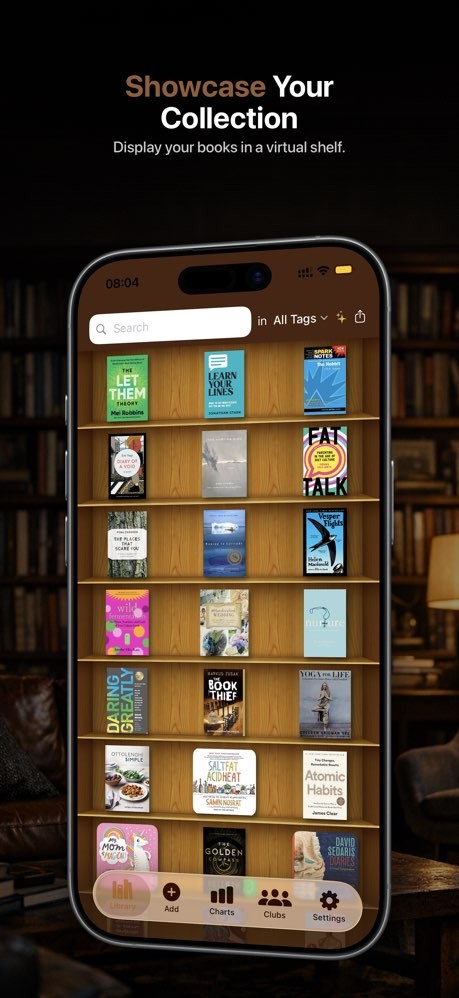
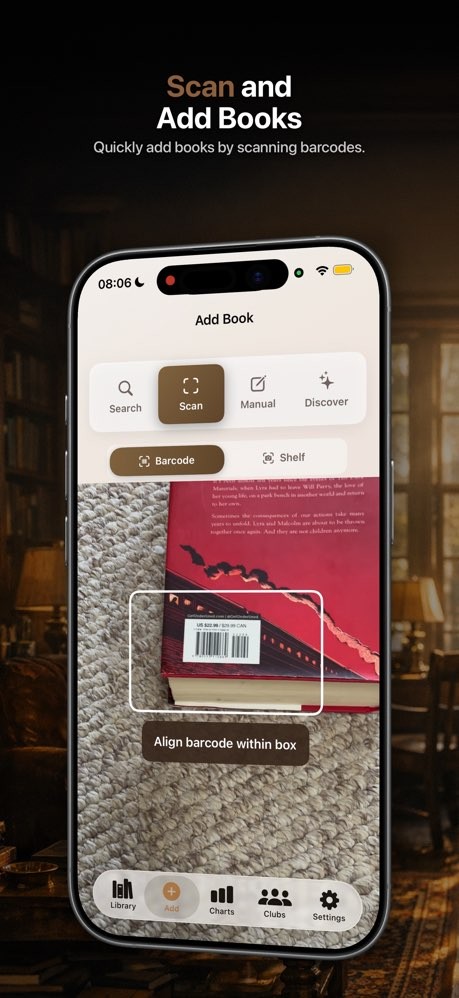
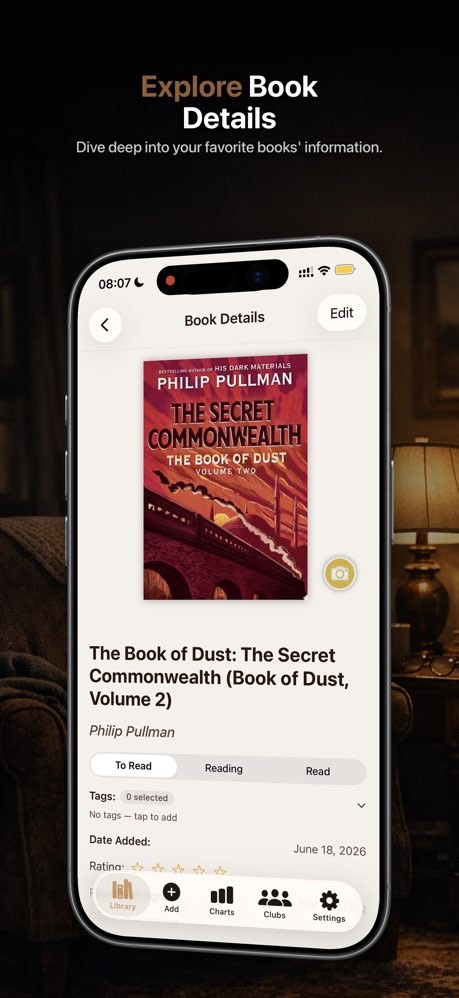
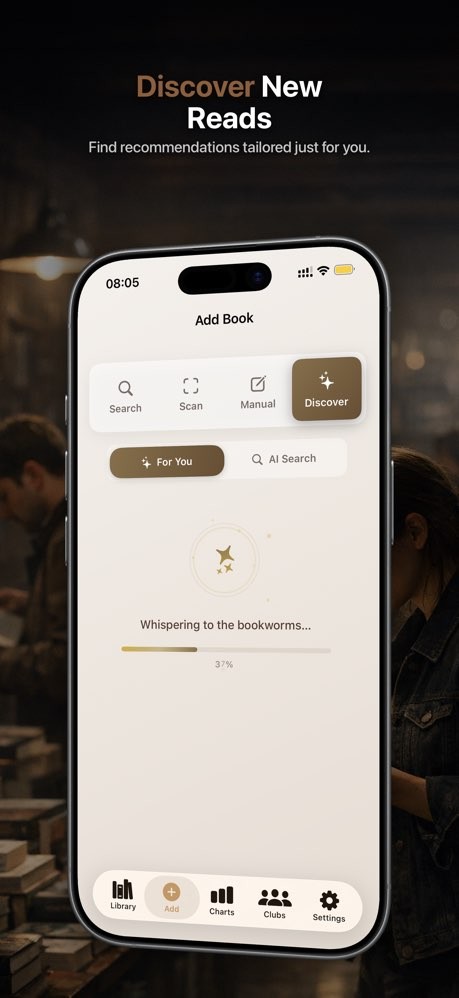
My Book List is built for readers who already have piles of books and want something nicer than a spreadsheet to manage them. You point your camera at a barcode or type in a title, and the app pulls in the real cover, author, and details, then drops the book onto a grid that is meant to look like a real bookshelf.
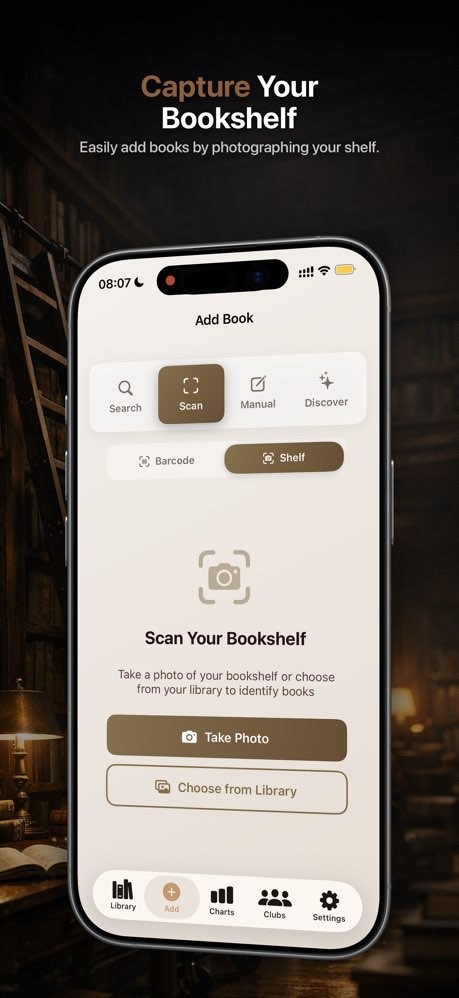
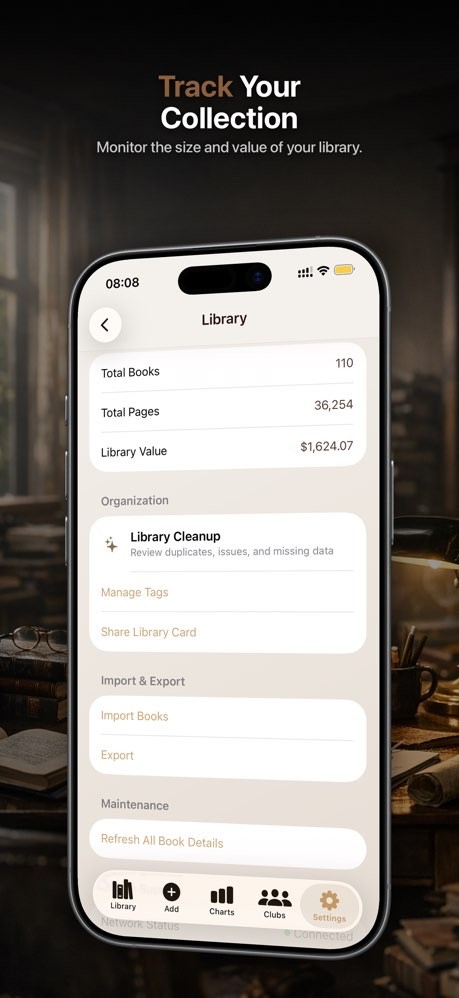
Larger collections can be handled with smarter scanning: you can add a stack in minutes or snap an entire shelf and let the app recognize each spine, which makes cataloging a home library feel simple rather than daunting. Once everything is in, you can mark books as owned, to read, reading, or finished. You can also add tags and notes, sort by author or mood, and watch your totals for books, pages, and collection value grow over time. Cloud sync keeps the same library across iPhone and iPad, while extras like reading stats, clubs, achievements, and AI‑powered recommendations give the app extra features that make it more interesting than just a simple bookshelf.
Why Should I Download My Book List?
My Book List is mainly for people who already have shelves of books and want a cleaner way to keep track of them. Instead of maintaining spreadsheets or notes, you scan a barcode or search for a title, and the app pulls in the cover, author, and other details, then drops the book onto a visual shelf you can browse at a glance. You can add larger batches quickly using scanning tools, which makes it realistic to catalog a home library in an afternoon rather than over several weekends.
Once your books are in, My Book List becomes your go-to for everyday reading admin. You mark titles as owned, want‑to‑read, or finished, add tags and notes, and sort or filter by author, series, or status. Reading stats show how many books and pages you’ve gone through, and cleanup tools help find duplicates or broken entries when your collection gets big. Cloud sync keeps everything aligned across devices, and social features like clubs, shared shelves, and achievements add a light layer of community for readers who enjoy comparing lists or organizing group reads.
Is My Book List Free?
My Book List is free to download and try on iOS. The core experience such as barcode scanning, visual shelves, search, and basic tracking, is available in the free version, which is enough for many casual readers.
The app also offers optional in‑app purchases to unlock premium features. Those extras cover things like more advanced analytics, social tools, and automation options such as AI‑assisted categorization of imported lists.
What Operating Systems Are Compatible with My Book List?
My Book List is designed for iPhone and iPad. Databases sync via the cloud, so you can scan books on one device and see the same shelf on another.
There is no dedicated Android or Windows version in the current listings. That positions My Book List as an Apple‑centric library manager: ideal if you already live inside the iPhone/iPad ecosystem.
What Are the Alternatives to My Book List?
Librarian Pro is the closest alternative if you want a desktop‑style catalog for a wider range of media. It runs on macOS and Windows and supports books, movies, games, music, and more, with barcode scanning, smart collections, lending management, and detailed stats about your collection. Compared with My Book List, Librarian Pro feels more like a general inventory system for all your media, while My Book List keeps its focus on books and a simpler, cover‑first mobile interface.
My Library for Android offers a straightforward way to catalog a personal library on phones and tablets. You scan barcodes, let the app pull in title, author, cover, and summary, then sort by categories, read/unread status, or other fields. Compared with My Book List, My Library is lighter and more utilitarian, aimed at Android users who want basic cataloging and export tools without many social or AI‑driven features.
Goodreads goes in a broader social direction. It tracks what you’re reading and want to read, offers reviews, ratings, and recommendations, and lets you follow friends, join groups, and take part in reading challenges. Compared with My Book List, Goodreads is less about detailed control over your physical collection and more about sharing opinions, discovering books, and seeing a social timeline of reading activity; My Book List feels closer to a personal catalog that adds social features on top rather than starting with them.