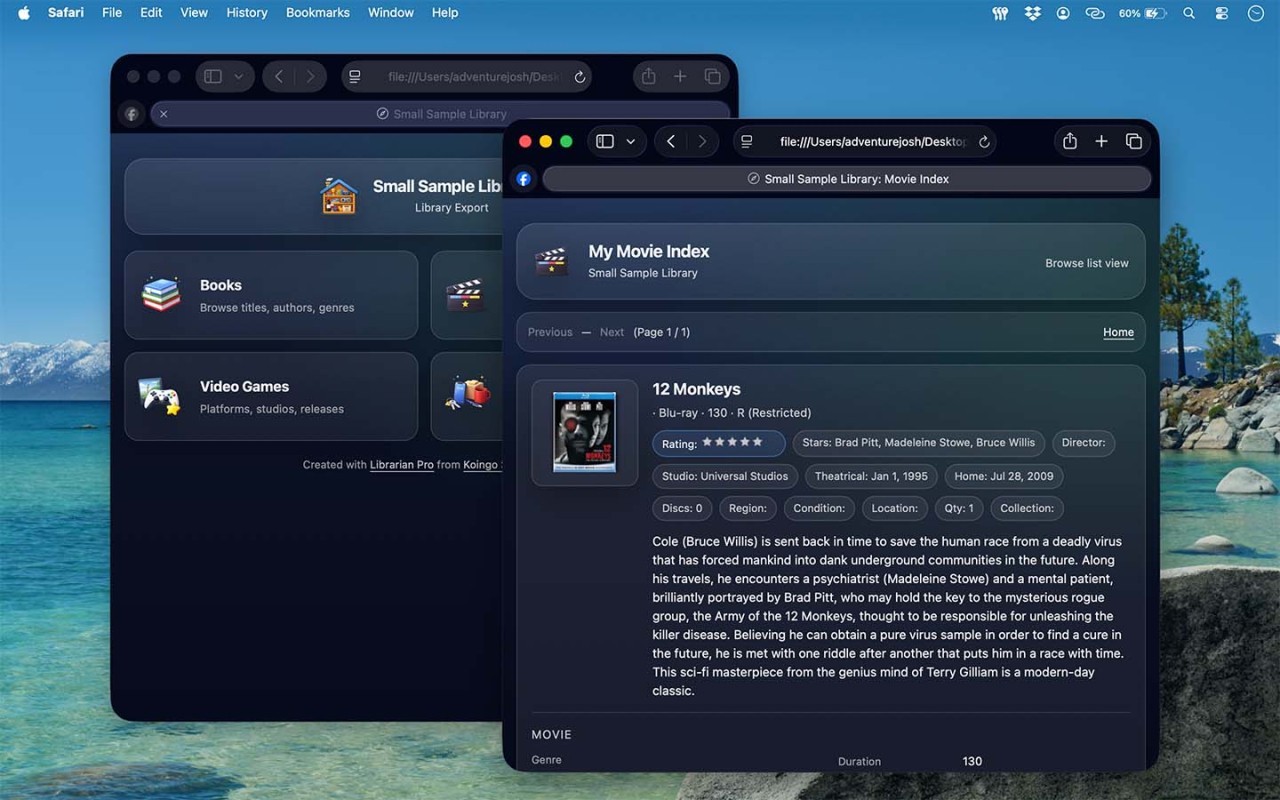
If you've ever looked at a shelf full of books, movies, games, or CDs and wondered what you actually own, Librarian Pro is designed for you. It's a collection management app that lets you build detailed catalogs of the things you collect. Books are an obvious use, given the name, but Librarian Pro can also track movies, music, games, stamps, and other types of items. You can keep separate databases for different collections, so everything doesn't have to end up in one enormous list.
Adding items doesn't necessarily mean entering every detail by hand. Librarian Pro can download artwork and information from the web, and it supports barcode scanning through a webcam or physical barcode scanner. That can make a big difference if you're cataloging a large collection.
Once your collection is in the app, you can browse it in different ways, including lists and a virtual bookshelf. There are also smart collections that automatically group items according to rules you set. For example, you could create a collection containing every movie featuring a particular actor without manually adding each title to the group.
Librarian Pro can also track items that you've lent to other people. You can record who borrowed something, set due dates, and use alerts or emails to keep track of returns. Small businesses can even use the inventory features to manage late fees and items intended for sale.
Why Should I Download Librarian Pro?
Librarian Pro makes the most sense if your collection is large enough that keeping track of it manually has become annoying. The app supports several different types of collections, including books, movies, games, and music. You can also create multiple databases, which is useful if you want to keep your book collection completely separate from your movies or other items.
Getting your collection into the app can be relatively straightforward, too. Librarian Pro can automatically download item artwork and information from the web, saving you from filling in every field yourself. Barcode scanning can speed things up further when you're adding physical items.
Once everything has been cataloged, there are a few ways to organize it. You can browse your items in a list, through a virtual bookshelf, or using other visual layouts. Smart collections can automatically gather items that meet specific criteria. Maybe you want to see every movie from a particular year, or every item associated with a certain person. Instead of creating those groups manually, you can set rules and let the app handle it.
The lending features are particularly useful if your collection tends to disappear into your friends' houses. You can record who borrowed an item, add due dates, and set up reminders. For more advanced inventory management, Librarian Pro can also track late fees. That gives the app some usefulness beyond personal collections, especially for small organizations or businesses managing physical items.
There's also duplicate detection, import and export support, and statistics for people who enjoy digging into the details of their collection. And, perhaps most importantly, the same database can be used across Mac and PC.
Is Librarian Pro Free?
Librarian Pro is a paid application rather than a completely free service. The developer also offers subscriptions for certain services, but a subscription is not required simply to purchase and use the app. Depending on the version and features you need, pricing may vary, so it's worth checking the current purchase options before downloading.
What Operating Systems Are Compatible with Librarian Pro?
You can download Librarian Pro for both macOS and Windows. One of its useful features is cross-platform database support, meaning the same database can be used on a Mac and PC. This can be helpful if you work across different computers or share a collection database between devices running different operating systems.
What Are the Alternatives to Librarian Pro?
My Library is an Android alternative for people who mainly want to catalog a personal book collection. It lets you keep track of books you've added to your library and organize your collection from a mobile device. Compared with Librarian Pro, it is more specifically focused on books rather than supporting a wider range of collectibles such as movies, music, and games.
My Book List is an iOS option for tracking books and building a personal reading library. It's better suited to iPhone and iPad users who want a simpler way to keep track of titles than a full desktop collection management system. Librarian Pro offers more detailed inventory features and broader collection support, while My Book List keeps the focus on books and reading.
Goodreads takes a different approach. Rather than acting primarily as an inventory tool for everything you physically own, it combines book tracking with ratings, reviews, recommendations, reading lists, and social features. You can use it to remember what you've read or want to read and discover new books through other readers. Librarian Pro is the better fit if you want detailed control over a physical collection, while Goodreads is more useful for tracking your reading and finding your next book.