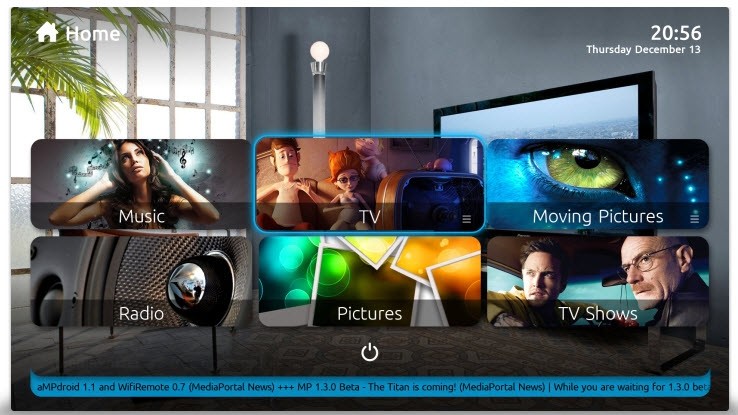
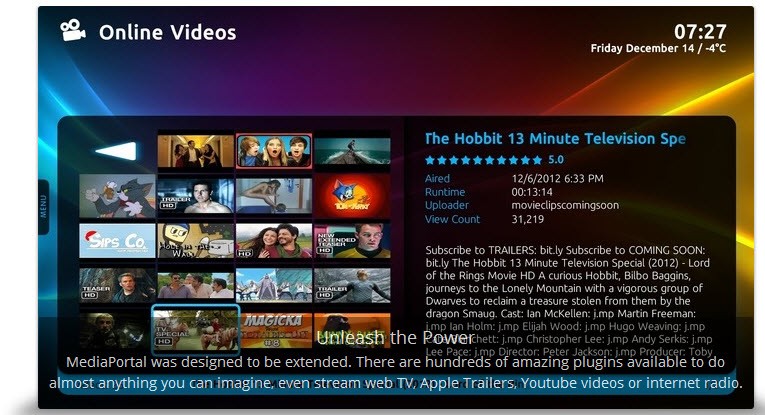
MediaPortal 2 is a free software that helps you convert your PC into a home entertainment center. It uses your existing media files, such as movies, TV shows, music, pictures, and so on, and installs them into one neat platform that you can use.
Rather than switching folders or using separate applications for various types of media, with MediaPortal 2, you just sit back and can control all that from one screen. If you have a sizable media library scattered across your various drives or underlying folders, this software comes in handy to organize them into one location.
You are able to watch live TV, book recordings, organize movie collections, and listen to music, above all things. It all fits working with remote controls, which is just right if you are planning to use it on a TV screen through the media PC.
The software itself is open-source in that it is developed by a community of developers and users to make it better. It is more than a player. It is an entire system that can be the hub of your home media configuration.
Why Should I Download MediaPortal 2?
MediaPortal 2 is among those programs that make your life easier little by little. You now have a way of managing all this when you either have a collection of movies or music, or if you are a person who likes recording live TV, instead of using five different tools. It has a user interface aimed at big screens and a remote control, allowing you to install it as a PC in a living room and enjoy it like a smart TV.
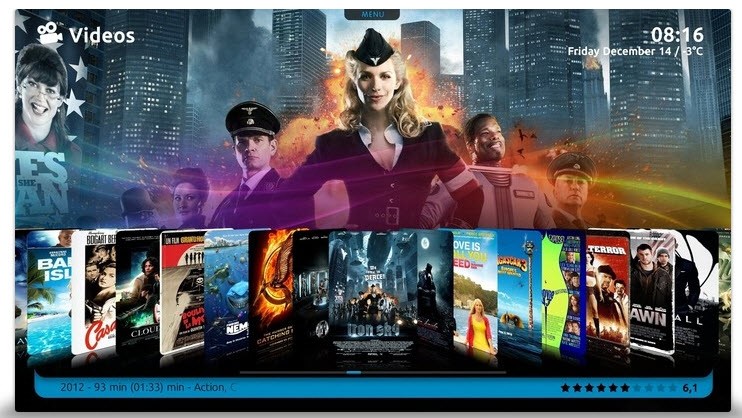
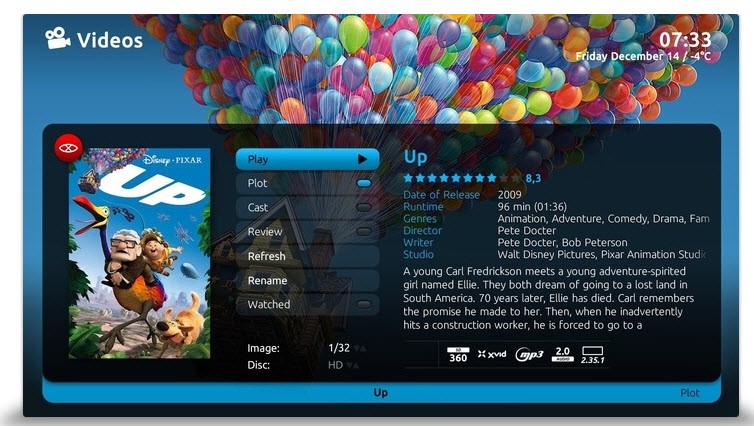
One of the main reasons why one will stay with MediaPortal 2, is how versatile it is. As far as the organization of media is concerned, you can do it the way you want. Plugins can be utilized in adding features. Changing the appearance with different skins is possible. It’s not binding you to some style or layout. It adjusts to your preferences. For individuals who have quite a bit of local content (a folder full of Blu-rays, Rips, or classics), it can obtain metadata like movie posters, cast, and summaries automatically. It transforms a pile of files into something that appears to be a sort of digital library.
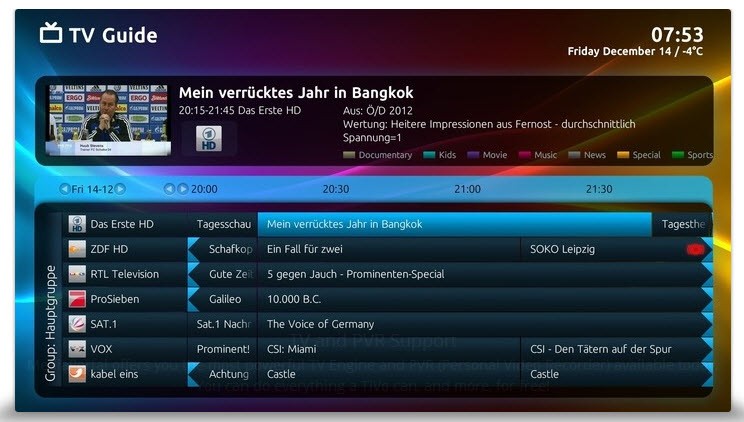
Another advantage is how well it is able to handle live TV. You can configure a TV tuner and use MediaPortal 2 to watch, pause, and record TV as a DVR does. You can even book recordings and make it record complete seasons. It also allows an EPG, which means that your guide will indicate what is on. As compared to any paid service, you are not bound to view ads or have limitations. It is all saved locally, and you have full control.
It is also a wise decision if you are keen on privacy. MediaPortal 2 does not track your usage, and your data is not sent anywhere. It’s not all online on your machine. You can store your media on external drives, network-attached storage, or a central home server and retrieve it all at once through the interface. It functions well even if there are large libraries or multiple user profiles employed. Media streaming to other devices on similar networks can also be done if the settings are set correctly.
Is MediaPortal 2 Free?
Indeed, MediaPortal 2 is free to use. There is no fee for downloading, installing, or using any of its features. It is open source and volunteer-maintained as a community. There are no in-app purchases and no premium upgrade available. It is all incorporated from the beginning.
What Operating Systems Are Compatible with MediaPortal 2?
MediaPortal 2 is Windows-based and thrives with Windows 10 and Windows 11. It can also run on Windows 7 and 8, even though it has better performance and compatibility with newer versions. It does not natively support macOS or Linux, but advanced users may try running it using VMs or compatibility layers. To get the most out of the best experience, it’s recommended to install it on a dedicated media PC or a home theater package. Provided that your hardware is not too antique and your storage is configured, then the software will run well.
What Are the Alternatives to MediaPortal 2?
If you are looking for other media center alternatives apart from MediaPortal 2, there are a few names that are frequently mentioned.
Kodi is one of the most famous. Kodi is another of the free and open source media center platforms, and it has been for years. It has a large community and plenty of plugins: you can do just about anything, start with watching YouTube to streaming IPTV. Kodi has extensive compatibility and runs on Windows, Android, Linux, etc. It is visually variable and quite lightweight. It does, however, have a bit of a learning curve once you begin incorporating plugins, and it takes time to get the right setup.
Another option is Universal Media Server. This one is different because it is more of streaming your current media to other devices in your network. UMS can stream them to a smart TV, game console, or another PC if you have movies or shows stored on the PC and want to stream them to. It relies on the DLNA and UPnP protocols, which allow it to work with a huge range of hardware. It lacks the 100% TV and DVR setup like MediaPortal 2, but it does extremely well at distributing content across a home network. It’s extremely helpful if you just want something that runs in the background, silently managing all of your media streaming for you efficiently.
Then there’s Plex. Plex is a media server with polished apps for all the platforms you can possibly name. It has a nice modern interface, and it also supports scraping of the metadata, multi-device syncing, and even remote streaming. Plex provides live television and DVR if you subscribe to your Plex Pass, but the base version still provides much. The downside, however, is that Plex focuses heavily on the online services and subscriptions. It begins with being simple and clean, but some of the features necessitate signing in, while others are restricted if you don’t pay. It is a good one-stop solution, though, for people desiring a completely offline and open-source tool, MediaPortal 2 may still feel more free and personal.