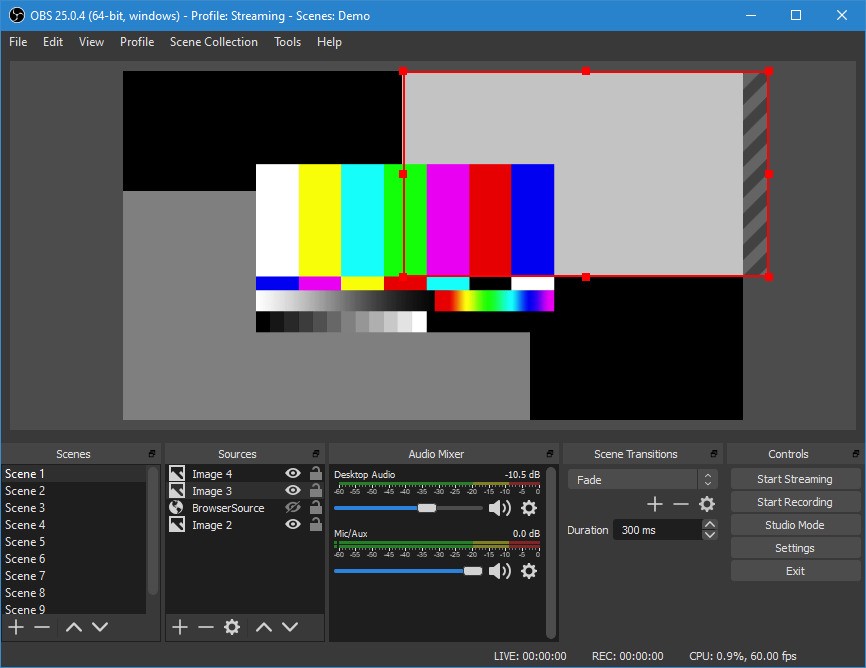
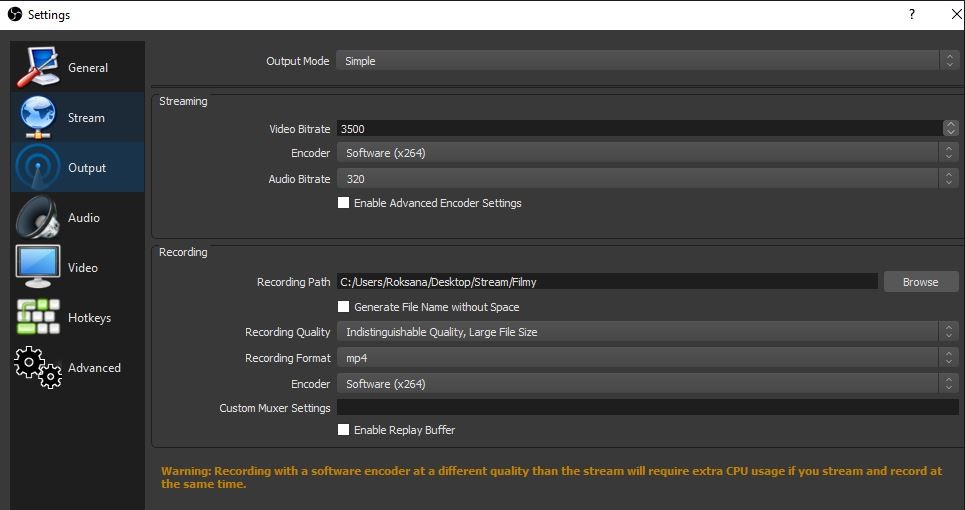
OBS Studio is a free, open-source broadcasting and recording tool that gives users complete control over how they stream, capture, and present their content. Built with flexibility in mind, it's one of the most widely used applications in livestreaming, content production, and online events.
Whether you're streaming a gaming session, recording a tutorial, running a webinar, or hosting a virtual performance, OBS lets you combine video, audio, screen captures, and other sources in real time.
With OBS, you can edit video, adjust audio levels, add overlays, include webcam feeds, and manage transitions, all without additional hardware or expensive licenses. There are no watermarks, no time limits, and no locked features.
OBS is powerful because it's highly customizable and works well for both beginners and professionals. It's not built to be flashy. It's built to be reliable, capable, and adaptable to whatever you need from it.
Why Should I Download OBS Studio?
OBS covers everything from basic screen sharing to full broadcast-style production. OBS’s core strength is the level of control it offers. You're not locked into templates or rigid workflows. You decide what goes where, build scenes with multiple layers, mix audio from different sources, and stream live to Twitch, YouTube, Facebook, or your own server.
Despite its impressive capabilities, OBS runs efficiently and performs well on mid-range systems, keeping it accessible to beginners. You can use it to record a Zoom call or run a live-streamed concert. You can capture gameplay in full HD with a camera feed, alerts, and chat boxes running simultaneously. Plugins are available to add features, automate parts of your workflow, or apply studio-quality filters.
Once you understand how OBS works, it gets out of your way. Setup time ranges from minutes to hours, depending on how much you want to fine-tune, and it scales with you as your productions grow. OBS is also stable under pressure. It doesn't lag when saving scenes, recalling configurations, or registering hotkeys. Whether you need a simple screen recording today or a complex stream layout tomorrow, OBS handles both with the same toolset.
There's no barrier to entry. No ads, no trial limits, no paywalls. OBS is built and maintained by a developer community that believes creators deserve quality tools without conditions. It's not just software; it's an ecosystem built by creators for creators.
Is OBS Studio Free?
Yes, OBS Studio is completely free. As open-source software, it requires no subscription, has no hidden fees, and places no limits on how you use it. You can stream, record, and customize to your heart's content at no cost. The OBS website says donations are welcome but never required.
What Operating Systems Are Compatible with OBS Studio?
OBS Studio runs on Windows, macOS, and Linux, with support for both older and current versions of each. It performs well on most modern hardware, and the development team releases regular updates to maintain compatibility and stability.
Whether you're on a gaming PC, MacBook, or Linux workstation, OBS runs reliably. It also works with a wide range of third-party plugins and external devices, including cameras, audio mixers, and capture cards. Installation is straightforward, and setup guides are widely available regardless of your technical background.
What Are the Alternatives to OBS Studio?
If OBS feels too open-ended, or you want to change up your workflow, you have alternative options to consider.
Streamlabs is built on OBS and shares its core foundation, but is aimed more specifically at streamers. It offers a cleaner interface, bundled overlays, and built-in integrations for donations, chatbots, and alerts, making it a good choice for Twitch and YouTube creators who want to get up and running quickly. The tradeoff is higher system resource usage and some features locked behind a premium subscription.
Camtasia Studio is geared toward education, training, and on-demand content rather than live streaming. It focuses on screen recording and post-production editing, with annotation tools, transitions, and timeline editing that feel closer to video editing software than a broadcasting tool. It's not designed for real-time broadcasting, but it's a reliable option for walkthroughs, software tutorials, and narrated presentations. It's a paid product, better suited to teams and professionals producing evergreen content.
Wirecast sits at the professional end of the spectrum. Built for broadcast-level production, it handles multi-camera setups, live switching, complex audio mixing, and multicasting. It's used by broadcasters, churches, schools, and media professionals who need uncompromising reliability and quality. Wirecast comes with licensing fees and a learning curve, but for large-scale productions or full studio setups, it delivers.