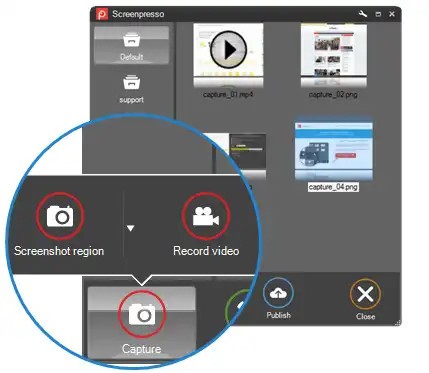
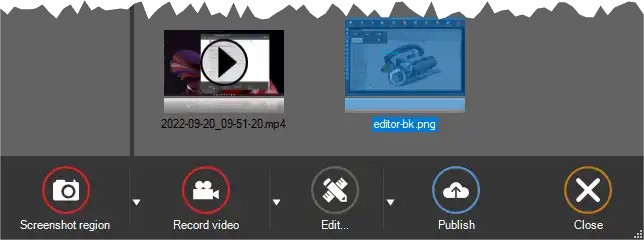
Screenpresso enters workflows secretly and turns into a core tool that surpasses original expectations. The core function of Screenpresso remains a screen-capturing tool, while it delivers capabilities above standard screen-capture functions. Screenpresso enables users to take screenshots, while also providing an option to record brief video clips instead of screenshots for specific situations.
Screenpresso provides an uncommon degree of accuracy, which enables users to perform quick tutorials, document bugs, or document user interface elements without issues. The tool operates with a user-first approach that makes everything flow seamlessly. Operating this program does not involve endless searching through settings or endless menu navigation.
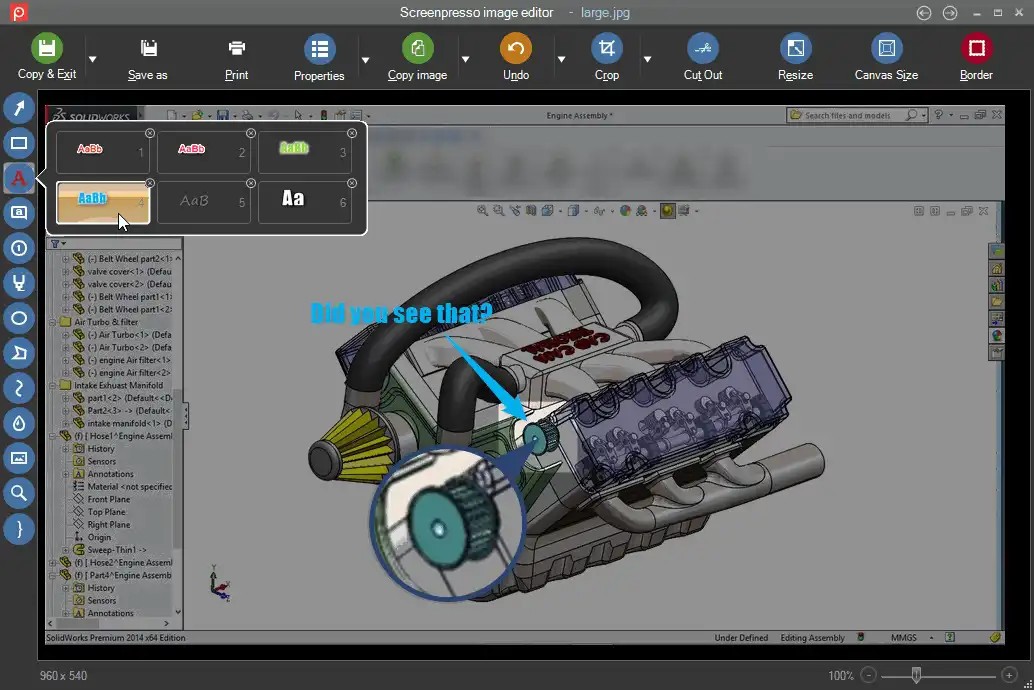
The standout feature comes from both screen capture abilities along the post-capture features. The editor interface automatically launches instantly following a screenshot, where the user interface proves exceptionally useful. From your screen capture, you have everything needed at hand to create a visual story through annotations and blurring features, as well as arrow placement and written notes, and adjustable elements that require no additional app launches.
A built-in media library lets you browse old captures without needing to locate their storage location. Screenpresso establishes itself as a perfect tool by offering only essential features while remaining unobtrusive in your workflow.
Why Should I Download Screenpresso?
When you reach a stage where you quit looking into the latest screen recording and screenshot tools, because almost all these programs function identically. Screenpresso stands out because it serves its purpose without extra sensational features, while being available exactly when you require its functionality. The functionality of Screenpresso brings pleasure because it feels like an application designed by an expert content creator and documentation writer, combined with a tech support specialist and product tester.
Tens of thousands of users select Screenpresso because its functionality speaks for itself. The program displays an uncomplicated user interface that presents an organized workspace to users. The program activates through hotkey commands and allows you to effortlessly drag to make captures. Telling something visually becomes much easier with the editor that Screenpresso provides.
Without additional software like Photoshop or GIMP, you can use built-in highlight features to add notes along with drawing arrows. The built-in editor works perfectly for its intended purpose because it feels made for this specific task.
The creators behind Screenpresso developed the application to address powerful workflows that extend beyond basic screenshot functions. The application excels in creating documentation about software bugs in addition to the development of training materials and the compilation of presentation content.
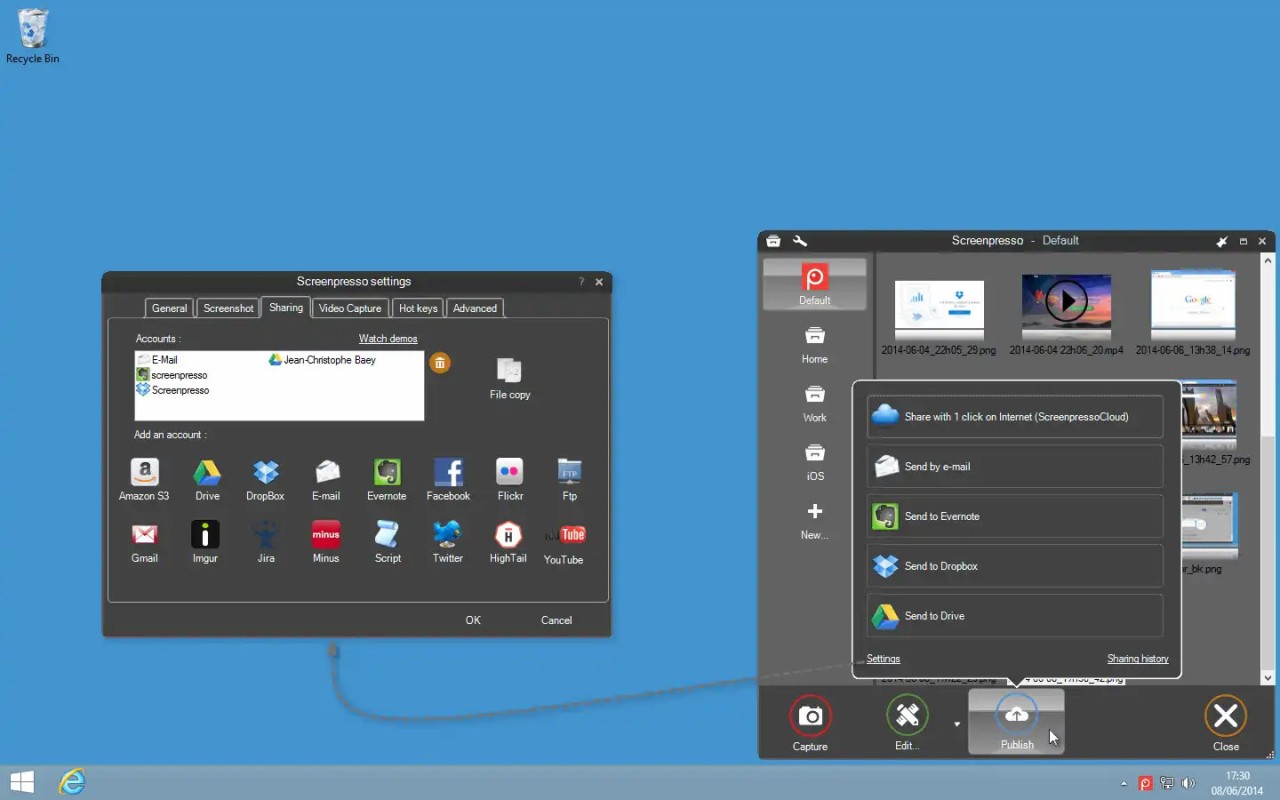
The application enables you to organize captured screenshots into specific folders as well as enable renaming capabilities and exporting entire groups simultaneously while providing direct file transfer to Google Drive and Dropbox platforms. This program works according to your specific needs, as users need it every day or only when troubleshooting occurs. But either way, it’s ready. The application provides an intuitive solution for recording videos by skipping complicated editing tools. The application provides simple tools to trim videos and make adjustments, enabling quick export functions that meet most of your needs.
Screenpresso provides a single platform which combines the capabilities of multiple tools needed to handle screen content creation and sharing. No drama, no noise. The program provides all necessary capabilities while maintaining the appearance of genuine machine software.
Is Screenpresso Free?
Screenpresso provides a liberally featured free version of its software that users can access for free. The essential features remain full and complete in the free version of Screenpresso without any spending requirements. The free version of Screenpresso provides all the needed tools to capture and share screen content despite the Pro version's advanced features.
What Operating Systems Are Compatible with Screenpresso?
The developers behind Screenpresso focused their development exclusively on Windows operating systems, which makes them excel on this platform. The tool operates flawlessly with both Windows 10 and Windows 11 systems, and also works adequately on Windows 8 systems.
The program does not occupy excessive system resources because it comes with a lightweight design. The application runs without issues on any minimal or maximum performance computer system.
The native compatibility of Screenpresso extends only to Windows operating systems, but excludes macOS together with Linux. The program prioritizes Windows first, since this foundation displays through its native Windows operations and performance quality.
What Are the Alternatives to Screenpresso?
Additional options exist for this specific category depending on your personal preference, you may find one more suitable for your needs. The most popular substitute for free download and capture software is ShareX. You get all features and open-source benefits from this tool, which gives you numerous ways to automate processes and conduct captures. ShareX features a need for users to learn its operational patterns. This tool provides powerful features but makes screenshots challenging for users who require a quick process to screenshot and depart. While Screenpresso maintains a neat interface, ShareX presents multiple interface activities at once.
Then there’s Xnip. Mac users should know about Xnip since it offers comparable features including a simple design and rapid annotation tools alongside user-friendly hotkeys. The Mac audience chooses Xnip because this tool provides an elegant and fast experience when users want simple screenshot-markup-paste functions. The product does not aim for complexity because its main purpose is visual assistance.
And finally, you’ve got XRecorder. The application functions as a mobile app through a separate platform, although it meets the same user requirements. The main purpose of XRecorder is to enable Android device users to record their screens for various activities, ranging from gameplay to tutorial creation and application demonstration. Users find XRecorder easy to use, and it records audio from your computer system while keeping video files free of watermark marks. Any user who regularly switches between PC and mobile work can rely on XRecorder to record the screen activity needed to bridge that gap.
Screenpresso maintains an exclusive combination that gives users both fundamental capabilities without compromise and advanced processing functions without complexity, while being instantly accessible when required. That’s hard to replicate.