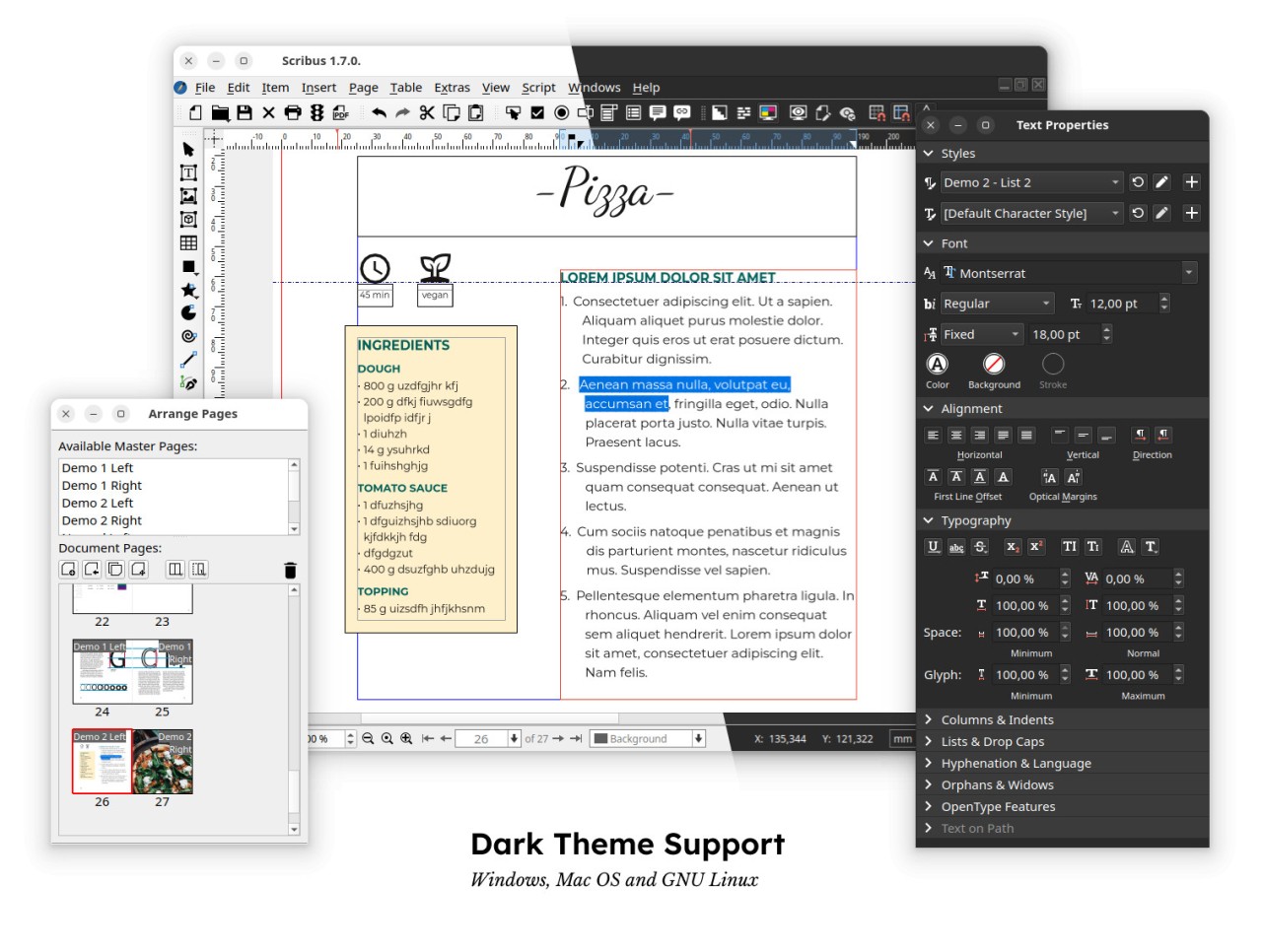
Scribus is a free and open-source desktop publishing tool that allows users to design brochures, books, posters, magazines, newsletters, and PDF forms. This application is suitable for people who need full control of page arrangement. Scribus has gained a reputation among professionals because users value its free nature and community-based platform, despite lacking commercial fame.
Scribus earns its status through a complete, free toolset. Master pages, together with layer management features and high-resolution image constraints, are available without a paid subscription or license key. The interface of Scribus may take some getting used to if you’re transferring from different design tools. However, the learning curve is worth the functionality you get.
In addition to handling different document formats, Scribus operates with professional printer criteria by managing color specifications and CMYK together with spot color systems. The platform serves designers who work on personal or commercial projects, and its cost-free structure provides creators with an opportunity to share their ideas.
Why Should I Download Scribus?
With Scribus, users get the tools and features required to make professional-quality designs while avoiding the expenses of commercial software. The cost-free structure of Scribus is a good reason to consider it, especially if you’re a beginner or on a tight budget.
Though the program is free, its functionality surpasses basic features. Scribus gives you access to multiple creation tools, which enable you to develop small business flyers and full-length publications. Users can set templates with custom margins, columns, and spacing parameters, and take advantage of all the features that come standard in desktop publishing software. Scribus enables exact adjustment of your work elements with pixel or point precision, thus delivering powerful creative management for projects where your professional reputation is at stake.
Scribus relies on its community for development, yet it offers more than that would suggest. It makes document management easier through page-wide text box linking capabilities, image frame addition, and master font management.
The program includes pre-press features, making it suitable for creating printed documents that require strict design consistency. Scribus serves multiple purposes, such as creating academic journals, restaurant menus, posters, and interactive PDFs. There are step-by-step guides available through forums and tutorials for beginners.
The software doesn’t follow a specific system or file format. Because it is open-source, the platform gains continuous updates from global developers. Developers fix bugs and add functionality in accordance with user demands. Your purchase of the tool connects you to a flexible community that maintains a sustainable system.
Scribus is valuable for people seeking tools that will remain available and stable for years to come rather than disappear behind subscription payments. It provides complete freedom to its users and allows them to work without limitations.
Is Scribus Free?
You can use Scribus completely free of charge. Open-source software characteristics render Scribus cost-free for all users, including individuals and businesses.
What Operating Systems Are Compatible with Scribus?
You can download Scribus on all significant operating systems. The software operates on popular OS, including Windows, macOS, and several Linux distributions, thus providing access to nearly everyone.
You don’t need advanced hardware; this software functions best on standard machines that run modern operating systems. Scribus continuously supports modern systems through regular updates and implements stability improvements to avoid using obsolete software versions. Entrepreneurs who operate between several work platforms can operate Scribus without having to change their current systems.
What Are the Alternatives to Scribus?
Scribus is a great publishing tool, but there are others you might prefer based on your unique requirements.
QuarkXPress has been part of the layout software industry from its earliest beginnings. Scribus provides professional publishing capabilities that exist within QuarkXPress’ premium software package. The industry has trusted Quark for many years. The tool is most often used for creating large-scale layouts, books, and technical documents. The platform delivers strong adaptability with a classic interface, which best matches the corporate design environment. Quark is a premium tool that requires a subscription.
The publication design application Affinity Publisher recently entered the market, and it has already acquired many users. It boasts a user-friendly interface and follows a one-time purchase pricing model. It is quite easy to use, ensuring accessibility for inexperienced users. Users who want a unified system with full integration between all Affinity applications will find Publisher to be an ideal solution. The tool offers a gentle learning experience for beginners, yet provides complexity for professional users.
Adobe InDesign is the most famous alternative on the market. Design professionals from various parts of the world depend on it for its exceptional features. InDesign features an extensive collection of capabilities that enable advanced typesetting alongside smooth layout controls and creative features that integrate perfectly with all Creative Cloud apps from Adobe. The only downside is the cost, which consists of a monthly or yearly subscription. You can gain the most from InDesign if you already use other Adobe products, while individuals outside of the Adobe environment might deem it too extravagant for simple projects.
You will gain a different set of capabilities with every one of these programs. Enterprise accounts prefer Quark for their publishing needs. Casual users find that Affinity offers great value for money along with a simple interface.