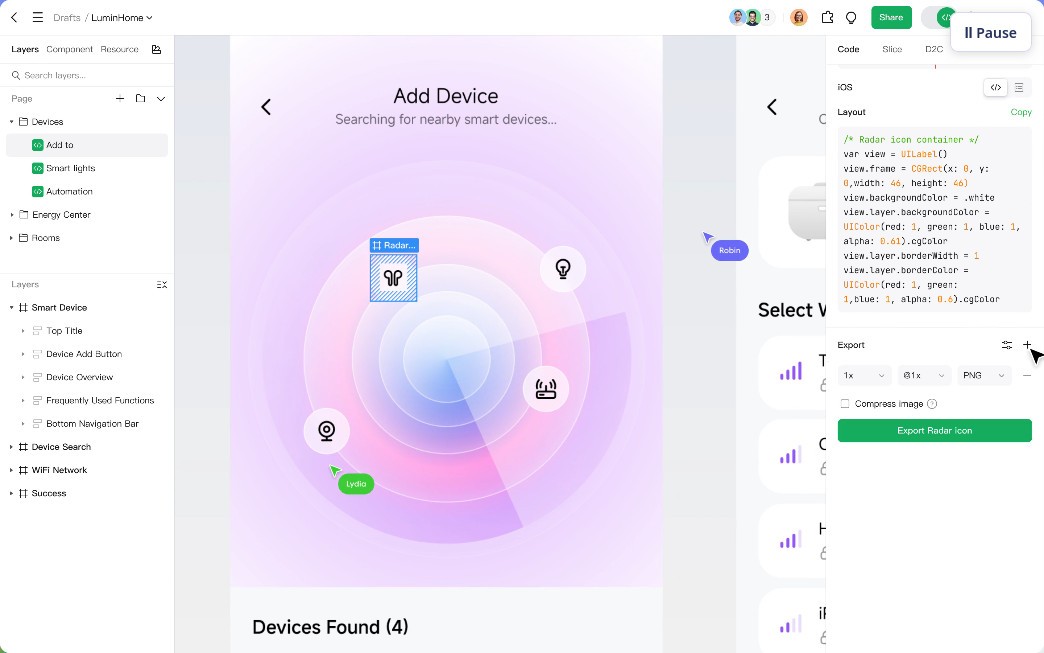
UI and UX designers know how difficult it can be to find an intuitive platform for prototyping, brainstorming, and design. Pixso offers a solution with its cloud-based platform that boasts a large number of useful tools and features. At its core, Pixso is a platform for graphic design and UI/UX design that allows users to create interactive interfaces. Before you even get to designing, you can start by brainstorming with your team using Pixso’s large variety of digital whiteboards.
Team-based projects can benefit from real-time collaboration with no interruptions or overlaps. AI tools help automate simple tasks and streamline the whole process. When you’re ready to move forward with your draft, you can export it in a variety of formats. Users who have worked with platforms like Figma and Adobe XD before can import their old files from those platforms.
You can use Pixso for free, or sign up for a paid plan with advanced features.
Why Should I Download Pixso?
If you’re looking for a UX/UI design platform that enables real-time collaboration and doesn’t drain your computer resources, then you should give Pixso a try. The tool is a reasonable alternative to the more resource-heavy platforms like Figma and Adobe XD. If you’re transitioning to Pixso from one of those, you’ll be delighted to find that you can import your projects and files from Sketch, Figma, Adobe XD and others without having to convert or manipulate them.
Pixso boasts a number of AI-based tools for quick and easy edits. You can create entire style guides and layouts in no time with the help of AI. Other capabilities include a never-ending digital whiteboard for brainstorming with your team, the creation of interactive prototypes, and real-time collaboration without lags or overlaps. With Pixso, you can see the entire project through, from brainstorming and conception to completion and asset export.
You can use Pixso and all of its base features for free as an individual. The platform comes in the form of a desktop application that is more convenient than a web app.
Is Pixso Free?
Yes, Pixso can be used for free. There is a free tier for individual users, and paid tiers for commercial users who want access to more functionality.
The free version of the app allows you to share your work with other people, who get view-only access to it. You can work on as many drafts as you need, though you’re only given 3 design files and whiteboard files at a time.
The paid version requires a monthly subscription. You can either get the Team Plan, which is useful for collaboration in smaller businesses, or the Enterprise Plan, which is more nuanced and customizable.
What Operating Systems Are Compatible with Pixso?
You can run Pixso on a variety of operating systems. The platform is compatible with Windows, macOS, and Linux computers. For Windows, make sure your computer runs Windows 10 or higher with a 64-bit processor. Macs should run macOS 12 or higher.
If you want to avoid downloading an app, you can access your Pixso account through any modern web browser.
What Are the Alternatives to Pixso?
Lunacy is a free graphic design software for Windows, macOS, and Linux computers. You can use it to create app and web interfaces, design prototypes, and more. You can import and edit files in different formats, including Figma files, so your older work is not lost. Lunacy offers a large selection of UI tools and visuals that are free to use. Working on projects becomes even more intuitive with strong generative AI features that can take care of some routine tasks. The platform allows users to work offline if they need to, so you are not tied to an internet connection.
Figma is one of the most popular tools of its kind. It’s a cloud-based app and web interface design program. With its help, you can design full interactive prototypes with vectors, icons, and clickable links before proceeding to the code-writing stage. Multiple users can work on or view the same file at the same time. If you’re working on multiple projects for one client, you will appreciate the ability to keep a brand library of styles and layouts you can reuse.
Penpot is a free and open-source solution for web and app design. The tool is web-based, which will appeal to designers who don’t want to download any more applications. Though not as advanced as Figma, which is the standard on the market right now, it offers all the base features you might look for in a UX/UI design program. You can work with your teammates in real time, implement AI-powered tools for optimization, and save brand components for later use.