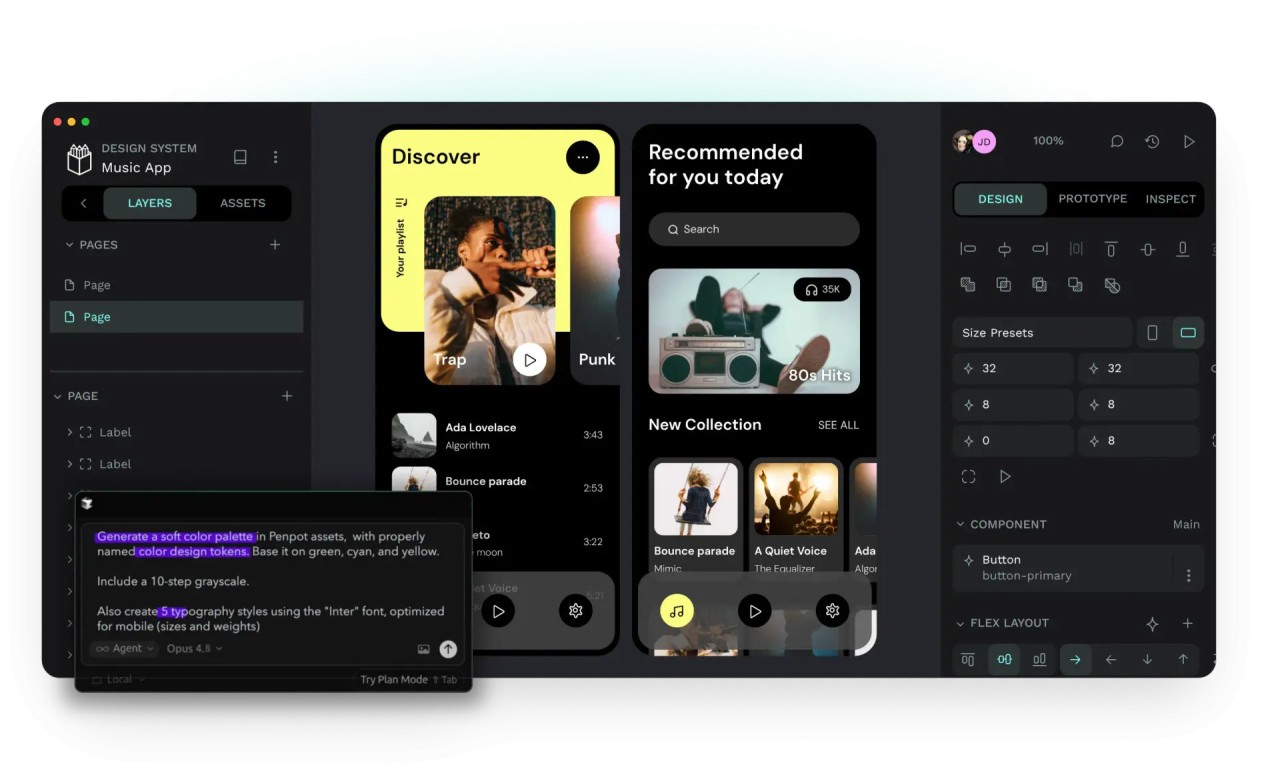
Penpot is an open-source design platform built for teams creating websites, apps, and other digital products. It combines UI design, prototyping, design systems, collaboration, and developer handoff in one workspace, with a particular focus on bringing designers and developers closer together.
One of its main differences from traditional design software is its focus on web standards. You can create responsive layouts using CSS Grid and Flex Layout, while developers can inspect designs using technologies such as CSS, HTML, SVG, and JSON. This makes Penpot particularly useful for teams that want their designs to stay closely connected to the code used to build them.
Penpot is also available as a hosted web application or as a self-hosted platform. That gives teams more choice over how they manage their projects, especially if they want to keep their design environment on their own infrastructure.
Why Should I Download Penpot?
Penpot provides the tools needed to take a digital product from an early wireframe through to a working prototype. You can create interfaces, build responsive layouts, connect screens into interactive prototypes, and collaborate with other people without moving between several different applications. Its layout tools are particularly useful for web designers. CSS Grid and Flex Layout let you build interfaces using concepts that developers already work with, while components and variants make it easier to reuse elements throughout a project. Design tokens can also be used to maintain consistent colors, typography, spacing, and other visual properties across a larger design system.
Penpot also puts considerable emphasis on the relationship between design and development. Its open standards support includes CSS, HTML, SVG, and JSON, while its Inspect tools help developers understand how designs should be implemented. This can reduce some of the back-and-forth that happens when a finished design has to be translated into code. Collaboration is another major part of the platform. Teams can work together on files, share components and libraries, leave comments, and maintain consistent design systems. Penpot has also expanded into AI workflows, allowing teams to connect AI agents and other tools to design, code, and design-to-design workflows.
For organizations that want additional control, Penpot can be self-hosted. The self-hosted version provides unlimited users, teams, and files, although you need the technical infrastructure and knowledge to manage your own deployment.
Is Penpot Free?
Penpot is free to use, with a free cloud Professional plan that includes unlimited design files and teams. The current hosted plan supports up to eight team members, unlimited viewers, and up to 10 GB of storage. The platform remains open source, and the self-hosted Professional version is available for free with unlimited users, teams, and files. Paid plans are available for organizations that need additional storage, administration, governance, or enterprise features.
What Operating Systems Are Compatible with Penpot?
Penpot is primarily a browser-based design platform, so you don't need a dedicated Windows, macOS, or Linux desktop application, and you don't have to download anything. You can access the hosted version through a modern web browser, allowing people using different operating systems to work in the same environment.
Self-hosting has different requirements because the Penpot server needs to be deployed on your own infrastructure. Penpot's current self-hosting documentation specifies a Linux server and Docker knowledge for the free self-hosted version.
What Are the Alternatives to Penpot?
Pixso is a cloud-based UI/UX design and prototyping platform with many similarities to Penpot. It combines interface design, interactive prototypes, collaboration, design systems, and developer handoff. It supports components, design tokens, Auto Layout, shared libraries, comments, and version history, while also allowing users to import supported Figma, Sketch, XD, and SVG files. Pixso also offers AI-assisted design features and a free plan, making it an option for teams that want a broad web-based design workspace.
Lunacy is another alternative, particularly if you prefer a dedicated design application rather than working entirely in a browser. It is a cross-platform UI and graphic design tool with features for interface design, prototyping, vector editing, and collaboration. It also provides built-in design resources, making it useful for designers who want more creative assets available within the same application.
Figma is one of the most established alternatives, offering collaborative interface design, prototyping, design systems, shared libraries, and developer-focused tools. Its browser-based workflow supports multiplayer editing and comments, while its broader platform now includes features for AI-assisted design, animation, illustration, and development workflows. Figma also has a free option, although additional team and professional features are available through paid plans.