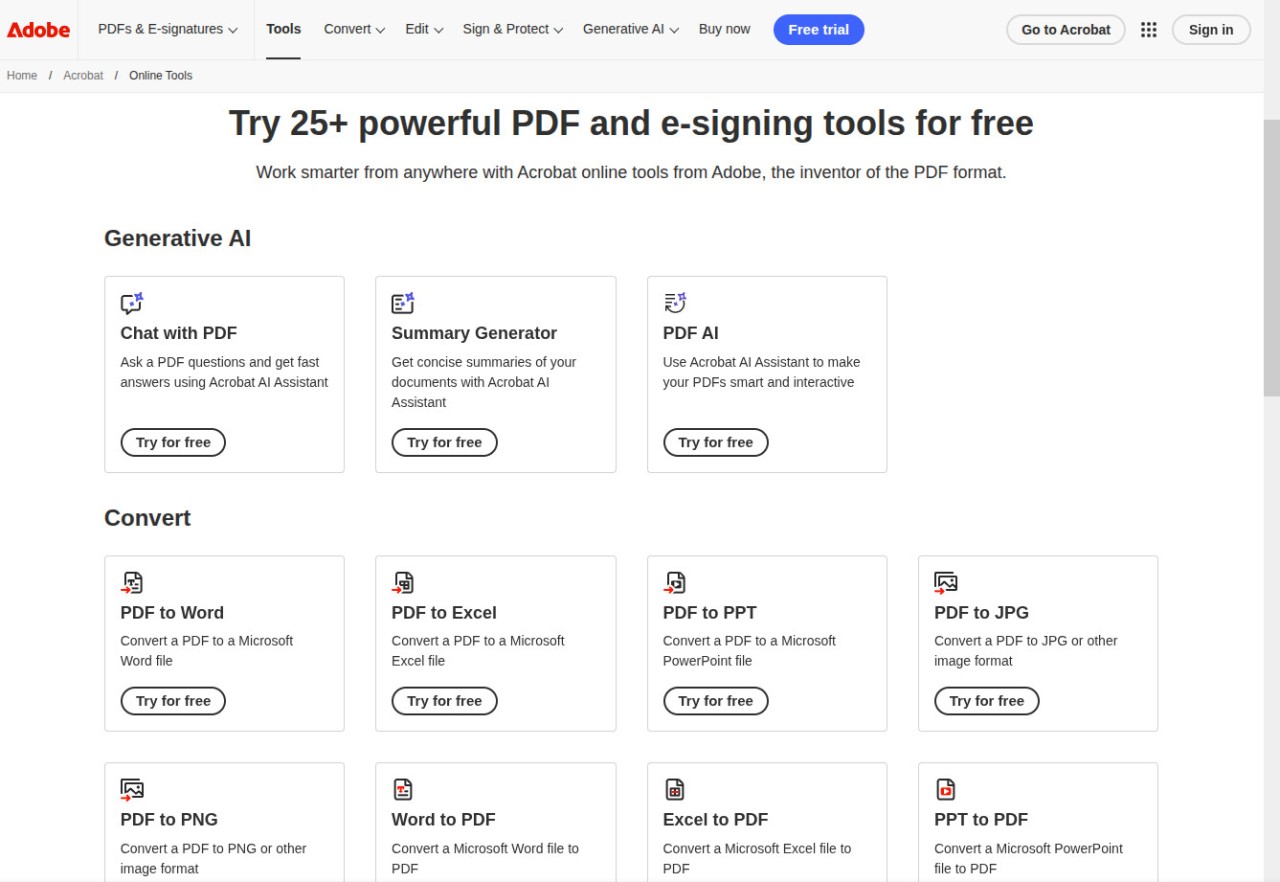
Adobe invented the PDF format over thirty years ago. Their online toolkit is the company's answer to a simple question: What if you could handle almost any PDF task without installing anything? Adobe Acrobat Online gives you access to more than 25 tools directly in your web browser, covering everything from file conversions and compression to e-signatures and AI-powered document chat. All you need is a free Adobe account to get started.
Each tool lives on its own page, so you pick the task, upload your file, and get the result without hunting through menus or figuring out a complex interface. Conversions between PDF and Office formats tend to hold their formatting well, and compression does a solid job of shrinking file sizes without turning your pages into a blurry mess. For anyone who works with PDFs occasionally but does not want to pay for or download a full desktop editor, Adobe Acrobat Online covers a lot of ground.
Why Should I Download Adobe Acrobat Online?
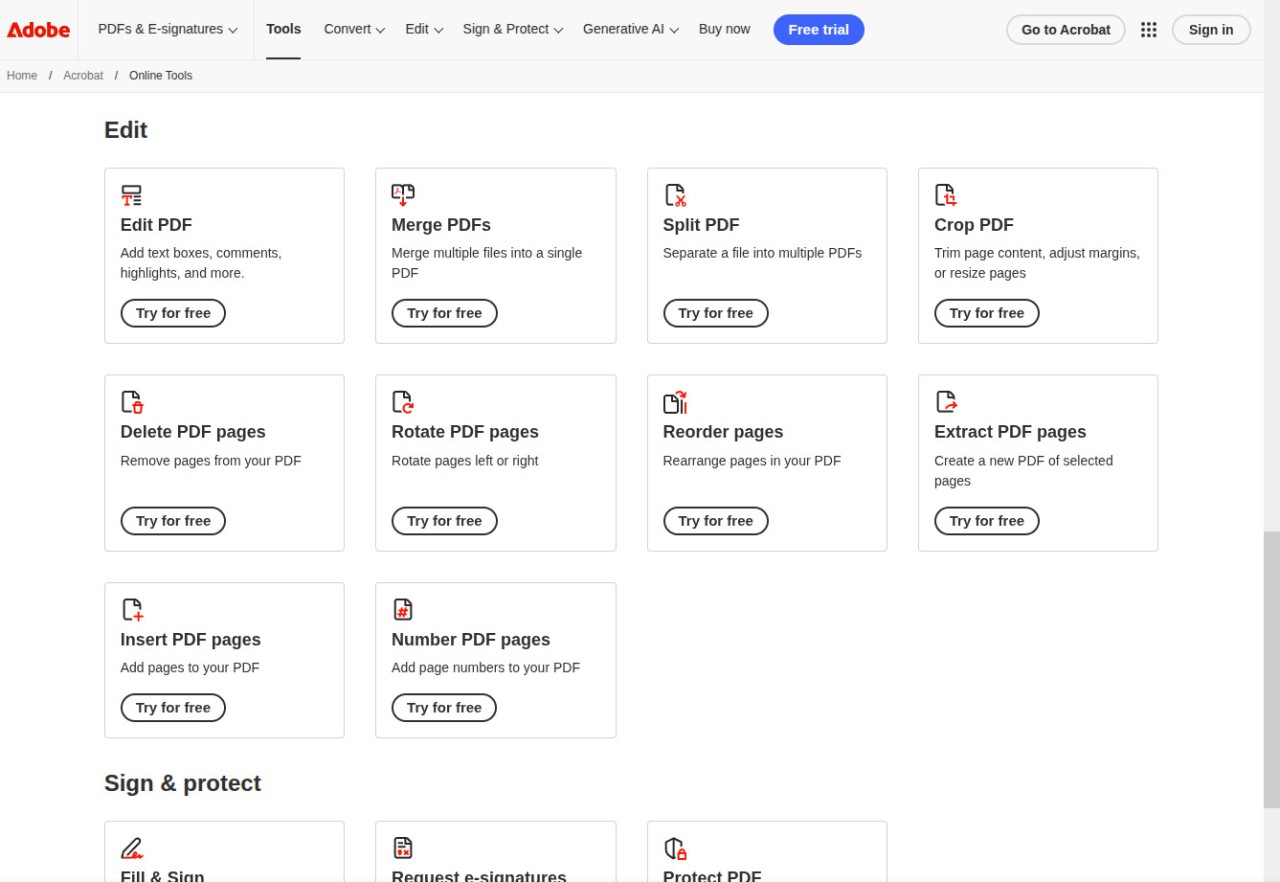
While there is nothing to “download” in the traditional sense, since everything runs in your browser, users flock to Adobe Acrobat Online because of its capabilities. On the conversion side, you can move files between PDF and Word, Excel, PowerPoint, JPG, PNG, and HEIC formats. Compression shrinks oversized PDFs for easier emailing. Page management tools let you merge multiple PDFs into one, split a large file into smaller pieces, crop pages, rotate them, reorder them, extract specific pages, or delete the ones you do not need.
Editing goes beyond basic markup. You can add text boxes, sticky notes, highlights, drawings, and freehand annotations to any PDF. The Fill and Sign tool handles form completion and electronic signatures, and you can also send documents out for others to e-sign through the Request Signatures feature. For sensitive files, you can lock your own access with password protection.
One of the standout features is Chat with PDF, Adobe's AI-powered chatbot built specifically for working with documents. You upload a PDF (or a Word, PowerPoint, or plain text file, which gets converted automatically), and then ask questions about its contents in a conversational interface.
The AI can summarize lengthy reports, extract specific data points from financial statements, surface key clauses in contracts, and even translate content across seven supported languages. Answers come with numbered citations that link directly back to the relevant section of your document, so you can verify everything with a single click. PDF Spaces takes this further by letting you load up to ten documents at once for cross-file analysis. The OCR tool rounds things out by recognizing text in scanned documents and photos, turning image-based PDFs into searchable, selectable files.
Is Adobe Acrobat Online Free?
Adobe Acrobat Online operates on a freemium model. You need to create a free Adobe account to use the tools, but signing up only requires an email address. Once logged in, you get access to the core toolkit: converting between formats, compressing files, merging and splitting PDFs, editing with annotations, filling and signing forms, and basic AI Assistant interactions. Free accounts come with a limited number of AI requests, so you can try out Chat with PDF and the summary generator before deciding whether you want more.
For heavier use, Adobe offers Acrobat Pro as a paid subscription. Pro unlocks advanced features like full OCR on scanned documents, direct text and image editing within PDFs, redaction of sensitive content, and unlimited access to the AI Assistant. There is a seven-day free trial available if you want to test the full feature set before committing. Adobe does not offer the online tools as a standalone subscription separate from the broader Acrobat Pro plan, so upgrading means gaining access to the desktop and mobile apps as well. The download of Adobe Acrobat Reader, which is the free desktop PDF viewer, remains available separately at no cost.
What Operating Systems Are Compatible with Adobe Acrobat Online?
Because Adobe Acrobat Online runs entirely in the browser, it works on any operating system with a modern web browser. That includes Windows, macOS, Linux, and ChromeOS, plus mobile browsers on Android and iOS. There is no software to download for the online tools themselves, and no special hardware requirements beyond an internet connection.
For users who want offline capabilities, the Acrobat Pro subscription includes desktop apps for Windows and macOS, along with mobile apps for Android and iOS through Google Play and the App Store. Adobe also offers a Chrome browser extension that provides quick access to PDF tools while browsing, including the ability to convert web pages to PDF, add annotations, and compress files directly from the browser toolbar. Between the web tools, desktop software, mobile apps, and browser extensions, Adobe has the widest cross-platform reach of any PDF service available.
What Are the Alternatives to Adobe Acrobat Online?
iLovePDF is one of the most popular free alternatives and covers a very similar set of tools: merging, splitting, compressing, converting, signing, watermarking, and OCR. Where iLovePDF differs is in how much you can do without paying. The free web version handles most everyday tasks with some limits on file sizes and batch processing, and you do not need an account for basic operations. iLovePDF also offers dedicated desktop apps for Windows and macOS, along with mobile apps for Android and iOS, giving it strong cross-platform coverage. If you want quick, no-friction PDF processing and do not need AI document analysis, iLovePDF is a strong pick.
PDF24 goes even further on the free front by removing all usage limits and watermarks entirely. Every tool on the platform, from merging and OCR to page management and signing, is available at no cost and funded by advertising. The desktop app, PDF24 Creator, is available for Windows and includes a virtual PDF printer that converts any printable file to PDF. PDF24 does not have a macOS desktop app or mobile apps, which narrows its reach compared to Adobe, but Windows users who want a genuinely unlimited free toolkit will find it hard to beat.
PDFgear takes a different approach by offering a completely free full desktop PDF editor, with no paywalls, watermarks, or usage limits. Available for Windows, macOS, iOS, and Android, PDFgear includes direct text editing, annotations, OCR, format conversion, and a built-in AI copilot that lets you interact with your documents using natural language commands. You can ask it to summarize a research paper, extract key data, or even perform actions like compressing or splitting a file through conversation. PDFgear also has a set of free online tools for browser-based work. For users who need deep editing control over individual PDFs rather than quick online processing, PDFgear is a compelling free download. Note that PDFgear also offers only tools.