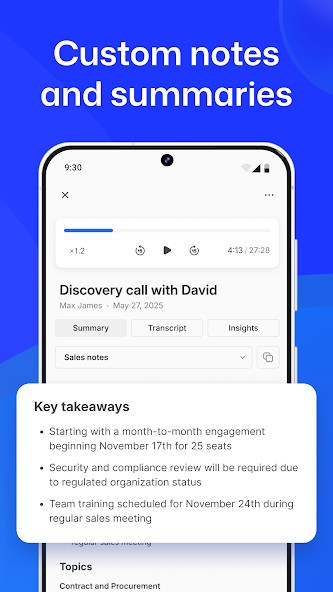
Bluedot is an AI-powered note-taking and meeting recorder that allows taking notes and converting them into written ones based on the conversations. It is primarily centered on meetings, online or face-to-face. Bluedot operates as a background application and quietly records audio instead of introducing a visible bot into a conversation. Once a meeting is over, it transcribes what humans had to say and forms a written summary that is later reviewed by users.
The software facilitates the meetings conducted through such platforms as Google Meet, Zoom, and Microsoft Teams. Bluedot is also applicable to face-to-face communication via a mobile application. It can recognize speakers, point out important sections, and enable users to comment based on particular sections of any recording. Another advantage of YouTube is that the recorded video materials may also be edited by users by editing the transcript, which may be helpful when one desires to delete any pauses or unnecessary sections.
Bluedot exists in the form of an extension to Chrome, desktop software, and a mobile application. It integrates with such tools as CRMs, Notion, and calendars to enable users to store notes and records in order. The software is aimed at lessening personal effort in record-taking, simplifying the process of meeting follow-ups without modifying the way meetings are conducted.
Why Should I Download Bluedot?
Bluedot can prove beneficial in case you have numerous meetings and can hardly remember any details after them. Taking notes when on a call usually implies that you miss certain content of the conversation, and using mere memory recall may also cause action items to be forgotten. Bluedot eliminates such pressure by having the recording and transcription done automatically.
The absence of bots is one of the factors that makes people download Bluedot. As it does not literally attend meetings, it does not seem that obtrusive and does not cause embarrassing sessions with participants. This may be critical during client calls, interviews, or in-house conversations when privacy and comfort are required.
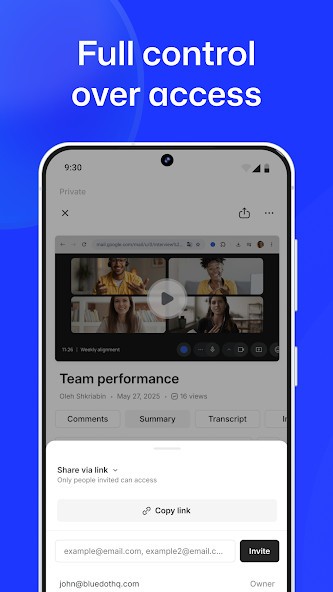
Information organization in the software is another factor. Bluedot does not merely provide raw text, but it generates summaries and highlights, which allow one to look through what has happened without having to go through a forty-minute recording of a meeting. The possibility to record brief parts and distribute them can also be useful to make decisions and discuss important aspects as a team.
Bluedot can also attract users working on various tools. Other platforms can be matched with notes and summaries, which leads to less manual copy-pasting. Although it may not substitute all forms of note-taking tools, it can prove useful when one wants to have proper records of meetings without making an extra effort.
Is Bluedot Free?
Bluedot has a free option that lets users test the essential functionality of the site to decide whether to pay. This simplifies the process of testing the suitability of the software to a particular workflow or meeting style. The free choice is normally restricted by limitations, including limited functionality or limited features.
Users are offered paid plans in case they require additional recording, integrations, or even team-level functionality. The prices and restrictions may evolve, and the user should update on the latest plans on the official site without relying on it on a long-term basis. The firm further adds that it does not use user content to train or better AI models, which can be important to individuals interested in data use.
What Operating Systems Are Compatible with Bluedot?
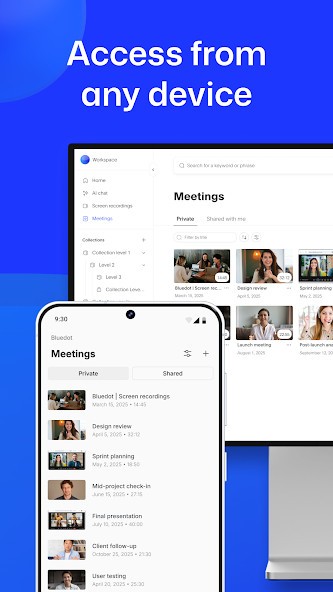
Bluedot has the advantage of working on different platforms, which keeps the users flexible. The Chrome extension will operate on any platform that can support Google Chrome, such as Windows, macOS, and Linux platforms. It is mostly applied to browser-based meetings such as Google Meet.
To be used in a wider scope, Bluedot offers Windows and macOS desktop applications. Those are versions that are supposed to record these meetings conducted in apps like Zoom or Microsoft Teams. It also has a mobile app, both on iOS and Android, which allows recording some face-to-face talks or interviews.
Bluedot can be deployed into work setups due to its capability to operate in a browser, desktop, and mobile setting. Otherwise, the performance and the available features could differ just a bit depending on the platform that is used.
What Are the Alternatives to Bluedot?
First only a note-taking system, Evernote now offers numerous AI tools. Parallel to written notes, documents, and organization, the app offers to record your meetings for you and make a transcription and a summary. Many users choose to download Evernote as a place to write, save, and organize text-based notes, but also for its advanced AI tools.
Direct competitor to Evernote, Notion, also started as a note-taking and to-do list app that evolved with time. And as such, it also features numerous AI tools, such as AI Meeting Notes. This tool can record your meetings and make a transcription as well as a summary. All your data is then stored on your account. This helps you organize all your information. People often download Notion to manage structured information and capture conversations in real time.
Google NotebookLM is the AI notebook created by Google. It is used to break down and summarize documents uploaded to it, including notes or transcripts. It is incapable of recording a meeting, but if you recorded it in another audio app, it can transcribe and summarize the available content. Users usually download Google NotebookLM when their focus is on reviewing documents instead of recording live discussions.