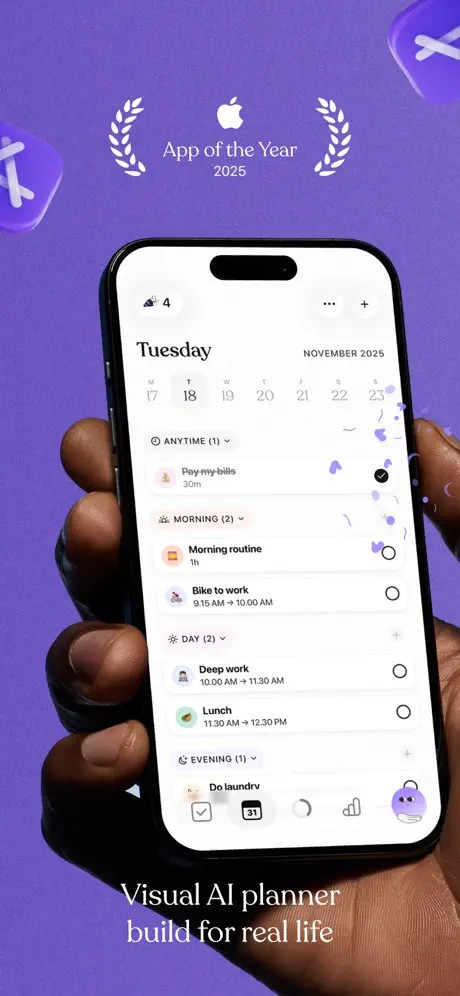
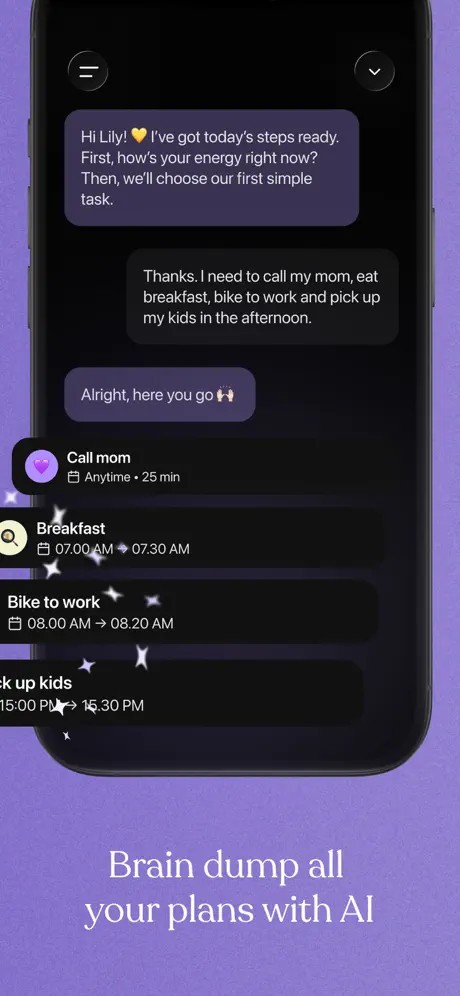
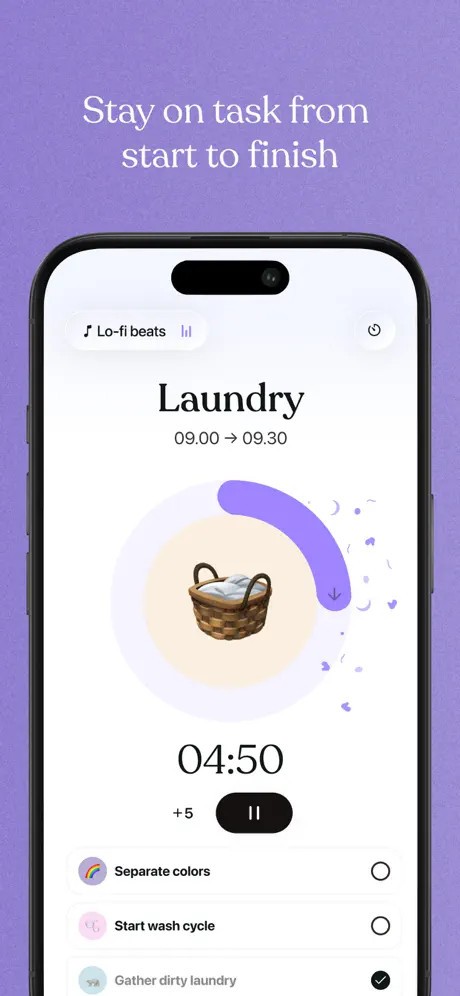
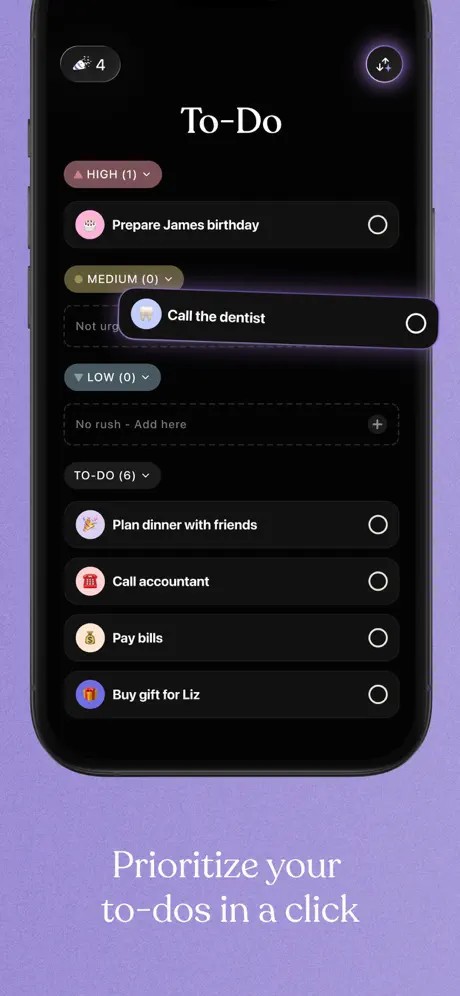
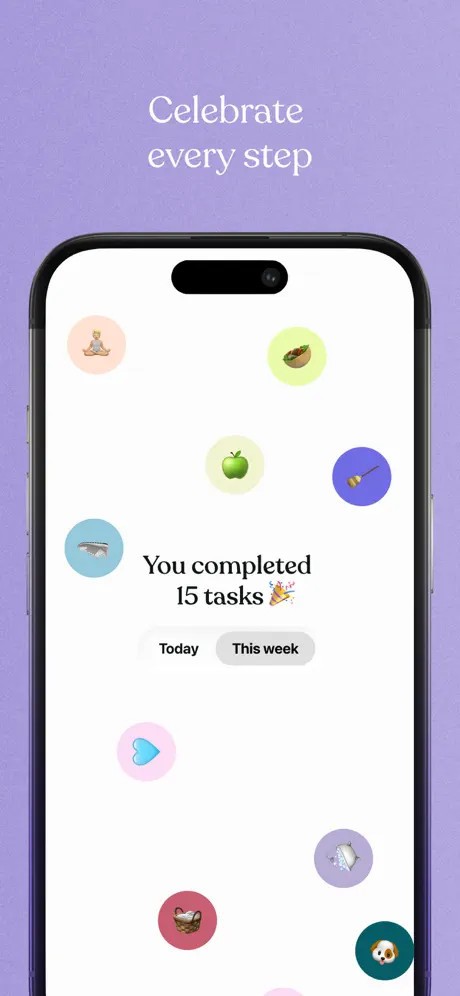
Tiimo is a planning and routine-building app that includes visual timelines and to-do lists, along with lightweight artificial intelligence. It is aimed at helping users manage their day and avoid feeling stressed. Tiimo is not a bulky business planner or based on gigantic project boards or team processes. It is aimed at individuals who are more inclined toward a graphic format, or color-coded blocks instead of lengthy lists.
The app became popular with the neurodivergent community thanks to its specific features. These features are particularly useful for users who have difficulties with executive-function problems, time-blindness, or putting intentions into practice. Following that, the app was nominated for the Apple Awards of 2025.
Tiimo plans your schedule with any task you add to the structure of a calmer day. You can make routines, create timers, drag and drop activities, and develop a plan for the day, which is not bound to strict rules. The interface is simple and well understood, but is flexible enough to adjust to changes in life. Tiimo does not claim an overnight change of habit; it only offers a less stressful, easier-to-follow schedule.
Why Should I Download Tiimo?
Other users prefer Tiimo because the app is not like other task apps that fill up and stress users with a constant stream of reminders and to-do lists. Tiimo makes the process of visualizing slow with images, color indicators, and a schedule that is easy to follow, instead of a scorecard.
That is why it appeals not only to ADHD or autism patients but to every person who would like to have a more gentle planner that they can be devoted to. Its AI component is not obtrusive but useful: it is offered to divide tasks or approximate time, which is practical in the case of a user who knows what to do but does not know how much energy or time will be used.
The flexibility also might be of interest to you. Plan your day, organize habits, keep track of moods, or have a focus timer without balancing two or more apps daily. Support: You can use an Apple Watch so that you can peek at your day without having to touch your phone. Due to the cross-platform capabilities of the app, you can begin on one device and finish on another.
Tiimo is the right fit if you need/like a visual and relaxed planner instead of productivity-focused ones that are rather strict; this tool can be a better option than a regular to-do list.
Is Tiimo Free?
Yes, Tiimo has a free version that is limited to a basic planner, one profile, and the use of AI. The majority of higher capabilities are included in Tiimo Pro subscriptions: full planning features, unlimited AI interactions, and wider possibilities to customize. A 7-day free trial allows you to test the annual plan and commit. The app is ad‑free.
What Operating Systems Are Compatible with Tiimo?
Tiimo is mainly constructed around Apple users. It can be used on iPhone, iPad, and Apple Watch, and can also be accessed through the web using a browser. The web version is best used by individuals who like typing on a keyboard or planning on a big screen, whereas the mobile version offers the best demonstration of the visual tools. The application needs iOS 17.0 or later, and hence, any older versions might not be able to work on it.
The Android version is not currently available, which may be a disadvantage to those who are not in the Apple world or those who use different phone platforms. The experience remains synchronized across devices; thus, you can create your schedule in one place on a computer and continue on your phone without losing any progress. Being tightly integrated with the accessibility features of Apple, such as the VoiceOver accessibility option, Dynamic Type, and dark mod,e allows Tiimo to be easier to use than most other planning applications. Currently, Android users need to seek other options, as Tiimo developers have not released an Android version.
What Are the Alternatives to Tiimo?
RoutineFlow is also based on routine and not the entire timelines of the day, and thus it is applicable where people require repetitive tasks that guide them. The application takes you through routines one by one rather than giving you a significant list or a huge graphical one. You can draw up morning checklists, school preparation, exercise routines, or relaxation routines. It is light and is effective for users who have difficulties in initiating actions without a direction. Although it does not include an AI planner, its less complicated method is less overwhelming than other apps that have features like Tiimo. RoutineFlow is also more cross-platform friendly. Some users simply download it because they want something straightforward that doesn’t overcomplicate their planning.
Focus To-Do is a Pomodoro technique that is integrated with task management that suits anybody who likes to use timers to keep him/her busy. The app focuses more on productivity and is based on the 25-minute work cycles that have brief pauses in between, which may be even stricter. It can be helpful to people who like organized working periods. Focus To-Do is supported on various devices (Android and desktop), making it more versatile for users of both platforms. It does not have mood tracking or visual schedules, such as Tiimo, though its advantages are in time tracking, statistics, and keeping focus due to repeated work periods. Most people download Focus To-Do when they want a timer-focused approach without extra planning layers.
Another visual planner is Structured, which condenses your day into one vertical timeline rather than a color-coded block system. It is easier to use than Tiimo and is more minimalist, which will attract a user who does not need additional tools, AI assistants, or a complex system of habits. You simply type in tasks and drag them into a layout, and the application transforms them into a clear order of actions you can take. Structure is also designed in a way that is not overly complicated, so that those who prefer some structure in their day, without being distracted by the abundance of features, can use it. Its weakness is that it is not very functional, but its advantage is clarity, where one gets a simple daily plan free from distractions. Users often download Structured when they want to stay clean, visual, and distraction-free.