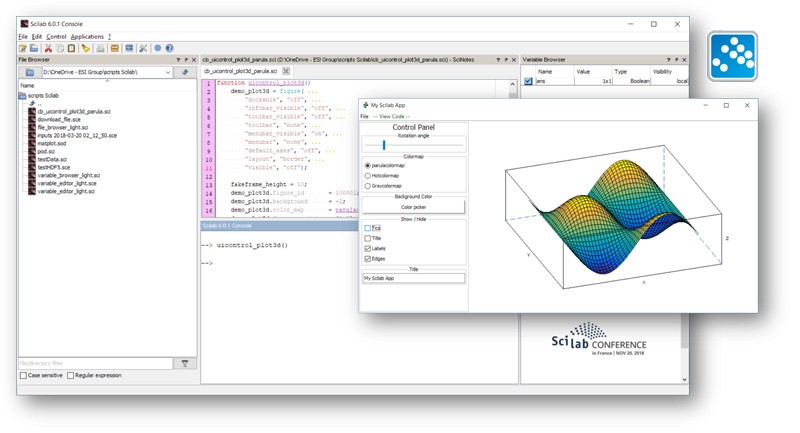
Scilab is an open-source and free numerical computer and scientific analysis tool. It was constructed by the engineers, researchers, and students who solve complex technical and mathematical issues. The platform has a high-level language that resembles MATLAB significantly; thus, those who are used to working with matrices and writing algorithms can start in no time.
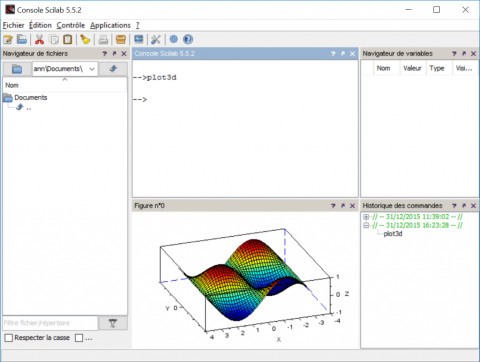
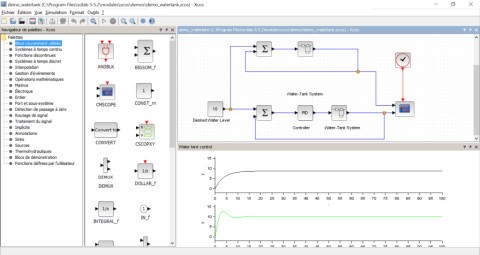
Scilab is also provided with built-in libraries that include linear algebra, signal processing, statistics, optimization, and control systems. It allows you to create simulations, test equations, analyze large data, and visualize functions, both in 2-D and 3-D. Xcos is a graphical simulation platform, like Simulink, that allows users to create dynamic systems in a way similar to flow charts, without writing any code.
The project was initially developed by the INRIA and the ENPC in France, but at present it has been backed by a vibrant open-source community. Its extensibility also permits users to make, edit, and distribute code at will, and it is perfect for a collaborative academic project and research effort. Anywhere, regardless of small- or large-scale experiments, Scilab offers a well-tested, free replication of commercial engineering and mathematical software.
Why Should I Download Scilab?
Scilab is a numerical environment with high power that is totally free. It can deal with simple and complicated calculations. It is used by engineers to develop systems and control model analysis, as well as by scientists in data visualization, model development, and algorithms.
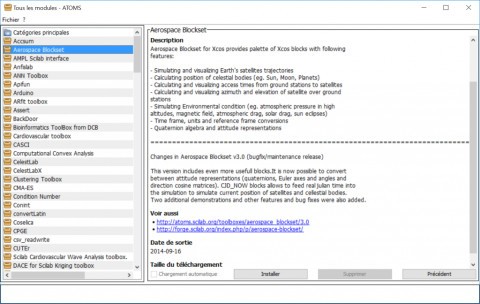
Being open source allows you to view the source code, make the functions seem more like your own, or make your own toolboxes. This is an asset that is particularly useful in academic and research applications, where a brand name is less important than transparency. SciLAB has been incorporated into engineering and applied-math courses in many universities due to its free download and experimentation capabilities.
Strong visualization tools are also included in the software, and therefore, raw data may be converted into graphs, plots, and animations without the use of external programs. Its Xcos module can prototype dynamic systems using a drag-and-drop interface and then migrate to real-world builds. The scripting environment provided by Scilab not only allows automation and reproducibility but also allows researchers to repeat an experiment with ease and consistent results.
It is effective, generalized, and flexible in aerospace, automotive, electronic, and mechanical design. Scilab is a feasible option for anyone seeking a powerful and free-to-use computational platform.
Is Scilab Free?
Yes—Scilab is 100 % free to download. This is under the CeCILL license, a French open-source license compatible with the GNU GPL. The software may be downloaded, edited as well, and shared among users, and there are no hidden costs or subscription systems. Its transparency renders it a perfect substitute among students, researchers, and professionals who require the scientific computing environment without limitations.
What Operating Systems Are Compatible with Scilab?
Scilab is compatible with Windows, macOS, and Linux, and allows users to choose the platform that best fits their workflow. Download the installation packages from our direct links, and with every release, there are updates, bug fixes, and performance improvements.
Scilab is compatible with 32-bit and 64-bit Windows 10 and Windows 11, but users on the macOS platform can install Scilab on Monterey and Ventura and beyond, though they might have to grant Scilab third-party software permission.
The program is available as a standard repository in Linux in Debian, Ubuntu, Fedora, and many other distributions. It can also be used with C, C++, Python, and Java, allowing users to expand its capabilities and provide workflow automation. The software is also fitted with an inbuilt code editor, plotting features, and a console; therefore, you do not need to leave the software to perform complicated calculations and visualize data. Its cross-platform property ensures that it is functional across all versions, and hence, files are compatible and stable across all versions.
What Are the Alternatives to Scilab?
The most popular commercial numerical computing tool is MATLAB, which is used in universities and industry. It has an extensive collection of control systems, statistics, finance, image processing toolboxes, and other tools. Its interface and documentation are refined. The Simulink add-on is an environment resembling Xcos of Scilab. MATLAB, however, needs to be licensed at a fee that may be too costly to individuals or small organizations. It is most applicable to users who require high-level technical support, huge libraries, and commercial dependability.
Julia is a high-performance, modern numerical analysis, data science, and machine learning language. It combines the readability of Python and the performance of compiled languages such as C. The most important strength of Julia is that it can perform large computations efficiently using just-in-time compilation. It has much mathematical support and can interface simply with Python, R, and C. Julia, in contrast to Scilab, does not have graphical or simulation features, but emphasizes code flexibility and performance, which makes it the best tool that allows developers to merge mathematical strength with modern programming strategies.
GNU Octave is another free and open-source numerical environment that is commonly regarded to be the most closely related to MATLAB. Its syntax has very few similarities, and thus users can switch without any significant modifications in the code. Octave is used to perform matrix operations, visualize data, and optimize numbers, and it is used in education and research in academia. Although it lacks a graphical simulation tool such as Xcos, it is lightweight, simple, and ideal for users who do not require the use of license fees for MATLAB-type scripting. The compatibility focus of Octave has made it a tool of choice for individuals who require MATLAB functionality in an open-source format.