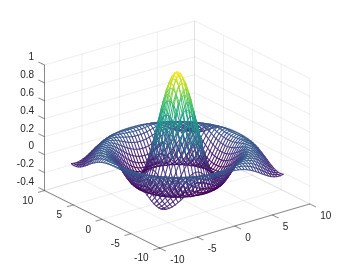
GNU Octave is an open-source and free scientific programming language with a heavy emphasis on math. It is good at doing computations, matrices, data analysis, and plotting 2 dimensions and 3 dimensions. In case you have worked with MATLAB, the usage of Octave is not unfamiliar, as several syntax items are similar. That is why a lot of users prefer the free version of Octave. Depending on your choice, you can start Octave either in a graphical interface or a console.
Some users automate work by running shell scripts. Octave is used by students of linear algebra, by engineers, and by researchers who do not require many commercial capabilities. Being a free-source project, it is constantly being refined by the developers who improve it, and anyone is welcome to inspect the code or make alterations. Concisely, Octave is a programming environment coupled with a math toolkit and can be extended with packages to add more functionality.
Why Should I Download GNU Octave?
GNU Octave is downloaded by people depending on their requirements. Its greatest benefit is that it is free of cost. This is valued by students and researchers who may not have the financial capacity to afford the paid numerical tools. The interface may not be as smooth as commercial options; however, it works.
Octave is free to work with matrices, to solve equations, to plot graphs, and to test algorithms. Its other benefit is that it can be used with numerous MATLAB scripts. With minor or no adaptations, scripts written in Octave are usually executable. It is easier to adopt if you already have MATLAB code.
It’s also cross‑platform. Linux, Windows, macOS, and BSD are some systems on which Octave is used. It is compatible with any operating system without any special hardware. Its installers are not complicated, particularly on Windows. There can be a few additional steps to be undertaken by Mac users, although community support can be used.
It is open source, and therefore, developers build different platforms. Octave is a lightweight software that does not require resources to operate on desktops or laptops or even in a virtual machine.
Is GNU Octave Free?
Yes, GNU Octave is fully free. It is under the GNU General Public License, under which everybody can download, use, modify, and share it without any fee. No paid levels, premium add-ons, or restrictions on subscriptions. Even the source code is accessible to anyone who wants to take a look at the way it works internally.
What Operating Systems Are Compatible with GNU Octave?
GNU Octave operates on several major operating systems. It can be used with Linux, Windows, and macOS. Some BSD systems have community-maintained builds rather than official support. Due to its open-source nature, the community customizes versions or builds versions on other platforms. Octave is adaptable, and it does not ask for much system resources, whether you are working on a desktop, laptop, or virtual machine.
What Are the Alternatives to GNU Octave?
MATLAB is a commercial numerical computing system. Engineers, researchers, and scholars utilize it due to its intuitive interface, extensive built-in toolbases, and well-supported signal processing, machine learning, image analysis, and scientific simulation capabilities. It is commercial in nature, and thus the user pays to be licensed, and detailed documentation and customer services are provided. It is expensive to the individual or a small team, and certain advanced features require the purchase of extra toolboxes. MATLAB has a good performance and a mature ecosystem. Although Octave resembles the syntax of MATLAB, MATLAB has more narrowly focused functions and an integrated environment. If someone is eager to explore the full environment before buying, many users first download the trial version to see if it fits their workflow.
Julia is a new language programmed in high-performance computing based on the field of numerical computing. It assembles code on demand, hence executing it fast without the interpretation overhead. This renders Julia appropriate for massive simulations, data science, and machine-learning tasks that require speed. The syntax of Julia is straightforward and can be used to do multiple-dispatch programming, also known as powerful in the face of scientific work. The ecosystem of packages in the language has been growing in terms of plotting, optimization, statistics, and machine learning. Julia is free, and it can interact with Python, C, and Fortran. The community continues to expand, and thus some functionality is not as well-developed as the older platforms, yet Julia is being replaced as the faster and more flexible choice by many researchers. Since Julia is open-source, users usually download it directly from the official site and start experimenting without any setup hassle.
Scilab is another free and open-source numerical analysis program. It provides signal processing, data visualization, numerical optimization, and matrix operations. Scilab contains its own programming language that is not similar to MATLAB's, but is used to perform the same task of computing mathematics. The interface consists of a plotting graphics window, a console, and a variable browser. Scilab can be customized with modules and toolboxes, or custom scripts can be written. Scilab is used in universities and by engineers seeking a free alternative with built-in scientific capabilities. Although not a clone of MATLAB, it occupies a similar niche and can be used by people who do not require the high accuracy of MATLAB. People who prefer lightweight scientific tools often download Scilab because it runs smoothly without needing paid add-ons.