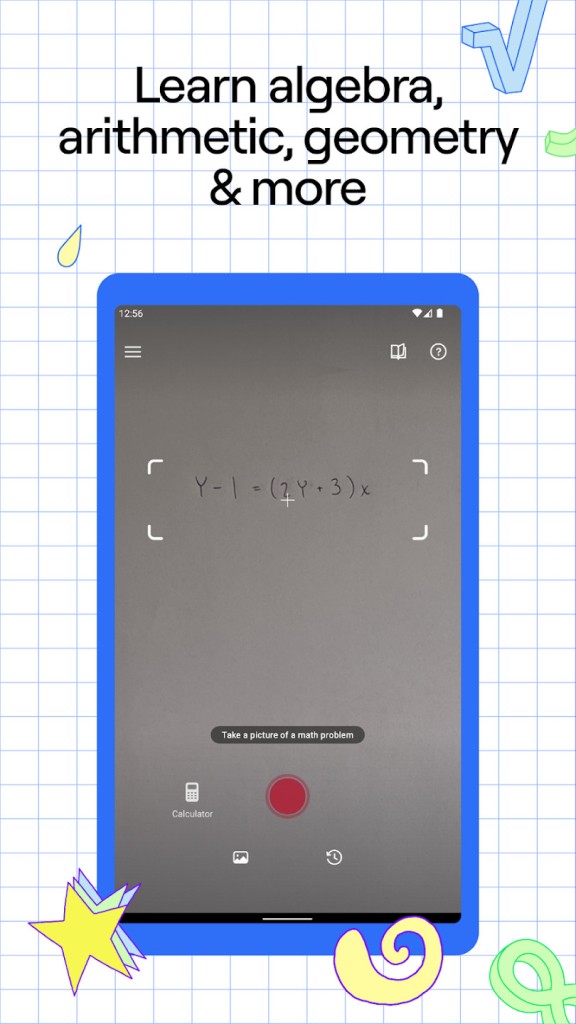
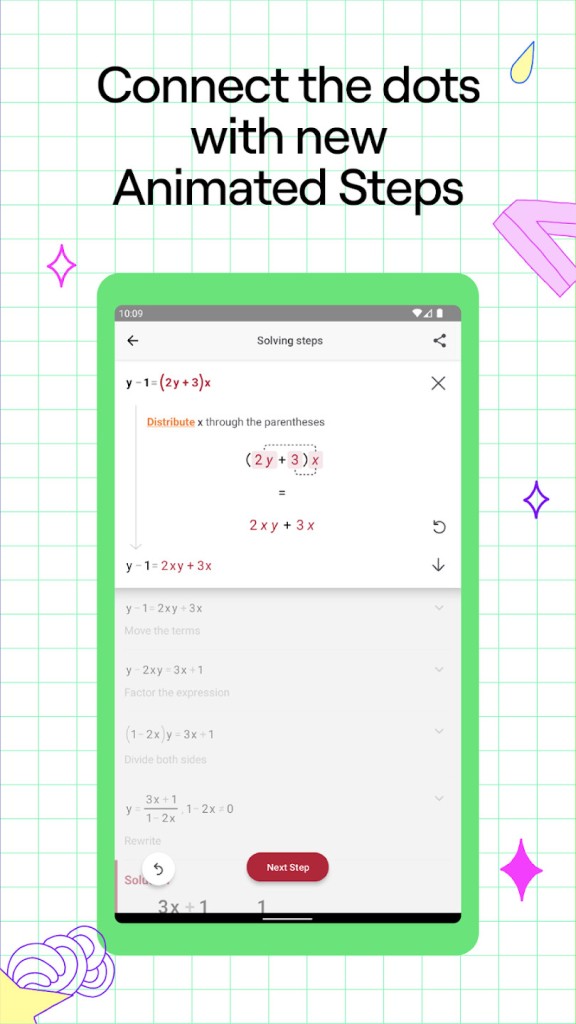
Photomath is a math learning application that can solve problems by writing them down on the phone camera. Ask the camera any question, whether written or printed, and the right one will appear in the app. The difference between Photomath and a typical calculator is not only the final result, but also the answer with an explanation of how it was obtained. It divides the solution into easy step-by-step actions, so you can see how the answer was provided. The app displays the full process, instead of secretly running it behind the scenes with one equation.
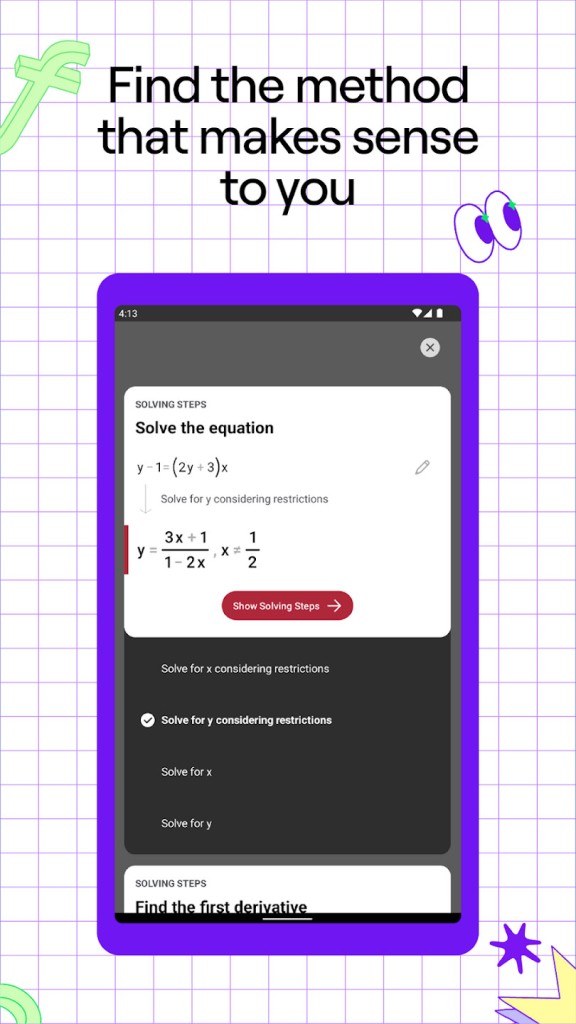
The application integrates simple math up to algebra, trigonometry, functions, word problems, and calculus. In case you are stumped, Photomath presents several solutions, including a factored-form solution or formula-based solution. It allows parents who have forgotten high-school math to explain homework without paying a tutor, and teachers can show alternative methods of solving problems in the classroom.
Photomath is not meant to be a substitute for studying; it eliminates the “I have no idea" point. Watch each step turn the equation instead of just copying answers, and that is how you learn. The application is a guide, rather than a calculator.
Why Should I Download Photomath?
Use the Photomath application to find immediate assistance in solving math problems when you need it. The app can be a sort of pocket tutor in case textbook explanations are incomprehensible, or the classes proceed too quickly, or you have to repeat something yourself. A question can be scanned, and the app divides it into small steps. You can go back or forward by each part, knowing what and why it changed.
The greatest advantage is studying at your own pace. Photomath is a useful interim, especially for students who are frozen when uncertain about what to do. You can sit and read an explanation without embarrassment to repeat it in class. In case you have to make some last-minute revisions, and you cannot find anyone to assist, the app can be an alternative.
Math anxiety is also minimized by Photomath. Once the process has been brought into sight, the object becomes less obscure and more definite. The animated steps can serve the needs of visual learners, making it understandable how the equation is changing, like a teacher solving it on a piece of paper or the board in front of you.
In some cases, the application provides multiple options for solving such that you can select the path that suits you more. In the case of a word-problem skills challenge, Photomath solves the sentence into math and then solves it, conditioning the mind to think logically. Concisely, download Photomath whenever you want to learn math instead of having to follow it by guessing.
Is Photomath Free?
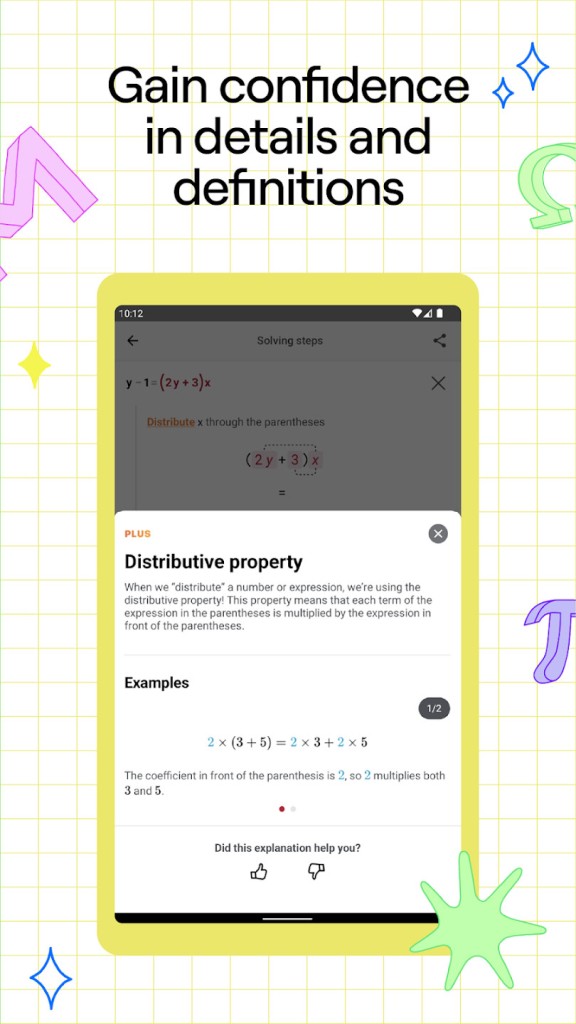
The free version of Photomath allows you to scan the problem, be presented with step-by-step solutions, as well as see the explanations for the majority of math types. The paid upgrade called Photomath Plus includes advanced functionality, such as enhanced explanations, walkthroughs of entire textbooks, and tutorials in the form of animations; it is based on a subscription model. The basic math-solving application is free, and thus, daily homework may be answered without any charge. The high-end plan, nevertheless, includes more educational materials.
What Operating Systems Are Compatible with Photomath?
Photomath is available on both major mobile platforms. iPhone or iPad users can obtain it in the App Store, and Android device users can obtain it at Google Play. After installation, the app employs the phone camera to scan math problems. It does not need a computer; it is specifically made to be mobile. The history is stored locally, and the past problems can be revisited.
Most math problems do not require the internet, and the math engine is offline. In case you use Photomath Plus features, such as textbook solutions or video tutorials, you need to have an online connection. No official desktop edition exists, but some users do use the Android application on laptops using emulators.
In case the device is equipped with a good camera, scanning is precise. The older phones would still work, provided that the camera is good at text focus. Higher recognition is obtained with clean handwriting. Photomath needs minimal storage and, therefore, it works well even on mid-range phones.
What Are the Alternatives to Photomath?
Gauth is another math solver, which is Android only. It operates just like Photomath and scans math problems to give answers. The distinction is that Gauth has live tutor chat, where the user can ask questions and have actual people clarify what they dislike. Gauth is a mixture of human interaction and AI solving, so it will be attractive to individuals seeking the experience of a personal helper. But in the case of a free plan, chat and advanced guidance could be restricted.
The nearest analog to Photomath is Symbolab: Math AI Photo Solver. It provides some more symbolic manipulation and higher calculus, and the presentation is in a more formula-first manner. Symbolab can be used to do more complex or college-level math, and most step-by-step answers are available with a paid subscription. Photomath provides additional free steps, whereas Symbolab can be used with the power of a symbolic engine. At the level of university assistance, Symbolab might be more powerful.
The solution proposed by Baobab Labs is different. It does not provide students with quick solutions, but it will make them think through logic tanks to interactive tutoring. It is a kind of guided learning tool, and it prompts the user to fill in portions of the solution. Baobab Labs is more appropriate in the case of individuals who like to learn in a structured way and not to seek answers fast. Whereas Photomath offers a step-by-step description, Baobab Labs offers hints and practice.