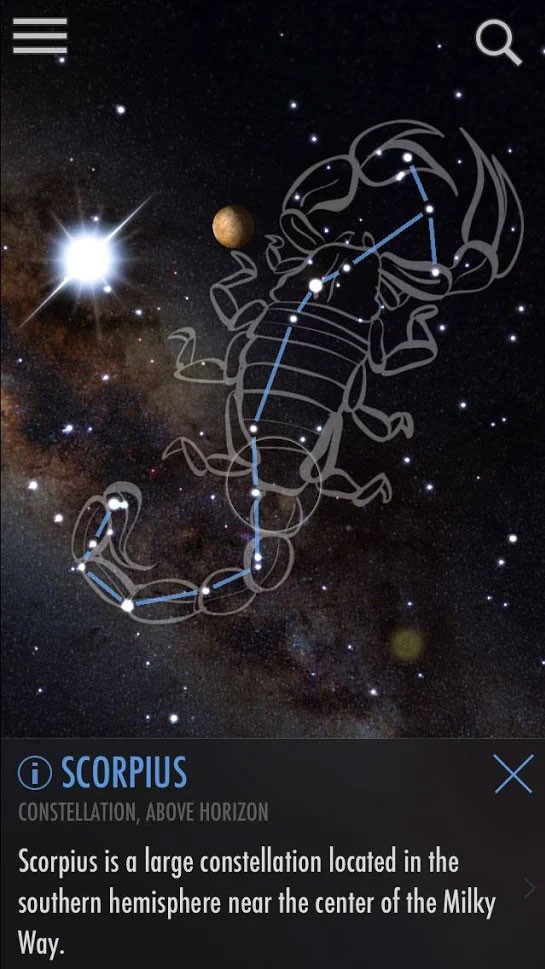
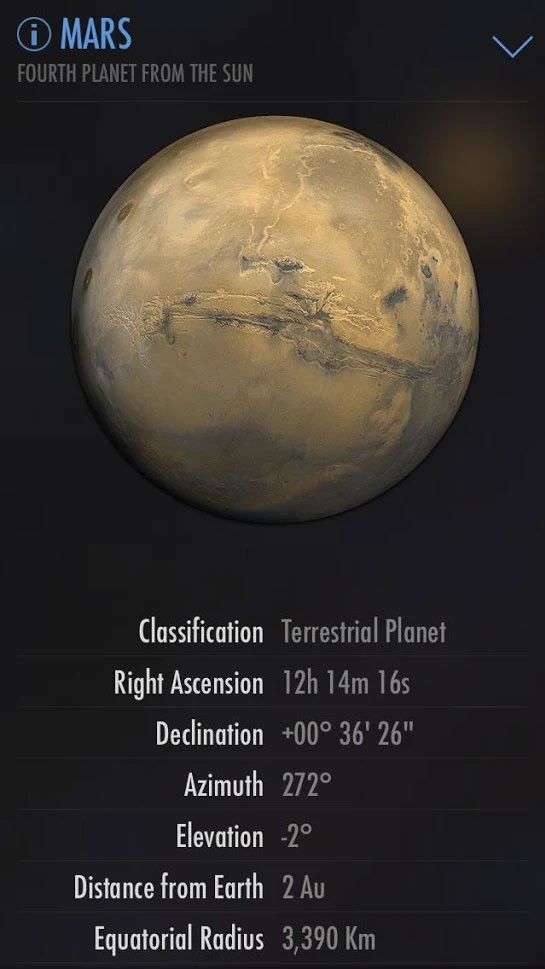
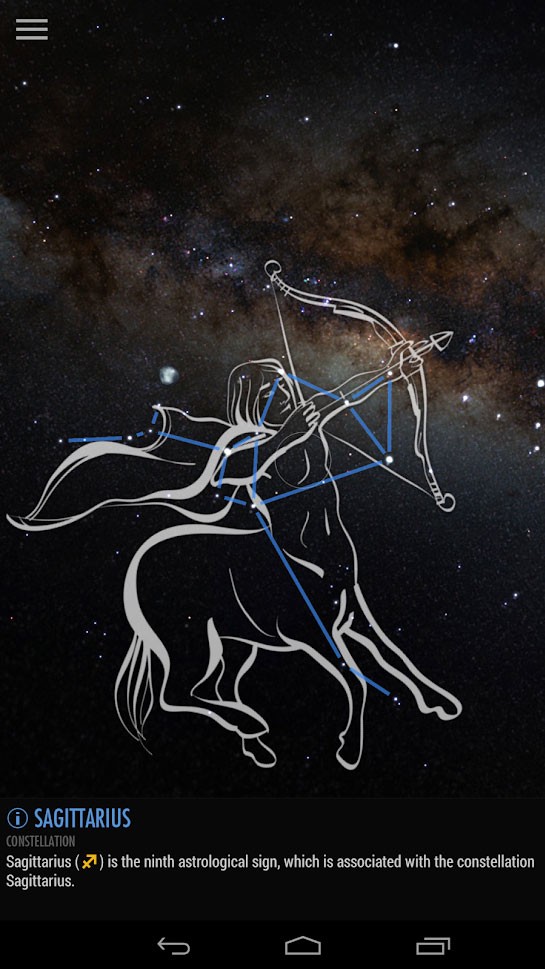
SkyView Free is an interactive astronomy app that uses augmented reality and your phone’s sensors and camera to show stars, planets, and constellations around you. By simply pointing your camera at the sky above you, you’re transforming your smartphone into a portable telescope. Once you launch the app, it detects your position and overlays accurate celestial data over the live view from your camera. You can move your device across the sky to locate objects like Mars, the International Space Station, or the Orion constellation in real time.
Even though SkyView Free is designed for stargazing, you can also use it during the day, unlike traditional methods. During the daytime, the app highlights celestial bodies hidden by the sun’s brightness, and at night, it illuminates the sky with glowing constellations and visible stars. As you move your device, SkyView Free tracks the sky’s motion and marks every planet or satellite’s exact position, but also shows their trajectories.
Each object in SkyView Free is displayed with brief descriptions, scientific facts, and information about its orbit. You can learn about a planet’s size, distance from Earth, and mythology with a single tap. The app also lets you capture images directly through the augmented view, along with every trajectory and constellation. It’s a great app for kids, but also for adults interested in outer space, and you can download SkyView Free for iOS and Android devices. It also has a paid version distributed as a separate app.
Why should I download SkyView Free?
Using SkyView Free is extremely easy and fast, and allows you to explore the sky without complicated equipment. You don’t need to align telescopes, learn coordinates, or memorize constellations. Once the app calibrates with your device’s sensors, you just point your camera toward the sky, and it instantly labels the stars, planets, and satellites you’re seeing. You can even use it indoors to simulate the sky through walls or ceilings, so you don’t need to go outside. This option can be great if you’re looking to explore the planets and stars with your kid in bed before sleep.
One of the things that makes SkyView Free so easy is the fact that it uses augmented reality. The app overlays your real surroundings with visuals of everything that is hovering above you. It uses accurate motion tracking to ensure everything stays aligned as you move your phone, and the animations are smooth and realistic. You can trace the orbit of satellites like the Hubble Space Telescope or follow the path of the moon as it rises and sets. SkyView Free can also work offline without an internet connection, making it ideal for remote camping trips or stargazing in places without any network coverage.
If you want to, you can use SkyView Free to learn more about what you’re seeing, as each object comes with quick facts and historical context. For example, tapping on Jupiter shows details about its moons and atmosphere, while constellations display mythological stories that dictated their names. This can be useful for teachers and parents, as you can turn learning about planets into an interactive science lesson. There’s also a search so you can look up specific stars or planets and let the app guide you toward them using an on-screen arrow.
Even though SkyView Free is filled with data, it uses soft animations and light to accurately display the sky without getting too overwhelming. Every type of object in SkyView Free has a different color, so you’re able to recognize them quickly, and the app can also provide you with a new list of objects you can observe. You can download SkyView Free for mobile devices that run on iOS and Android.
Is SkyView Free free?
Yes, SkyView Free is a fully free app that you can download and use its features without any cost. With it, you have access to all the basic tools like star and planet identification, constellation overlays, and augmented reality sky tracking.
The free app displays ads from time to time, but if you want to get rid of them and unlock a few more features, there is also a paid version available as a separate app on the App Store and Google Play Store.
What operating systems are compatible with SkyView Free?
Since it’s a mobile app, you can download SkyView Free for free on a smartphone or tablet with iOS 16.0 or newer and Android 10.0 or higher. It will need access to your location and camera, and it also uses the phone’s gyroscope to react to your movement. SkyView Free can also work offline, so you don’t need an internet connection to identify objects in the sky above you.
What are the alternatives to SkyView Free?
SkySafari is an augmented reality astronomy app that has a huge database of stars, constellations, and celestial events. You can use it to check out the objects above you, simulate future sky conditions, and view orbital models in 3D. There are also community features that allow you to check out what other users are looking at. The app is paid and you can get it for smartphones and tablets with iOS and Android.
Stellarium is a free, open-source astronomy program that you can use on the web, PCs (Windows, macOS, Linux), through VR sets, or download for iOS and Android mobile devices. It has a catalog of over 1.4 billion known stars, can show you nebulae and different galaxies, supports detecting satellites, and shows all known comets. While the majority of the features are free, there’s also an option to upgrade to a Plus version to use the platform to control telescopes and use advanced observation tools for predicting objects.
StarWalk 2 is another astronomy app that gives you access to an interactive sky map, just by using your mobile device. It helps you to identify stars, constellations, and planets while tracking their movements in real time. It offers 3D models, satellite tracking, and detailed sky calendars that notify you of meteor showers or eclipses. You can download the app for free on iOS and Android with optional in-app upgrades.