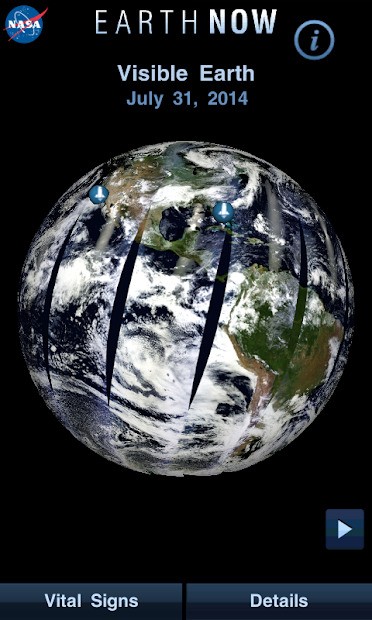
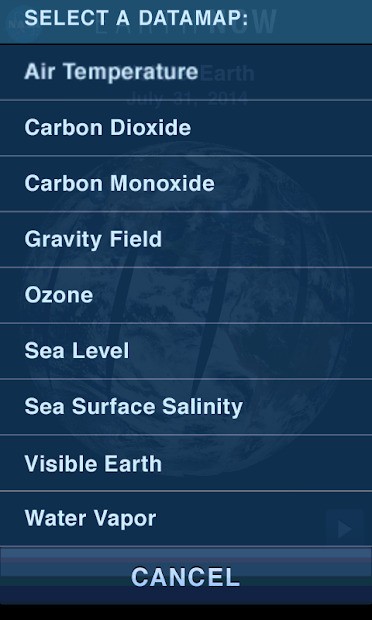
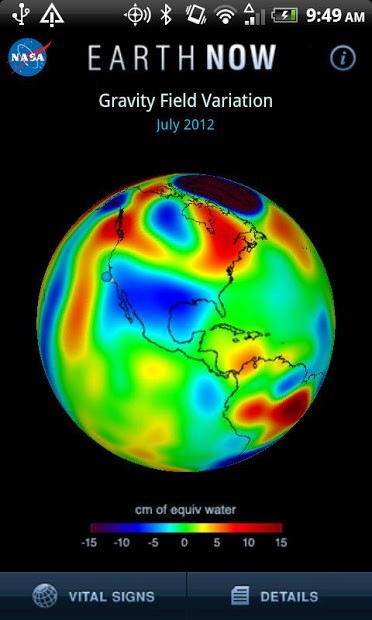
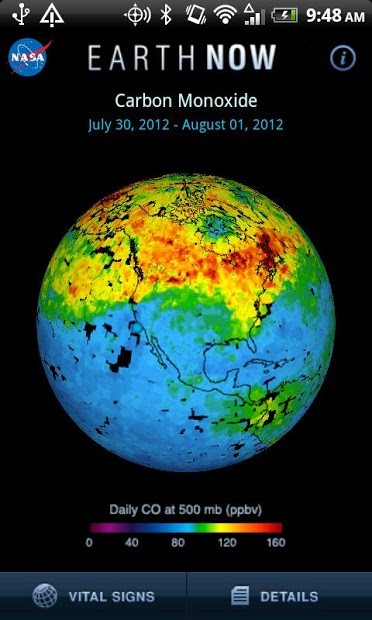
Earth-Now, developed as part of NASA's Eyes platform, lets you observe atmospheric conditions on Earth using data from NASA's satellite fleet. You can explore a range of land and ocean metrics, including surface and water temperature, carbon dioxide and ozone levels, water vapor, and more.
Because the app draws from the massive data sets provided by NASA's Earth Observing System, you can watch conditions shift in near real-time, and you can trust that the visualizations are accurate and current.
When you download Earth-Now, you navigate by rotating a 3D globe and zooming in on the areas you want to inspect. It's a great tool for observing weather patterns, seasonal changes, and other climate phenomena. You can get Earth-Now on Android and iOS mobile devices and have the planet's data right at your fingertips.
Why should I download Earth-Now?
Whether you're a student learning about Earth science, a weather enthusiast, or just someone curious about what's happening with our climate and atmosphere. Earth-Now gives you a live feed of changes taking place across the atmosphere, oceans, and land systems right now. The app pulls real-time data visualizations from multiple NASA missions, rendering that information on a 3D model of Earth where each layer represents a different data point.
The controls are built for touchscreens, so you can swipe, tap, or pinch to spin the globe, zoom into a region, and see how different parameters are shifting. When you download Earth-Now, you get access to data like surface air temperature, carbon dioxide concentrations, ozone layers, sea level pressure, water vapor, relative humidity, and cloud fraction, among others. Every layer is color-coded, with gradients that show varying levels and intensities. A built-in legend explains what the colors mean, and the descriptions and measurement units are written in plain language so anyone can interpret the data without a science degree.
Earth-Now puts a visual, practical face on concepts you might've learned about in school, like greenhouse gases, water cycles, and atmospheric pressure. That makes it genuinely useful for people who aren't experts in the field but still want to understand what's going on. You don't need to memorize satellite names or download raw data files to use them. At the same time, the simplicity doesn't come at the cost of scientific accuracy. Earth-Now is a legitimate data tool designed to give the public direct access to information NASA is actively collecting.
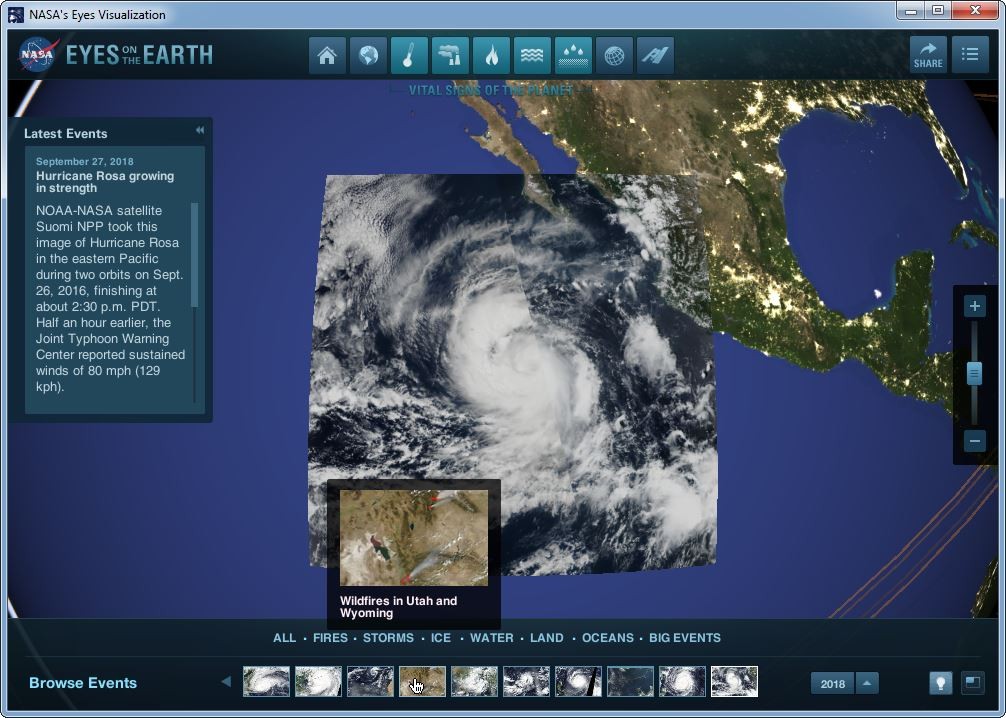
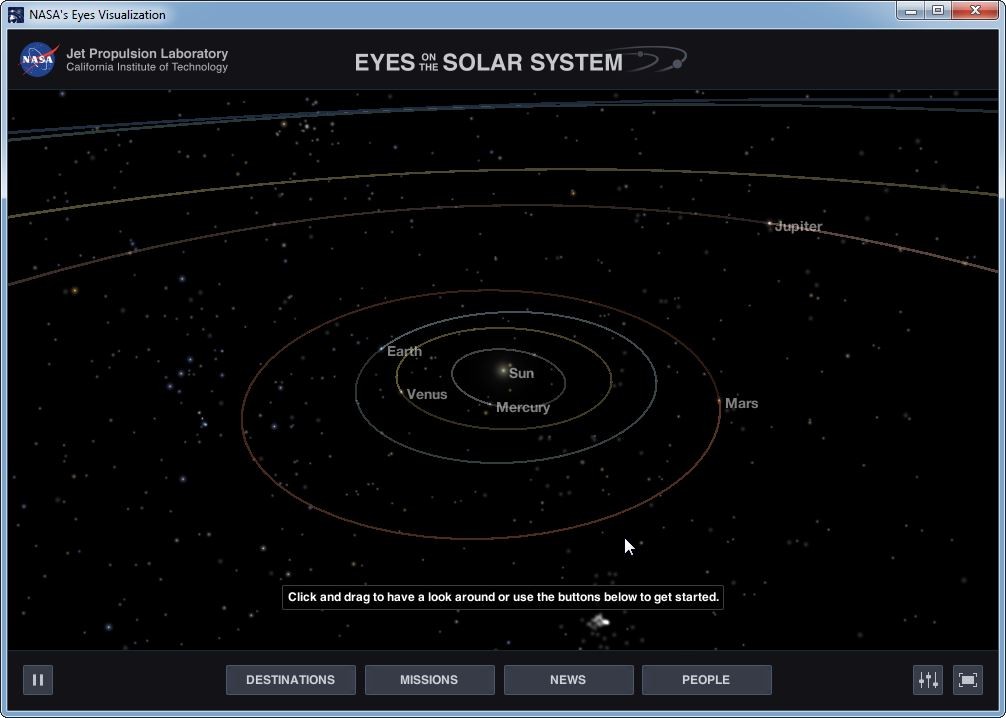
You can download Earth-Now on iOS and Android, and it runs smoothly despite the heavy data powering its visualizations. Other programs within NASA's Eyes initiative cover different territory. For example, Eyes on the Solar System lets you explore the planets in our neighborhood, while Eyes on Exoplanets takes you even further out to planets orbiting other stars.
Is Earth-Now free?
Earth-Now is completely free. As a publicly funded project, it was built to support education and raise awareness about the climate conditions shaping our planet. It's a useful tool for teachers and students alike, but also for anyone who's simply curious about how the weather and climate systems work.
The app will remain free as part of NASA's ongoing commitment to sharing scientific knowledge and keeping that information accessible to everyone.
What operating systems are compatible with Earth-Now?
You can download Earth-Now on mobile devices and use touch gestures to interact with the app and its 3D globe. For Android, you'll need version 8.0 or higher on a smartphone or tablet. On iPhone or iPad, iOS 13.0 or later is required.
If you'd like to explore similar data on a desktop computer, NASA offers other web-based tools that provide comparable visualizations and data access through your browser.
What are the alternatives to Earth-Now?
If you're mainly interested in beautiful imagery rather than scientific data, EarthView is worth a look. It displays high-resolution images of the Earth with cloud patterns, weather updates, and daylight layers, though it's purely a visual tool with no underlying data analysis. You can install EarthView on Windows for animated screensavers or on Android for live wallpapers.
For users who want to go deeper than Earth-Now, NASA Worldview is a browser-based service with far more advanced data visualization capabilities. It gives you access to over 900 data layers, covering everything from wildfire locations and dust storms to sea ice and land cover, sourced from missions like MODIS and VIIRS. You can compare data across layers, download images, and open it in any modern browser on macOS, Windows, or Linux. NASA Worldview is completely free, with no restrictions on what you can explore.
Google Earth is another popular option, though it serves a different purpose entirely. It's designed for visualizing geographic and historical information, letting you examine terrain, man-made structures, and environmental changes over time using a mix of satellite imagery, Google Street View photography, and custom data sets. Keep in mind that Google Earth is not built for scientific analysis or climate monitoring the way Earth-Now is, so it's better suited for exploring geography than tracking atmospheric conditions. You can download Google Earth on iOS and Android or launch it through a browser on Windows, macOS, or ChromeOS, and it's entirely free to use.