Kilonotes is a mobile application for digital notetaking. It is often used by students and teachers in educational settings, as well as professionals in different fields. The app’s versatility enables use in all areas of life, including journaling, recipe writing, and planning.
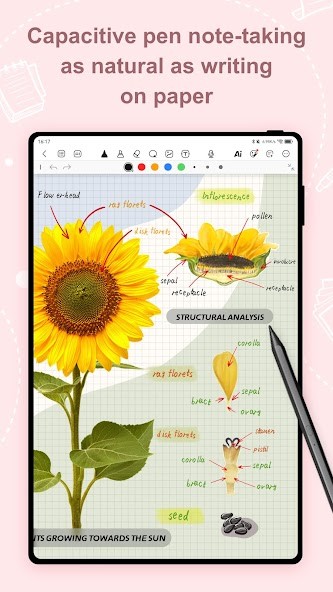
The app combines different elements into beautifully organized notes. You can create both handwritten and typed notes, with a variety of brushes and pens, as well as text boxes. Move your notes around as you please to create a visually pleasing display that you will want to come back to. Improve your notes with pictures and audio recordings for added comprehension.
The app allows users to work with PDF documents and annotate them. You can search through the document to find the part you’re looking for, or extract text and translate it.
Your digital notebook is a reflection of your character. Choose appropriate colors, fonts, and highlighters, and organize your notes to your liking.
Why Should I Download Kilonotes?
If you don’t like putting pen to paper but need an effective way to make notes, you can benefit from Kilonotes. Unlike a boring Word document or note on your phone, you can customize your digital notebooks in Kilonotes to your liking and make it so you want to come back to them.
The main focus of Kilonotes is on providing a realistic handwriting experience in the digital realm. To ensure the best experience, Kilonotes offers a variety of different writing tools. If you don’t enjoy writing with a pen, you can also type your notes and organize them accordingly.
Among other features is the PDF annotation capability, whereby you can import a PDF document and make notes in it within the app. The text found in the document can be exported and imported into your Kilonotes notebooks in handwriting or as typed text.
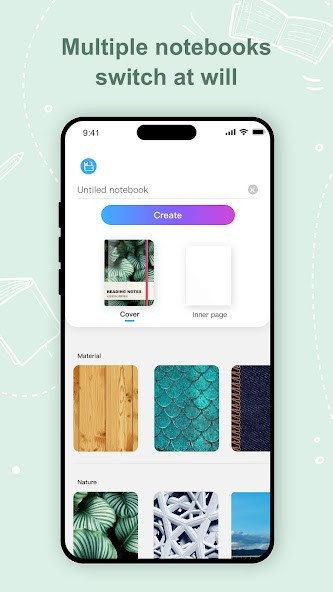
Each notebook is entirely customizable, down to the cover. You can use one of the app’s many templates or create your own notebook from scratch. Support your notes with audio files and images, and organize text the way you like, with shapes and elements offered for added convenience. There are AI tools that can help you stay organized and automate simple tasks.
Kilonotes is a fantastic study and notetaking tool because it keeps all of your notebooks organized. Paper notebooks can get lost or destroyed, whereas digital notebooks are safe on your device.
Is Kilonotes Free?
Kilonotes is a freemium application, meaning there is a free tier and a paid tier. The free version of the app offers a big number of basic features. The paid version has more features, with cloud space and no ads. If you don’t like feeling tied down by monthly subscription costs, you can opt for a lifetime membership as a one-time purchase.
What Operating Systems Are Compatible with Kilonotes?
Kilonotes is compatible with a number of operating systems. You can download it on your iOS or iPadOS device with iOS 15.6 or later. You can also use Kilonotes on your Android phone or tablet, and macOS device with macOS 12.5 or later.
What Are the Alternatives to Kilonotes?
Those looking for an alternative will find one in Concepts. While it is a notetaking app at its core, it approaches the issue differently. Instead of aesthetically pleasing notebooks, you are offered a never-ending canvas that you can fill with notes, sketches, or drawings. That kind of interface is perfect for brainstorming or taking notes to be reorganized later. The canvas never ends, so you can zoom in or out as much as you want and add more notes. Those who wish to use Concepts for sketching will surely appreciate the ability to work with layers.
Notewise is more similar to Kilonotes in terms of interface. It offers customizable digital notebooks with a more advanced and professional look. The app’s main focus is on optimizing notetaking, which is done through an intuitive design, robust features, and organization tools.
If you’re looking for an app for notetaking only, with virtually no sketching features, Nebo is the right choice. It has the capability to turn your handwritten notes into typed text and offers great AI tools for automation. You can get the app to write you a summary of your notes or create a diagram to visualize data.