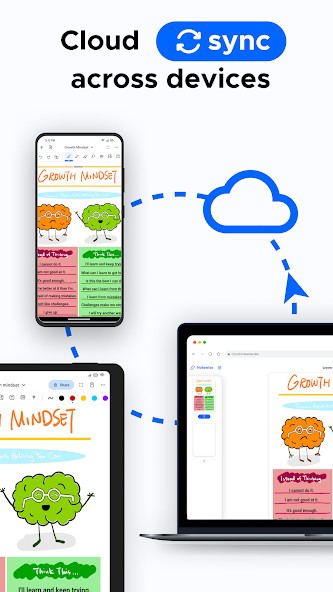
Using Notewise, you can take notes on your phone and sync them to the cloud for convenient cross-device access. You can write your text on a tablet or smartphone keyboard, but you’ll get the best value if you use a stylus like the Apple Pencil or another compatible with your device.
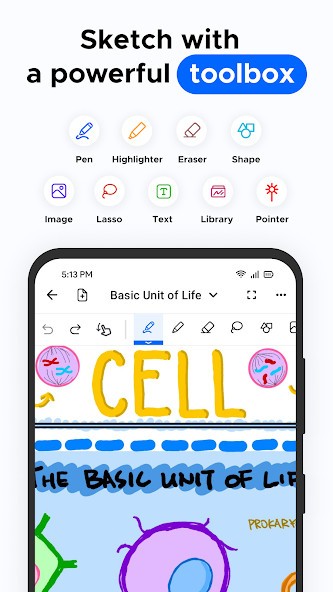
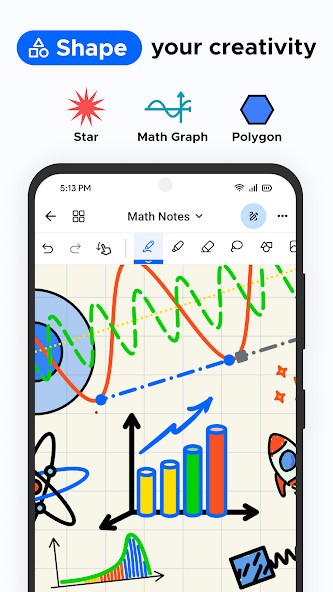
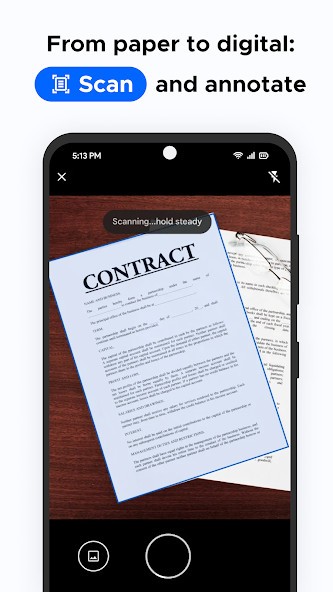
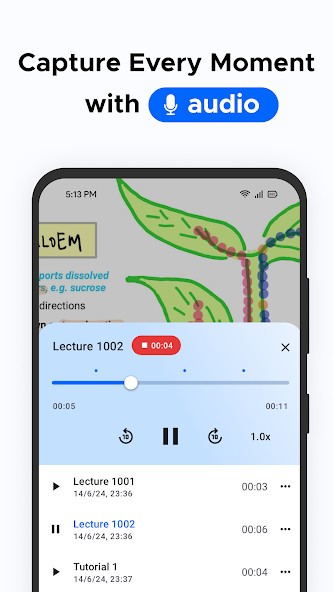
With the array of tools it offers, it’s easy to quickly jot down information during classes at school or university and draw shapes or diagrams, but you can also record audio notes or scan and annotate documents or images, and highlight different parts.
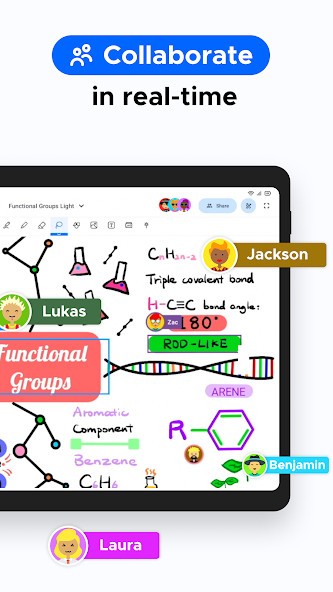
With Notewise, you create as many notes as you want, and there’s no limit to the number of pages they have, unlike traditional paper notebooks, and you won’t lose any loose papers with essential details. You can then arrange and organize your documents into folders, for example, for each course or subject you’re learning. You can also share your content with others and work on your notes together.
This tool was designed for tablets and phones, and using a stylus makes the Notewise interface even more intuitive than using a touchscreen and keyboard. All tools are nicely placed where you need them, and the UI stays clear, with a large workspace so you can focus on what you’re writing.
Why should I download Notewise?
If you’re looking for a solution that will replace paper notebooks and handwriting everything down, then Notewise was designed with this purpose in mind. Its interface and mechanics are optimized for use with a stylus; it is sensitive to the pressure with which you’re writing and can detect the shapes you’re drawing and transform them into even more objects. You can also select whole parts of your notes with the lasso tool and then move them to a different place or page. You can also resize, duplicate, or remove the entire thing.
When you download Notewise and start writing, you’ll see almost no lag as letters appear on the screen, thanks to the app's responsive, smooth engine. If you place your palm on the screen, the app will not consider it a new input point and will just ignore your hand so that you won’t get any accidental marks on your file. Because of all of that, the experience of writing with a stylus in Notewise feels natural to you and fluid.
As you open your new notebook, you can select from various tools, such as a pen, ballpoint pen, highlighter, or pencil, and then adjust their stroke, color, or opacity. You can even use rulers and a protractor to draw perfect shapes or angles. Notewise also supports multiple different media, so you can add text boxes, sticky notes, images, or stickers.
You can choose between different paper layouts and have the pages ruled, dotted, blank, or with a grid, depending on what you currently need. You can also reorder the pages in your notebook and organize everything by themes, like the project you’re working on or the current class subject.
If this is not enough, when you download Notewise, you can also use it to import and make notes on PDFs such as textbooks, documents, official forms, or any other type you can think of.
It can also use your camera to scan different papers and add them to your notes. Your changes and comments can then be exported along with the document so that you can share it further.
You don’t need a constant internet connection to use Notewise, and you can choose to sync your notes once you’re back online. While you can only download the app on iOS and Android, you can integrate it with various online storage services to make your files accessible on desktop computers.
Is Notewise free?
Yes, there is a free version of Notewise you can download that provides you with access to all these essential tools, so it’s a great way to check out the app and decide if you require more. The only limitations are the number of notes you can create and the watermarks on the exported PDF or image.
The paid option adds features such as cloud synchronization across devices, audio recording, a larger selection of pen styles and colors, and the ability to export your notes in high definition.
Note that you can pick between a subscription plan (which allows you to access cloud storage) or a one-time purchase that lets you use all the functionalities with unlimited notes but without cloud storage.
What operating systems are compatible with Notewise?
Created with mobile devices and styluses as the main focus, you can download Notewise on Android 8.0 or later or iOS 13.0 or higher, though it’s best when you use the app on tablets because of the bigger screen. If you have an iPad or a Samsung tablet, you can count on Notewise, as it fully supports both the Apple Pencil and the Samsung S Pen.
Even though there is no app for desktop computers, you can still share your files via the cloud service and open them on the desktop, either through the website Notewise Cloud or by exporting them to PDFs.
What are the alternatives to Notewise?
Nebo is a great option if you’re looking to convert your handwritten notes into text in real time. You can download the app on iOS, Android, and Microsoft Surface devices and do much more than just note down what someone is saying. You can draw math equations or diagrams, and Nebo also supports multiple languages, so it can detect the one you’re using. It has a very precise handwriting engine, and you can get Nebo in both free and paid versions.
A second great alternative for users who seek a handwriting tool is the open-source Saber. It was developed specifically so you can write with your stylus. But you can also copy and paste images, highlight multi-line mathematical equations, etc. You can create notes, notes inside folders, subfolders, etc. It also offers cloud storage. And all of that for free.
Another tool that you may already know is Notion, which offers much more than just software for writing down notes. You can also comprehensively manage projects, track task progress, create databases, or even build simple standalone websites on a domain Notion offers (or a custom one if you pay). You can also use various collaboration features, but this tool is more geared toward keyboard typing than stylus writing. Users can download and use Notion on Windows, macOS, iOS, and Android, and it also has a web-based service. There’s a forever-free version of Notion and a paid one that adds advanced features perfect for teams.
Evernote is a solution that’s been around for years and offers an excellent note organization system, but you can also use rich text editing, annotate PDFs, add web clippings to your documents, or scan your documents. This app supports both handwritten notes and typed notes, so it’s a true all-in-one solution. You can use this powerful tool on the free plan or get more advanced functionality and various integrations with the paid version. You can use Evernote on Windows, macOS, Android, iOS, and the web.