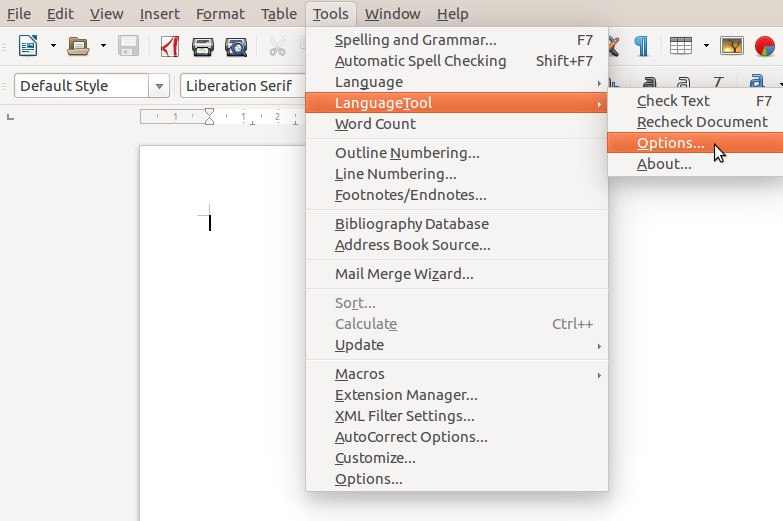
Once you begin using LanguageTool, it becomes an indispensable part of your writing routine. You can use this program as both a typo detection system and a comprehensive tool for grammar and style analysis. LanguageTool operates as an additional editorial review, examining sentences for grammatical errors and helping users find better phrases and lexical alternatives. Users are drawn to LanguageTool for its ability to check multiple languages beyond English. This multilingual capability is essential whenever someone alternates between languages while working in multilingual environments.
The software supports operation between various platforms. The application functions as a browser extension and as an add-on for Word, LibreOffice, or Google Docs, and includes a desktop app for download. The application detects mistakes that standard spell checkers commonly overlook, such as inappropriate punctuation, word blending, and difficult sentence transformations. The application serves writers who work with emails and reports alongside creative authors.
Users receive editor recommendations through the tool, which steer their content toward better writing. The service makes only minor improvements to your writing while preserving your original voice. The tool is for anyone who wants to write something that stands out for clarity, professionalism, or assertive delivery. It’s not about being perfect. LanguageTool enables complete understanding between communicators because its primary purpose is to enhance comprehension.
Why Should I Download LanguageTool?
Before hitting the message send button for essential content, you pause since something doesn't seem right about the wording selection. LanguageTool serves as your solution in such instances. LanguageTool makes your writing better than simple spelling and grammar correction because it helps you achieve precise and correct expression of your ideas. Every writer who emails, struggles with assignments, or writes frequently will discover that LanguageTool gives them confidence because of its refined touch, which enhances their writing.
LanguageTool stands out for its multilingual capabilities, which help writers switch between languages. LanguageTool enables users to work in more than 20 languages, and switching between them is automatic without requiring app or plugin switching. The tool provides exceptional support to people who either study two languages or author documents using a foreign language. The grammar correction service in this tool serves as an educational feature, explaining linguistic rules to users. The writing tool functions as a built-in teaching solution for your text creation environment.
There are no complex obstacles to using this tool. The tool automatically works with all your current software applications, starting from your web browser to Google Docs, Microsoft Word, and email clients. Your work remains in its original environment, as you do not need to paste or duplicate it across different tools. Writers can continue normal writing activities while the software provides recommendations during their work. The tool integrates so well with your current workflow that it does not interrupt your typing rhythm. Users choose Google Docs mainly because of its seamless integration with the interface.
The explanation tool provides the most valuable aspect, which stands out to users. Users easily understand why every recommendation exists within the application. The tool provides specific explanations for each modification, helping users become better writers. The program seeks to teach you while demonstrating corrections in a gentle, straightforward manner. Most grammar tools in the market lack this capability to explain their recommendations.
You can find the tone suggestions in LanguageTool to be thoughtful and unobtrusive. The tool makes sentences more professional, improves compactness, and selects appropriate verbalization based on the writing context. The tool works seamlessly whether you compose for casual or formal purposes. The tool creates an environment of support instead of judgment because it helps rather than criticizes.
LanguageTool provides useful assistance to all writers who pay attention to their written communication or produce extensive written content. The program eliminates the worry about small errors and gives your content additional authority. LanguageTool enhances your writing confidence rather than turning you into an ideal writer, so you can share your work with confidence.
Is LanguageTool Free?
LanguageTool provides users with a free service through its basic version, which includes grammar checks, spelling correction, and simple text recommendations. The basic features of LanguageTool meet the needs of casual writing.
The premium version provides additional features, including style-checking and tone-modifying capabilities, as well as extra linguistic support. You can get great value from the free LanguageTool version, which works without any payment.
What Operating Systems Are Compatible with LanguageTool?
LanguageTool provides its services across Windows, macOS, and Linux systems. The application operates through browser extensions, web-based editors, and downloadable apps that work on Windows, macOS, and Linux systems. Thanks to its browser extensions, this software functions properly in all up-to-date web browsers, including Chrome, Firefox, Safari, and Edge.
LanguageTool extends its functionality across Google Docs, LibreOffice, Microsoft Word, and email applications through its add-on tools, providing ease of use on all operating systems and writing environments. The platform offers versatility by supporting various hardware systems and operating platforms.
What Are the Alternatives to LanguageTool?
Some users prefer different grammatical checkers than LanguageTool for specific writing needs, though the platform may still not match their personal preferences.
Grammarly leads the market as the most prominent grammar check alternative. LanguageTool features a modern design and powerful analysis tools, including grammar checking, as well as additional services such as spelling checks, tone detection, and plagiarism detection. This tool works well for both casual and professional content and remains popular among students and content developers alike. Grammarly successfully identifies text errors with quick analysis of potential mistakes and their causes. Users must accept the subscription-based restriction because many advanced features are exclusively available to subscribers, even though the free version serves well enough.
Scribens should also be included in your list of alternatives. This application features comparable functionality to LanguageTool because it detects and modifies grammar errors alongside spelling and style issues. Users can access Scribens through an open-platform integration or by using its online interface. Simplicity is the primary factor that appeals to users about Scribens, due to its functional restraint. The program displays clear explanations about grammar rules and proposes corrections through an interface that makes learning easy. The tool supports English and French language operations to provide some flexibility to users.
If you are a French-language writer, you should consider Grammalecte because of its dedicated features for this language. Although it lacks the extensive capabilities of LanguageTool or Grammarly, the tool performs highly precise checks specifically designed for French language requirements. Working in French makes Grammalecte an optimal choice because it offers a thorough analysis of grammar rules, along with French-specific verb conjugation and writing style features. This program is open source, so users can easily access it and benefit from its lightweight nature. Although it does not provide the cross-platform functionality of LanguageTool, the tool delivers exceptional results when you need to focus on French text creation.