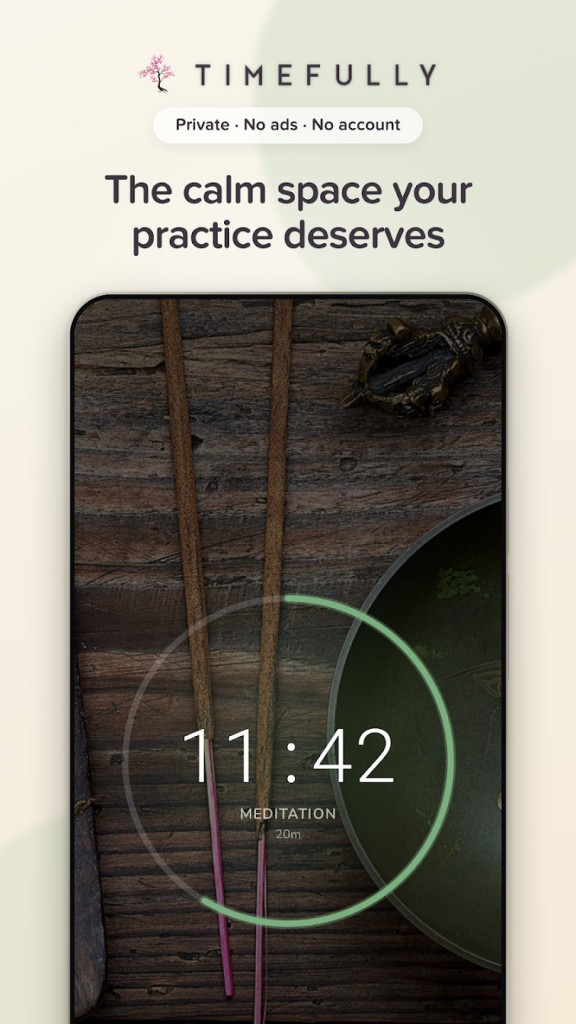
For those who are already practicing meditation on their own and are just searching for a dependable tool to supplement their sessions, Timefully could be the answer. Created in Sweden by the studio Lalune Creative, it now claims more than 40,000 meditators worldwide. Its approach is deliberately minimal: no voice telling you what to do, no news feed, and no ads interrupting the moment. It’s aimed just as much at regular practitioners of Vipassana, Zen, or mantra meditation as at people who practice mindfulness, yoga, or breathing exercises.
The app stands out with a calm, easy-to-read interface that’s pleasant to use right before you sit down. Available for Android and iOS, it is translated into eight languages and works the same way from one device to another, so you can keep your habits without setting everything up again. If you would rather not download or install anything, you can use the online timer by just opening it in your web browser.
Why Should I Download Timefully: Meditation Timer?
When you download Timefully: Meditation Timer, a short welcome flow asks you a few simple questions: the type of practice that suits you—whether seated meditation, breathing, or mindfulness—and how many times a week you’d like to sit. You can skip this step or change your answers later, since they’re only used to tailor the home screen and the tracking of your practice.
For your first session, just press the start button and use the default setting. A bell marks the beginning, then the app stays out of the way until the closing bell. If something interrupts you, you can pause the session, and the paused time isn’t counted in the total. At the end, you can log your mood on an emotion wheel, noting how intense the feeling was, and add a few lines about what you noticed.
You can then build your own settings, called presets, and create as many as you like. Each preset is made up of segments that you can combine freely: a warm-up, the main part of the session, interval bells, and a cool-down. The timer can count down or count up, and a session can also be left open-ended, with no set length. If you switch between several practices, you can group your presets into separate profiles.
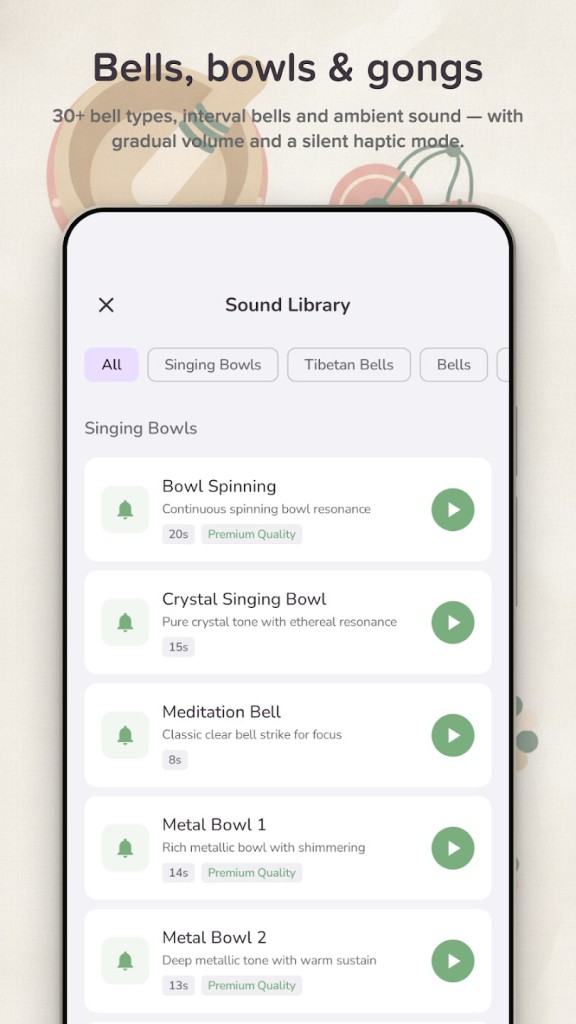
More than 30 bells are available, including Tibetan bells, prayer bowls, a crystal singing bowl, and Chinese flutes. You choose how many times the bell rings at the start and at the end, where the interval bells fall, the volume, and a gradual fade-in. If you’d rather meditate in silence, the app can stick to gentle vibrations.
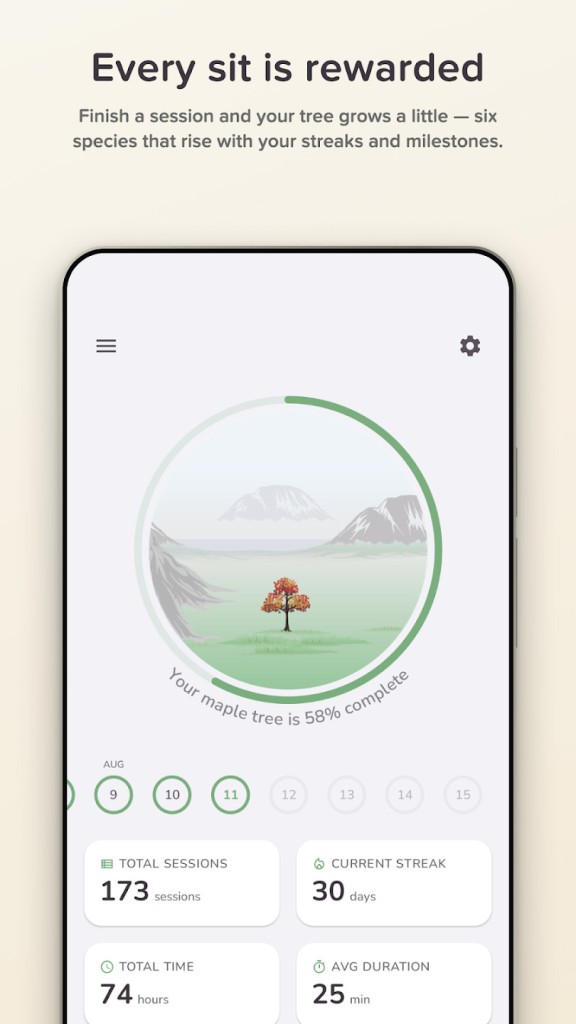
Timefully then logs each session automatically, and you can add a session you forgot to record by hand. Charts sum up your practice by week, month, and year; a calendar shows the days you meditated; and a word cloud highlights the words that come up most often in your notes. You can also set goals, keep a streak of consecutive days going, and grow a virtual garden with six species of trees, from oak to wisteria.
Is Timefully: Meditation Timer Free?
You can download Timefully on iOS or Android, create presets, choose your bells, and start sessions for free, with no ads and no time-limited trial. The app doesn’t ask you to create an account either, and your data stays on your device. The online timer follows the same rule and can be used freely in a web browser.
A full plan called Timefully Pro is available for people who want to go further. It unlocks detailed statistics, mood tracking, tree growth, streaks and rewards, extra bells, and unlimited profiles. On Apple devices, it also adds iCloud sync across your devices and heart rate tracking on Apple Watch. Timefully Pro is available as a subscription or as a one-time lifetime purchase, whichever suits you best, and the annual plan comes with a 14-day free trial.
What Operating Systems Are Compatible with Timefully: Meditation Timer?
Timefully runs on iOS and Android and is available to download via our direct download links. On iPhone and iPad, it adapts to the size of the screen and makes more room for statistics on larger tablets. The iOS app is compatible with macOS. There’s also an Android version; the app works the same way, with the same presets and the same sounds.
The app also works with smartwatches, so you can start a session from your wrist without taking out your phone. On Apple Watch, Timefully tracks your heart rate and heart rate variability, a measure of how the time between heartbeats changes, during each session. On Wear OS, you get the timer, the bells, and vibrations to mark each stage.
Sessions and settings sync between iPhone, iPad, Mac, and Apple Watch through iCloud, and your sessions are saved as Mindful Minutes in Apple Health. On Android, the app connects to Health Connect, so your meditation minutes join the rest of your health data.
What Are the Alternatives to Timefully: Meditation Timer?
MindTime takes an approach very close to Timefully’s: it’s a meditation timer with no guided voices, no feed, and no ads. You can set any duration or use an endless mode, add a warm-up, and save your settings as presets. Six bells mark the start, the end, and the intervals of each session, and you can add around 30 optional soundscapes, from rain to white noise. The app also tracks your streaks and statistics and lets you keep a journal. Every feature is free, with no subscription and no account required. MindTime is available on iOS, Android, and the web.
Developed in Germany, Meditation Time combines a simple timer with a wide choice of sounds. You can pick your main gong and interval bells from singing bowls, gongs, Tibetan bowls, a flute, or a shakuhachi, and add background sounds such as OM chanting, birdsong, rain, or waves. A Master mode allows sessions of up to four hours. Unlike Timefully, it also includes a few guided meditations and an introduction to meditation. The app is free to download, has no ads, and is available on Android and iOS in nine languages.
Available on Android only, Meditation Timer is a no-frills timer with no ads, no subscription, and no account required. You can save custom practices, each with its own name, duration, background sound, and reminder, then start them with a single tap. The timer keeps running when the screen is off, and a gentle sound or vibration marks the end of the session. You can also log notes and your mood before and after each session, follow your statistics and streaks, and add a widget to your home screen. The app works entirely offline.