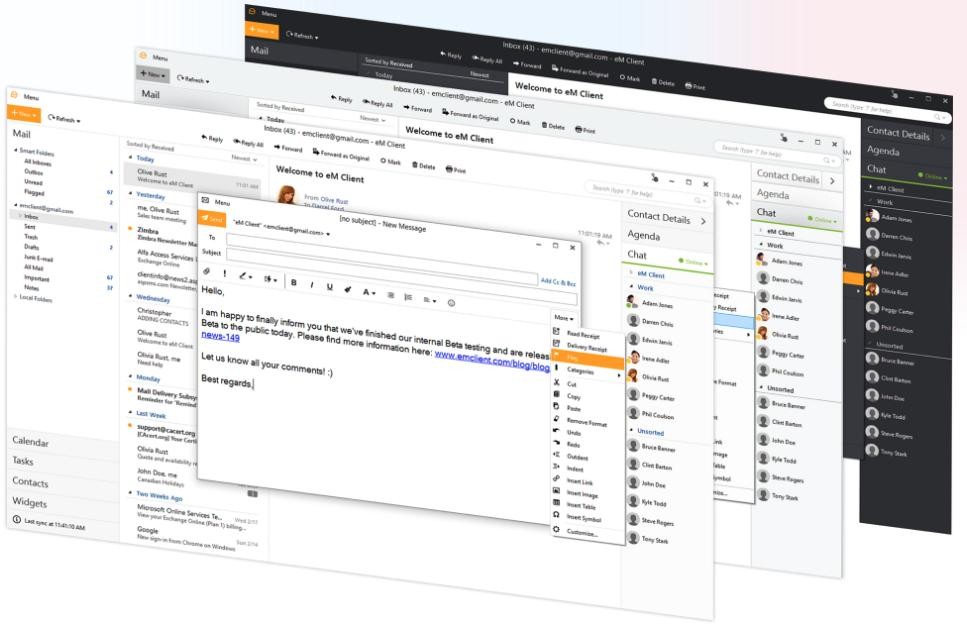
eM Client is a desktop email client developed by a Czech software company of the same name, first released in 2007 as a more approachable alternative to Microsoft Outlook. eM Client handles email, calendar, contacts, tasks, notes, and chat in a single application, versus requiring separate tools for each function. The interface is clean and modern. Most users find it significantly easier to navigate than Outlook while offering similar features.
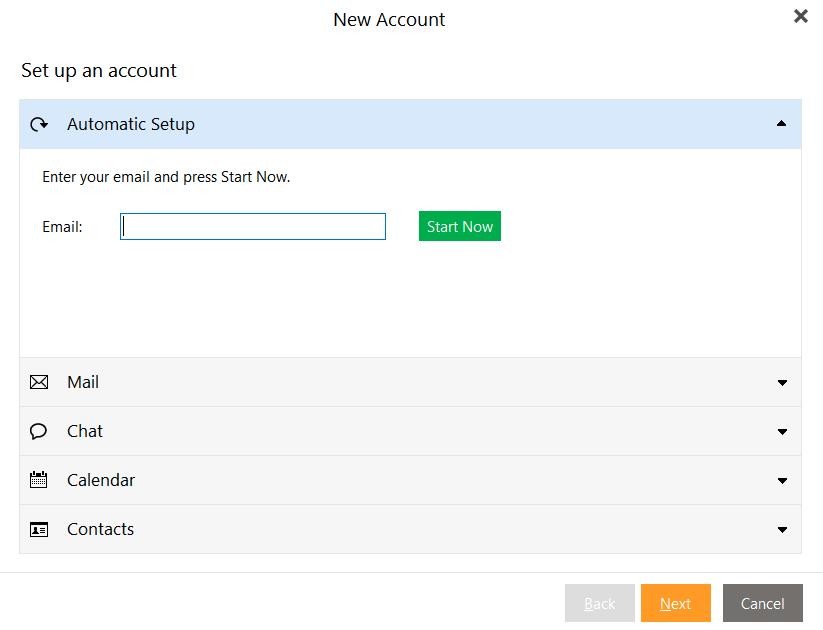
eM Client works with all major email services, including Gmail, Microsoft Exchange, Office 365, Outlook.com, and iCloud. Setup is mostly automatic for most providers, and importing existing data from Outlook, Thunderbird, Windows Mail, and other clients is simple. Low-friction migration is one of the key reasons people switch to eM Client rather than start from zero.
A sidebar keeps your daily agenda, recent contact history, attachments, and tasks visible alongside the inbox. Search is quick across emails, contacts, and attachments simultaneously. Calendar integrates closely with email, and you can create a meeting directly from a message by right-clicking it. eM Client also supports PGP and S/MIME encryption, with company-wide policy enforcement available for business deployments. Built-in translation handles incoming and outgoing messages across more than 40 languages, ideal for people who work with international contacts.
Why Should I Download eM Client?
The biggest reason people download eM Client is wanting an Outlook-level feature set without Outlook's complexity or Microsoft account dependency. Email, calendar, contacts, and tasks in one place is the expectation, and eM Client delivers it in a clean native desktop app that stores data locally rather than relying on a browser tab.
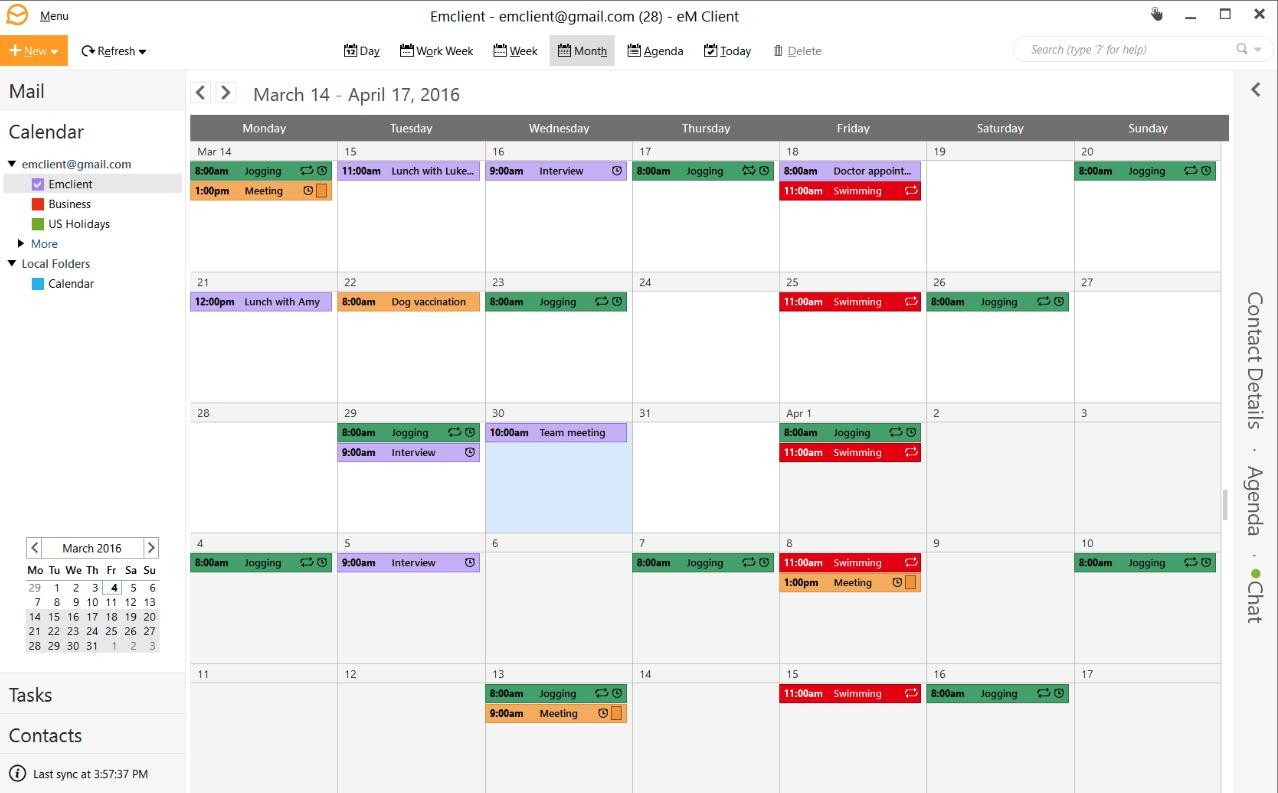
The eM Client calendar is a favorite feature. It handles multiple accounts, stays in sync, and connects naturally to your email workflow. Snoozing emails is popular with users who manage large inboxes. Chat sits alongside email in the same pane, removing the friction of switching between communication tools.
The translation feature is another favorite feature. Incoming messages in foreign languages are translated directly in the client, and outgoing emails can be translated before sending. Genuinely practical for anyone with international clients or colleagues.
Is eM Client Free?
A free version supports up to two email accounts for personal, non-commercial use. The Pro version removes the account limit, enables commercial use, and unlocks the full feature set. Pro licenses are available as one-time per-device purchases, with the price per device decreasing at higher volumes. A 30-day free trial is available. The Android and iOS mobile apps are free and do not require a license.
What Operating Systems Are Compatible with eM Client?
eM Client runs on Windows and macOS as a native desktop application. There is no web interface. Mobile apps are available for Android and iOS, though lighter in features than the desktop version. The desktop version supports Windows 7 and later, along with recent macOS releases.
What Are the Alternatives to eM Client?
Spark Mail is available on macOS, iOS, Android, and Windows. Its Smart Inbox automatically separates personal emails, newsletters, and notifications, and AI tools assist with drafting and replying. Team collaboration features let multiple users work on the same message together. Spark Mail connects with Gmail, Outlook, Exchange, and iCloud, and offers a free individual plan with paid tiers for teams.
Mailbird is a Windows-only client with a clean interface that integrates directly with apps like Todoist, Google Calendar, Dropbox, and WhatsApp, pulling their activity into the email interface without switching apps. A unified inbox handles multiple accounts, and the layout is customizable. Mailbird has a free version with limited features; the full app is unlocked with the paid version.
Canary Mail is available on macOS, iOS, iPadOS, and Windows, with a strong focus on privacy and security. End-to-end PGP encryption is straightforward to set up, and an AI assistant helps draft, summarize, and prioritize emails without sending your data to external servers. Canary Mail suits users who handle sensitive communications and want encryption that does not require technical knowledge. A free tier is available alongside a paid subscription.
Airmail is Apple-only, covering macOS, iPhone, iPad, and Apple Watch. It offers extensive customization, including custom swipe actions, smart inbox filtering, email snoozing, scheduled sending, and integrations with Todoist, Evernote, Trello, Dropbox, and other productivity tools. AppleScript support enables automation for power users, and S/MIME and GPG encryption are available through plugins. A free version is available with a Pro subscription for the full feature set. It suits Apple users who want deep workflow integration, though some recent users have noted occasional stability issues.