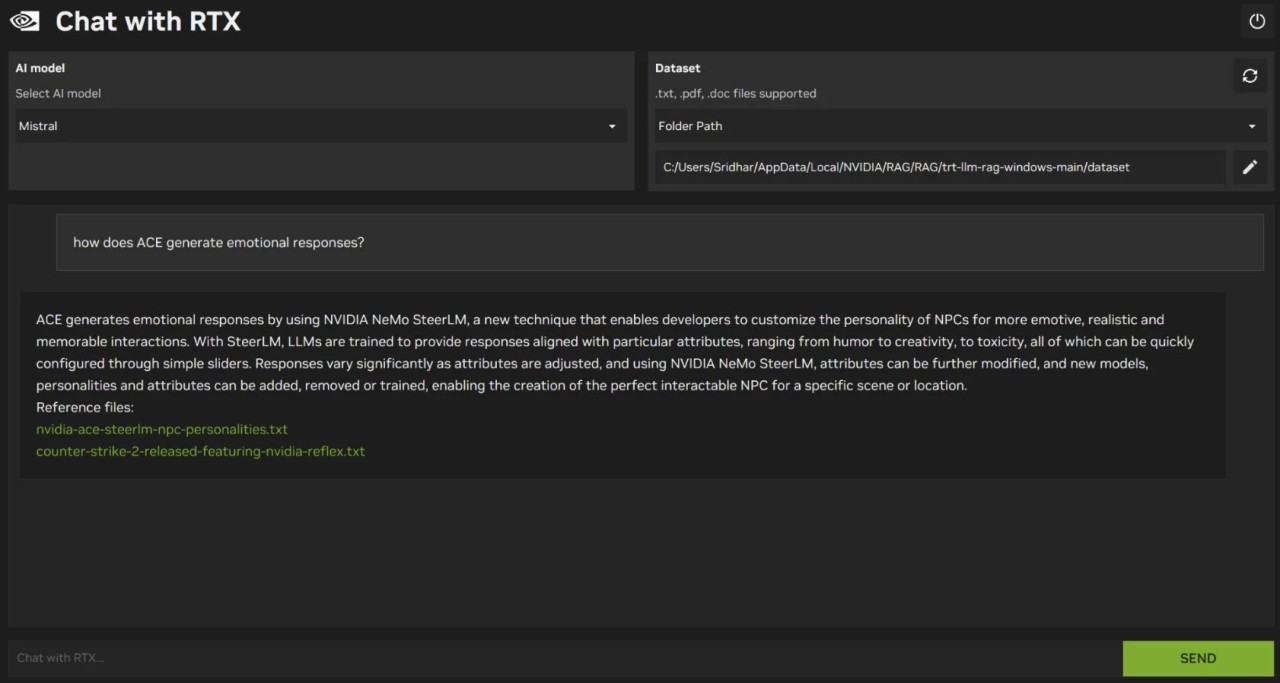
Chat With RTX is built as a tech demo for people who already have a GeForce RTX 30‑ or 40‑series GPU (or a recent RTX workstation card) and want to see what local AI feels like in practice.
The app indexes files like PDFs, Word documents, text files, and transcripts, then lets you ask natural‑language questions such as “Summarize this report” or “What did this tutorial say about layer settings?” and it replies based on the content you provided. Because everything runs on the RTX GPU using TensorRT‑LLM, responses are faster than CPU‑only tools, and your data stays on your device.
Why Should I Download NVIDIA Chat With RTX?
Chat With RTX is useful if you already keep a lot of files on your PC and want a smarter way to search and summarize them. Instead of opening several documents or long videos, you can ask the chatbot directly and let it pull relevant passages from the files and parts of the video you pointed it to. That works well for tasks like reviewing lecture notes, checking project documentation, or reminding yourself what was said in a meeting recording.
It's also a great tool for people who care about privacy. Since the models and data stay on your computer and run on your RTX GPU, there is no need to send prompts, documents, or transcripts to a remote server. That makes it a safer fit for internal material, personal notes, or anything you would rather not upload.
Is NVIDIA Chat With RTX Free?
Chat With RTX is offered as a free download from NVIDIA for supported RTX PCs. There is no subscription or charge, but you do need hardware that meets the minimum specs.
The app does have a relatively high footprint in terms of storage and memory. Current builds are around 36 GB to download, and you need a minimum of 8 GB of VRAM on a supported RTX GPU and 16 GB of system RAM, with Windows 10 or 11. This means you will need to already have mid‑range to high‑end RTX hardware rather than entry‑level laptops.
What Operating Systems Are Compatible with NVIDIA Chat With RTX?
Chat With RTX runs on Windows PCs and workstations with compatible RTX GPUs. The requirements call for Windows 10 or 11, a GeForce RTX 30 or 40 Series card or recent RTX professional GPU, and enough VRAM and RAM to hold the model and indexes in memory.
There are no native macOS or Linux versions listed for the app itself, although some users have experimented with virtual machines and other setups. Officially, it is positioned as a Windows‑only demo for RTX owners.
What Are the Alternatives to NVIDIA Chat With RTX?
GPT4All is one of the closest alternatives if you want a hardware‑agnostic desktop app. It lets you download and run a range of open models locally on Windows, macOS, and Linux, turning them into chatbots and enabling “LocalDocs” so you can ask questions about your own files. Compared with Chat With RTX, GPT4All is more flexible across devices and does not require a GPU, while Chat With RTX leans on RTX acceleration for speed and is focused on Windows.
Ollama is another strong option for local models, especially for developers. It provides a simple command line and API workflow for pulling, running, and switching between models like Llama, Gemma, and others on macOS, Linux, and now Windows. Compared with Chat With RTX, Ollama feels more like a building block for custom setups, while Chat With RTX arrives as a ready‑made chatbot focused on personal documents.
LM Studio sits somewhere in between. It is a polished desktop app for browsing, downloading, and running models locally, with a built-in chat interface and an OpenAI‑compatible local server. It runs on Windows, Mac, and Linux, and is popular with people who want a graphical interface without writing code. Compared with Chat With RTX, LM Studio offers broader platform support and a more general model browser, while Chat With RTX is narrower but aims to show what NVIDIA’s RTX hardware can do with a specific RAG chatbot setup.