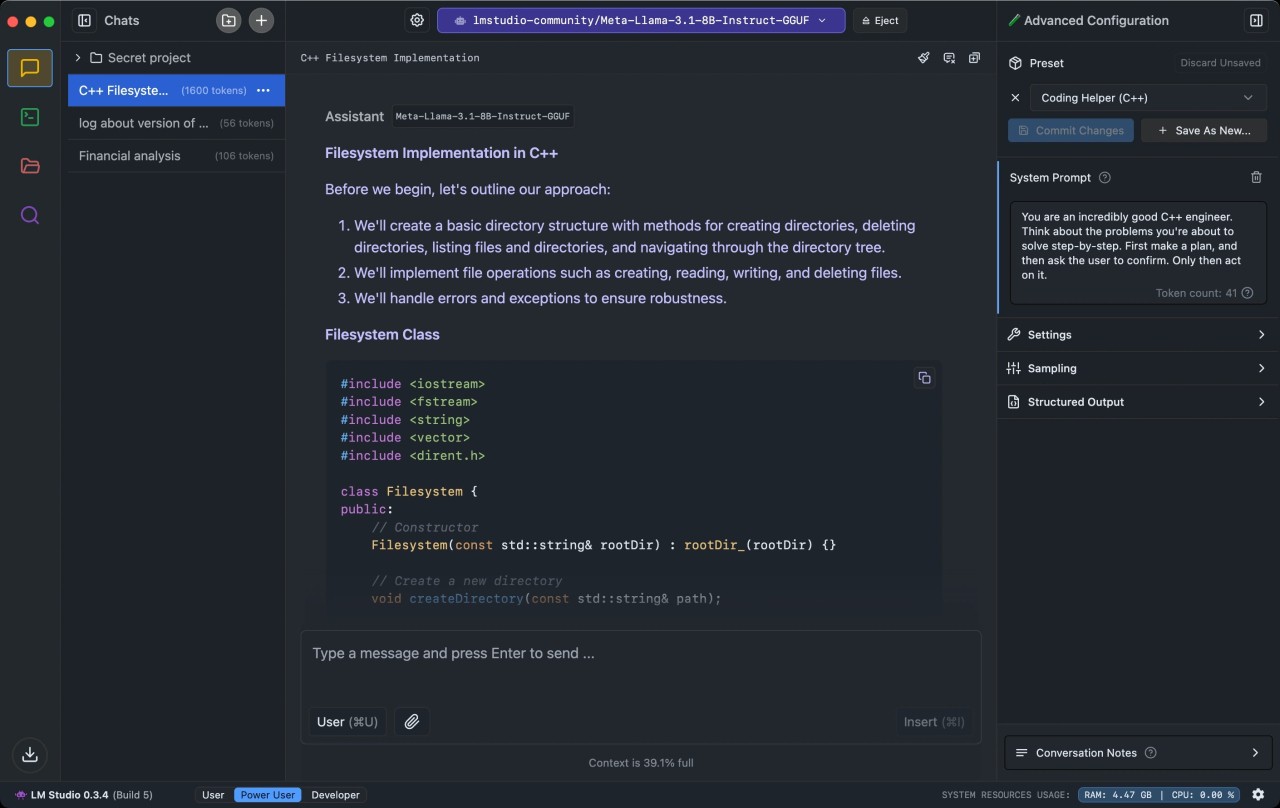
LM Studio is an open-source computer software that allows users to discover new Large Language Models. Use the tool to find new LLMs, download the ones you like most, and chat with them without an internet connection. The program integrates the Hugging Face LLM library, filled with many new and known chatbots to choose from. Once you’ve downloaded the LLM you like, you can chat with it offline, which is a unique feature most chatbots do not support.
LM Studio is a popular tool among developers looking to test prompts and the effectiveness of different LLMs. While the offline functionality may seem redundant, it is actually quite useful for analyzing local documents and data stored on your hard disk. The ability to test multiple different LLMs gives you the benefit of finding the right one for your computer and needs. In addition to that, LLMs can be used in tandem with other tools for maximum efficiency.
Why Should I Download LM Studio?
LM Studio is the perfect solution for people looking to test Large Language Models on their computers for free. The software offers advanced privacy features, ensuring that your personal data stays safe and isn’t shared with third parties. That is especially useful for working with sensitive documents, whether they pertain to your personal or work life. As an open-source tool, LM Studio is completely free to use. Unlike some LLMs, the LLMs found in LM Studio impose no usage restrictions, so you can submit as many queries as you require without a paywall.
The platform gives users access to a big library of Large Language Models like Llama, Qwen, and Mistral. You can download different models and test them to find the right fit for your needs. Downloading your chosen LLM will require a working internet connection; using it afterward will not. In other words, you can use LLMs offline too, for analyzing local data and documents stored on your computer. LM Studio has a user-friendly interface that makes it easy to navigate, even for complete beginners in the world of tech and AI.
The tool gives you total control of the output. You can tailor the prompt you input to receive a response of the correct length and temperature, for example. To further its customization capabilities, LM Studio enables users to integrate LLMs with other applications, thus allowing higher efficiency in the workplace and outside of it.
Is LM Studio Free?
Yes, LM Studio is completely free to download and use. There are no features hidden behind a paywall. The only exception may be applied to the languages in themselves, as some require a subscription to be used.
What Operating Systems Are Compatible with LM Studio?
LM Studio is compatible with Windows, macOS, and Linux computers. Windows system requirements are Windows 10 or 11, at least 16 GB of RAM, at least 4 GB of dedicated VRAM, and a CPU with AVX2 instruction set support. macOS users need to ensure their computer runs macOS 13.4 or later. Linux computers need to run Ubuntu 20.04 or later.
What Are the Alternatives to LM Studio?
Those looking for a different platform for LLM discovery have many options to choose from.
GPT4All is one of them. It is a less advanced tool, making it perfect for beginners and inexperienced users, whereas LM Studio appeals to developers. GPT4All is a simple tool that allows you to download LLMs on your computer and use them without an internet connection. The tool is free and fast, but its selection of LLMs is limited compared to LM Studio’s.
Ollama is another alternative that is more suitable for developers working on new applications. This tool is faster than LM Studio, making it more efficient for professionals in the field. Unlike LM Studio, which uses the Hugging Face library, Ollama has its own library of Large Language Models, including Llama 3, Gemma, and Mistral. You can download and use the platform on your Windows, Mac, or Linux computer.
Users looking for a more personalized solution should try NVIDIA Chat With RTX. NVIDIA is a free tool that allows users to test custom LLMs. The tool offers complete privacy, preventing your personal data from leaking to third parties. Connect the tool to the files on your computer to receive summaries and analyses based on your prompts. The platform features YouTube integration, allowing users to gather information from YouTube videos via links.