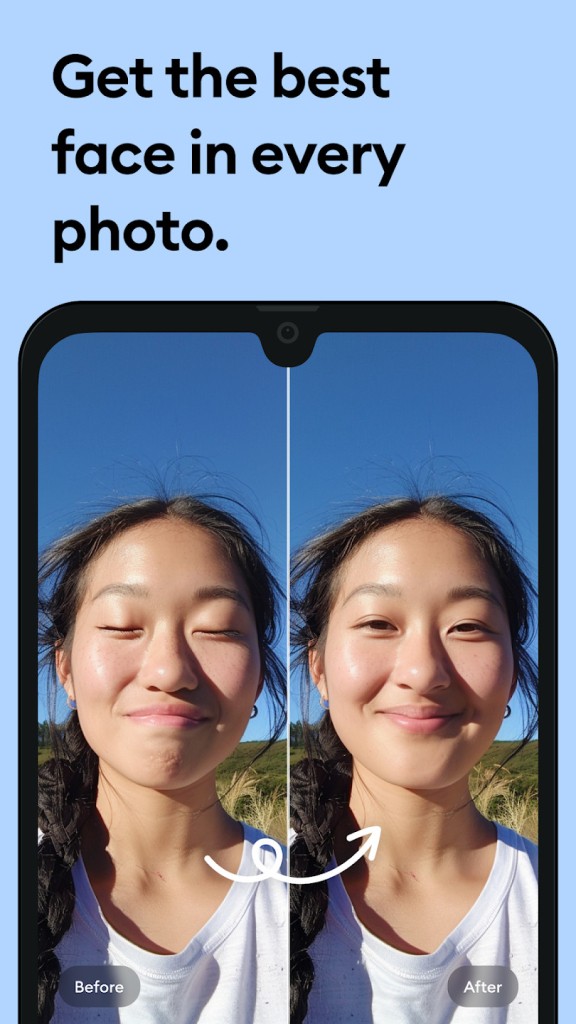
Remini is built around a clear idea. You take a photo or video that looks soft, old, damaged, or low quality, and the app tries to make it look cleaner and sharper. That is still the center of the product. It is both a photo and video enhancer, with tools for face enhancement, background enhancement, color fixes, image enlarging, denoising, and AI-generated photos, which gives it a broader role than just restoring old family pictures.
Part of what makes it easy to place is that it doesn’t ask much from the user. It is a one-tap photo enhancement. You upload something that looks rough, and the app handles most of the work for you. That makes it easy to understand if you want faster results and not a full editing workflow.
Why Should I Download Remini?
The main reason to download Remini is that it gathers several common enhancement tools into one app. It offers unblurring, sharpening, denoising, old photo restoration, image enlarging, color fixing, face enhancement, background enhancement, low-quality enhancement, video enhancement, and AI photo generation. That gives the app a fairly clear shape. It is built for improving visuals that already exist, not for full manual editing from scratch.
That also explains why Remini feels different from a standard editor. The appeal is not really control. It is speed and cleanup. If you have an old portrait, a blurry selfie, or a low-quality clip that needs a boost, the app is built to do that quickly. It also leans heavily into face improvement, which is a big part of how the product is marketed now.
Is Remini Free?
Remini does have a free version. There is also a paid setup. The free version works more as an entry point than a fully open-ended app.
That means the main question is not whether you can try it for free. You can. The bigger question is how often you plan to use it and how much you want from the app once you move beyond a few quick fixes.
What Operating Systems Are Compatible with Remini?
Remini is available on Android and iPhone through Google Play and the Apple App Store. The official Remini site also gives it a broader web presence through its online enhancement tools, but the main app experience is clearly built around mobile use.
The app is built for phones first, which fits the kind of quick enhancement jobs it is aimed at. You open the app, upload an image or clip, and get a result without much setup. It is not trying to feel like a full desktop editor.
What Are the Alternatives to Remini?
Vmake is the closest alternative here if your interest leans more toward video than photos. It is an all-in-one UGC video generator, and its video enhancer tools focus on improving sharpness, resolution, clarity, and even audio quality in a browser-based workflow. Compared with Remini, it feels more tied to content creation and social video output than quick face or photo restoration.
Topaz Photo and Topaz Video move in a more advanced direction. Topaz Photo is built around sharpening, denoising, recovering faces, adjusting lighting, balancing color, and upscaling still images, while Topaz Video covers denoising, restoring, stabilizing, frame interpolation, and upscaling video up to 4K. Compared with Remini, these tools feel more like dedicated enhancement software for people who want deeper control on Mac or Windows.
TensorPix is another strong alternative if your main focus is improving footage rather than working on portraits or AI selfies. Its official site centers it on online video enhancement, upscaling, stabilization, and restoration, which keeps it closer to the video repair side of this category. Compared with Remini, it feels narrower in scope and less centered on faces, portraits, and mobile-first use.