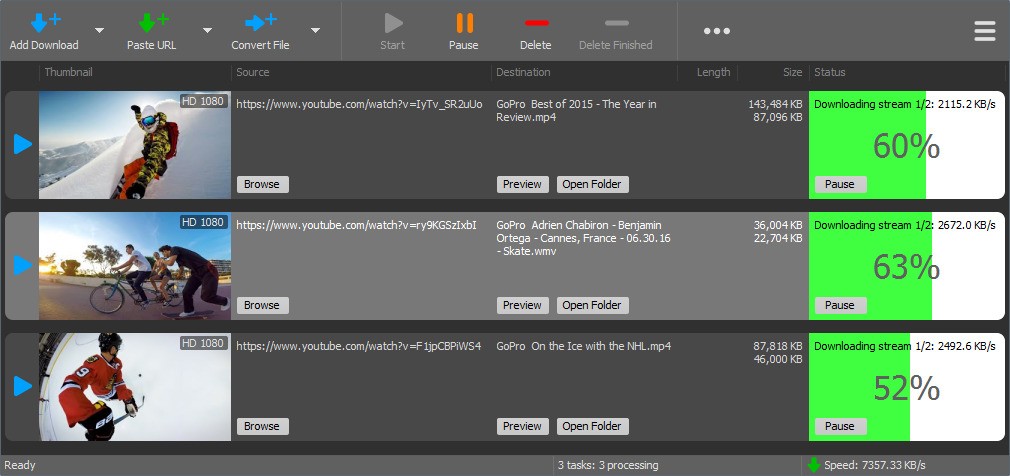
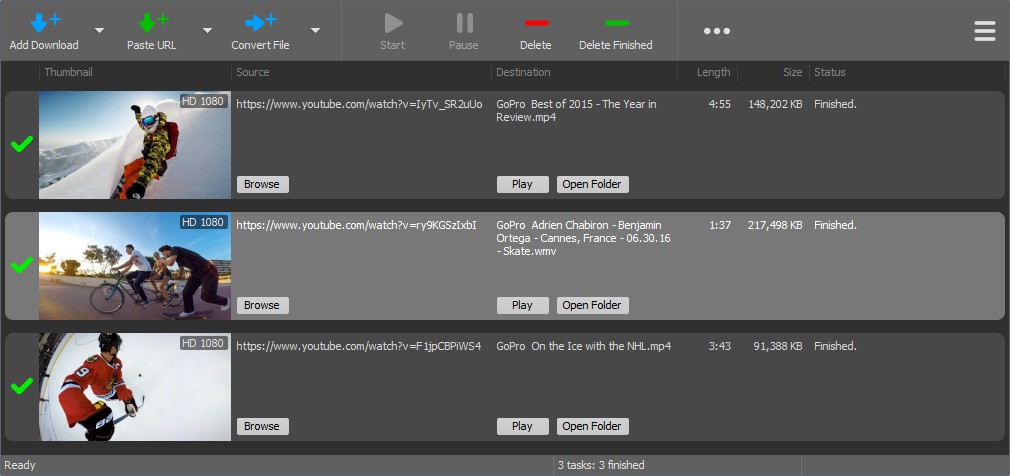
YT Downloader is a video downloading and conversion software for Windows computers. It allows users to download videos from YouTube and numerous other video-sharing websites and store them locally. After the videos are downloaded, you can view them offline using any standard media player without needing an internet connection.
The software facilitates the downloading of content from various platforms like YouTube, Facebook, TikTok, etc. It also has an inbuilt converter that transforms video or audio files to other formats. This is helpful when files need to be played on other machines or be transferred in a compressed format.
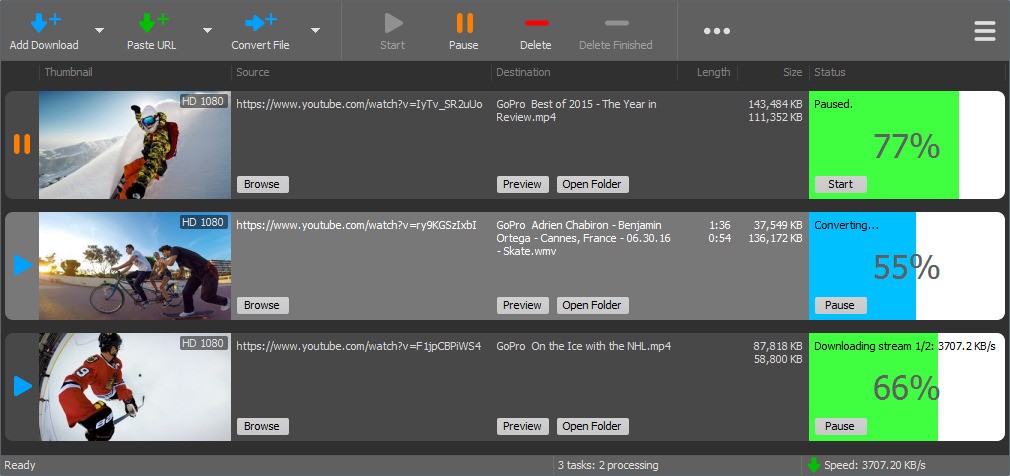
YT Downloader works with several tasks simultaneously. The user can also download multiple videos at a time and control them individually. It is possible to pause or resume downloads or cancel them, and this is useful to control network usage. An additional option also allows people to download the audio stream only, which is useful in the case of podcasts or music.
YT Downloader focuses on the market of people planning to save online videos to watch them without an internet connection or convert the videos to other formats. It does not require complicated technical expertise and is easy to set up. It is regularly updated, and the software is only compatible with Windows operating systems.
Why Should I Download YT Downloader?
YT Downloader gives you the chance to save online video products offline in case you usually watch these videos and want to have them nearby when you want to watch them. Flaky connections will never interrupt your viewer as the videos have already been downloaded. This is helpful where one is traveling or in places with low internet.
Speed control is another cause. The software boasts of having a download acceleration engine that accelerates downloads over the regular browsers. Though the real speed depends on the quality of connection, the tool is intended to work with large files.
YT Downloader is used to manage various files. Rather than downloading the video individually, you can also put on a queue of multiple downloads. This can be stopped or restarted by each, and this is handy when sharing bandwidth with other programs.
The audio-only feature is space- and time-saving. In an event that you need nothing more than sound, you do not download the entire video. The inbuilt converter has proved to be a convenient tool that converts files into various formats that are compatible with the different devices.
YT Downloader is convenient for those people who enjoy straightforward control and do not like complicated ways to use it. It is concerned with the practical necessities: video saving, conversion, and organization. It is not a substitute for the streaming services but provides flexibility to locally stored content.
Is YT Downloader Free?
YT Downloader is a shareware, which is sold as Try Before You Buy. The software is free to download and test all the features within a ten-day trial. Upon a trial, the license will have to be purchased to use it further. Prices could be varied, and hence it is advisable to look at the existing terms. The experiment allows you to decide in advance.
What Operating Systems Are Compatible with YT Downloader?
YT Downloader supports only the Windows operating system. It is compatible with Windows 11, Windows 10, Windows 8, and Windows 7 (only 64-bit). The software is incompatible with the use of 32-bit systems.
The program comes in the form of a normal executable installer and in a zip format. The zip version can be used in case the downloading of executables is limited. When you already have version 9, first remove it before installing version 10 to avoid overriding.
YT Downloader is incompatible with macOS, Linux, and mobile operating systems. Recheck compatibility before downloading to ensure the system is compatible.
What Are the Alternatives to YT Downloader?
Any Video Downloader is a desktop software that enables its users to download video content from a few popular websites. It has a specialization in saving online videos to be watched offline. The tool assists in the option of basic format choice and straightforward download management. People use it to simplify the downloading process of videos without complex settings. The speed and performance depend on the internet connection and the source site. Many users download Any Video Downloader when they want a basic and direct way to save videos for offline viewing.
noTube is a downloader system that can be installed without any installation. Users can create a video, post it as a link to the site, and then pick a format and download it. It is useful in temporary or low-frequency downloading, in particular on shared or limited systems. It is completely browser-based and therefore relies on the availability of the site and can be restrictive in terms of files or speed. It lacks such higher controls as pause or resume. People often download videos through noTube when they need a quick solution without installing any software.
4K Video Downloader Plus is a desktop program (high-quality download and playlist). It allows one to download videos, channels, and playlists in different resolutions. This is compared to YT Downloader, which puts more focus on quality settings and batch downloading, although it might have a heavier load on the system resources and feel heavier to users who only require the simple mode of download. It is picked by people who habitually download high-quality content and have large video libraries. Users usually download 4K Video Downloader Plus when they frequently save high-resolution videos and manage large collections.