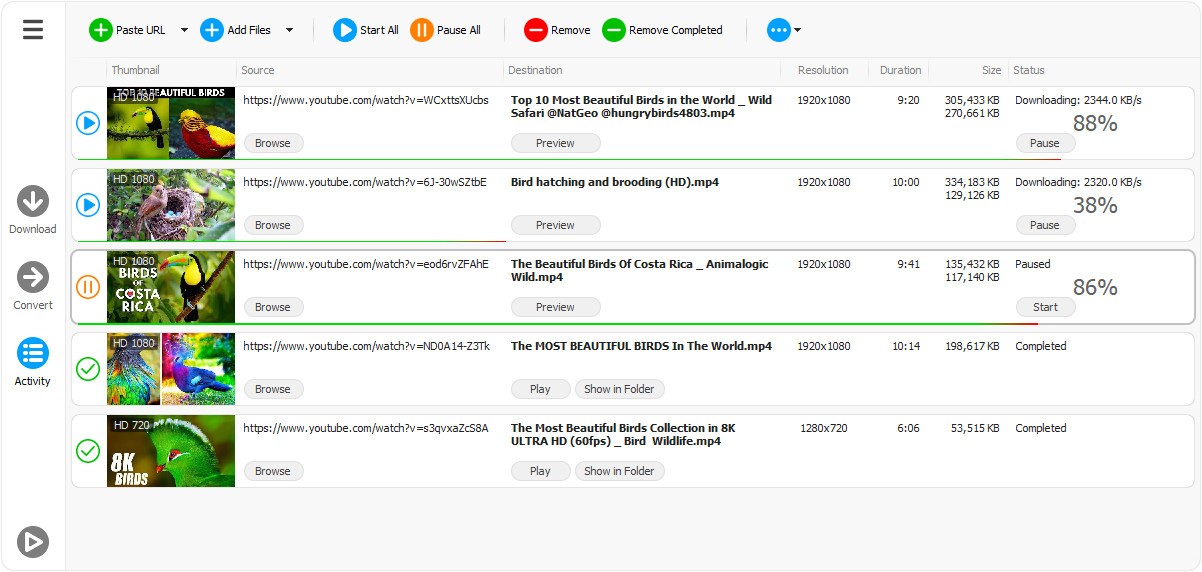
Any Video Downloader is a free utility that users download when they require a simple method of extracting videos from numerous websites. It eliminates the tiresomeness of hard-to-use menus or browser tricks. The program used to be known as HD Video Downloader; however, the basic concept remains the same. It allows you to download videos from platforms like YouTube, TikTok, Facebook, and other streaming sites, saving the files to your computer.
Some users prefer it because it can be used with various resolutions, including standard HD and 8K if the platform offers them. Others value the ability to save an audio-only file that people who only require the soundtrack can use. The software interface is user-friendly and packed with features, allowing you to have everything you require in one place. It's more than just a downloader; it's a complete video grabber that allows you to download entire playlists and convert files into other formats.
Why Should I Download Any Video Downloader?
Any Video Downloader is a simple software that permits you to download any video from the internet. This allows you to save those videos so you can watch them later (when offline, for example). Through a simple interface, you just have to copy and paste the URL of the video and then choose the video or audio format of the final file. Audio extraction is useful if you don’t need the video.
One pretty useful feature is the possibility to download a long YouTube playlist, not one video by one video, but all of them in a single command. Slow internet users are known to applaud the acceleration engine, which increases download speed, although the result mostly depends on the network. Converting videos while they are downloading is convenient, but you can also convert after they have been downloaded. This way, you can use a single tool rather than multiple programs to get a file to work on a specific device.
Some users appreciate having high-resolution videos since some web converters are not always compatible with 4K or higher. The audio stream can be retrieved if it is available for those who only want audio files, such as lectures or lengthy talks that you simply must listen to. None of these is groundbreaking by itself, but wrapping these little features together will make the program handy to users who save files regularly offline. It is a comfort gadget, and that alone is typically sufficient to make users remain with it.
Is Any Video Downloader Free?
Any Video Downloader is not a completely free program. It is a commercial app with a standard license, which can be purchased. The software can be downloaded, but the reference information does not confirm details about a trial or its limits, so the complete edition releases all the features, such as downloading playlists, conversion, and the ability to run it faster. It does not involve a subscription; it is a single payment. The developer should maintain the updates and changes to ensure the compatibility of the sites to be used by the users.
What Operating Systems Are Compatible with Any Video Downloader?
Any Video Downloader is Windows-specific. MacOS or Linux users would have to seek elsewhere or emulate, which is not desirable to most users. It is presented as a Windows app on the reference page, although it is optimized with Windows 10 and 11 due to improved system-level support and more recent frameworks. It will require a lot of storage capacity and processing power because it deals with high-resolution downloads and conversions.
The size of the installer is small, but downloaded videos, in particular 4K and 8K ones, may take up a lot of space. The conversion tool could be dependent on hardware potential; an old machine could be slower or overheated when working on intensive tasks. This software does not need any special requirements; it will be useful according to the ability of your computer. It does not support Android and iOS, which means that the experience is confined to downloading on desktops.
What Are the Alternatives to Any Video Downloader?
TubeMate allows users to download videos on YouTube and some other sites on their Windows computer and even on their Android mobile. The software is well-known by users who need to download videos to watch them later. And the mobile app, even if it requires the manual install of an APK file, allows you to do that even on your phone or tablet. The Windows interface is as simple as Any Video Downloader’s and allows you to choose between formats, download full playlists, take only the audio, and increase the download speed.
4K Video Downloader Plus may be a bit more complicated, but it offers more downloading options and works with more platforms. It allows downloading of high-resolution video and does a good job with playlist and channel downloading, and you can also download the audio part. The interface is clear, with a full menu listing all features. You can even save subtitles, which is useful in educational videos. The disadvantage is that most features require the paid version. Nevertheless, it is stable, reliable, and can do 4K output with fewer format errors than its competitors.
aTube Catcher is an older application that is not only a downloader but also a multi-purpose tool. Other than video grabbing, it also has screen recording, audio recording, and conversion capabilities. You can download it for Windows in 32-bit and 64-bit versions. It is popular with people who are fond of having one tool that would do multiple tasks involving video rather than using different applications to do all of them. Some people keep it installed simply because it gives them one place to download or record whatever they need.