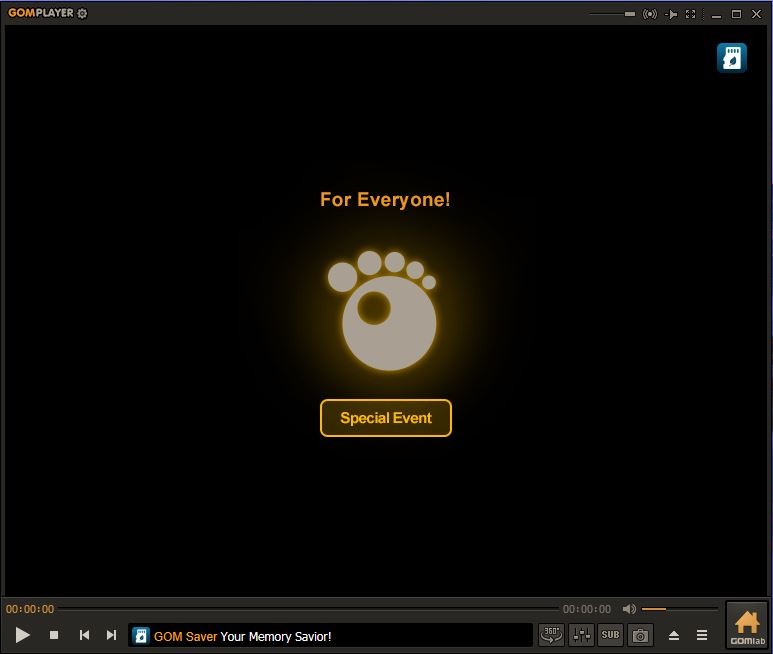
GOM Player is a free media player made to keep things simple. You can open more than a hundred different video and audio formats like AVI, MP4, and MKV without worrying about codecs or settings. If you ever come across a file that doesn’t play, you can add an external codec, and it usually works right away. That’s one of the main reasons people use it. It removes the frustration that comes with media players that stop and ask for something extra before playing your file.
Another feature is the 360-degree VR playback. You can move the video around in any direction, up, down, left, or right. It lets you look around and feel like you’re inside the video. You can search and watch VR content straight from the player. It doesn’t force you to switch to a separate tool. This is a big plus if you enjoy immersive content but want something easy to use.
It also gives you control over what you watch with the interval repeat option. You can set a start and end time and have that part of the video loop as much as you want. It works well if you’re learning a language, practicing a song, or just want to watch something closely. You can set more than one loop too, so you can move from one section to another without touching anything else.
The interface is clean and straightforward. You don’t get lost in menus or have to figure out where things are. You can pick the skin you like, whether that’s basic, touch, simple, or white. It’s built to help you focus on the video, not on finding buttons.
A special feature that stands out is the Korean vocalization support. If you copy a music video link from YouTube, the lyrics can appear in Katakana or the alphabet. This makes it easier to sing along to K-POP songs even if you don’t know Korean. It’s also useful when watching K-Dramas. It’s a small thing, but it adds something different compared to other media players.
All of these things work together to make GOM Player something that’s easy to use but not too basic. It focuses on what matters—playing your files, making it simple, and adding a few smart extras.
Why Should I Download GOM Player?
A lot of people download GOM Player because it saves time. It doesn’t ask for extra steps, and it runs most files without needing anything else. If you’ve ever tried playing something and got stuck with a “missing codec” message, you know how annoying that can be. GOM Player takes away most of that hassle.
The repeat interval feature is something people actually use. It’s practical. If you want to go over the same moment in a video, you don’t have to keep scrubbing back. It just loops. It helps with studying, singing along, training, or simply rewatching a part you like.
The VR playback mode is another reason people go for it. If you’ve ever opened a VR file and struggled to make it work on other players, this solves that. You can rotate the view freely and feel like you’re inside the clip. And it works without needing any complex setup.
Another thing people like is the interface. It’s clear. There are no layers of menus or extra clutter. You can change the skin, make it cleaner or keep it basic, and just watch. It’s not trying to look fancy; it just works.
Then there’s the Korean vocalization. For fans of K-POP or K-Dramas, it’s useful. You can sing along or follow along easily without needing a separate tool. It’s built right in.
When you put all of that together, you get a media player that does what it’s supposed to do without making it hard. That’s why so many people keep using it.
Is GOM Player Free?
GOM Player is free to download and use. You don’t have to pay to get the core features. You can play videos, loop intervals, use VR playback, change skins, and access the vocalization feature without going through any complicated steps.
The fact that it’s free is one of the reasons it’s been around for a long time. People don’t want to fight through installation issues or subscriptions just to watch something. Here, you download it, install it, and it works. That’s the whole idea behind it.
If the features of GOM Player don’t fully match what you need in a video player, there is a premium solution called GOM Player+. This one includes all needed codecs, automatic subtitle thanks to AI voice recognition, multi-playback (up to 4 videos at once), no ads, and tools for K-pop fans.
What Operating Systems Are Compatible with GOM Player?
GOM Player is compatible with Windows and macOS. You can download the right version for your system from our link to the official site. The installation is quick, and once it’s installed, the layout looks the same on both platforms.
But that’s not all, GOM Player is also available for Android users (there used to be an iOS app, but it isn’t available anymore). The app lets you manage your videos from local storage but also from your cloud accounts (Dropbox, Google Drive, WebDAV), FTP, and more.
It’s also stable across all systems. That means you don’t have to worry about missing features depending on where you use it. You get the same core tools no matter which one you pick.
What Are the Alternatives to GOM Player?
VLC media player is a popular alternative. It supports virtually any video or audio file without the need for additional codecs. It is free and operates on a variety of platforms and has been trusted over the years. It also favors subtitles, progressive playback, and streaming. A lot of individuals are using VLC since it is reliable and available across all types of platforms, including smart TVs.
Another choice is MPC-HC. It is a light and fast media player that emphasizes stability. It is also compatible with older computers, and the interface is extremely basic. MPC-HC is frequently a good match with individuals who desire something quicker and without any frills.
Then there’s RealPlayer. It is not only a file player. It also allows you to store and arrange your media in a single location. The app accommodates standardized formats and can be used by a user who prefers using a single program.