Affinity started life as three separate professional tools, Affinity Photo, Affinity Designer, and Affinity Publisher, all built by Serif Europe. Then Canva bought the company at the end of 2025, and everything changed. Instead of three standalone apps, Canva rebuilt them into a single unified program that puts photo editing, vector design, and page layout under one roof. The old names are gone from the interface, but the capabilities they represented are all still there, and the whole thing is now free.
That last part is worth repeating: a creative suite that used to cost money, and that professionals took seriously as an Adobe alternative is now completely free to download and use. You need a Canva account to sign in, but there is no subscription required for the design tools themselves. Windows and Mac users can install it from the official site, and the separate iPad apps for Photo, Designer, and Publisher are also available at no cost (though Canva is working on a unified iPad version).
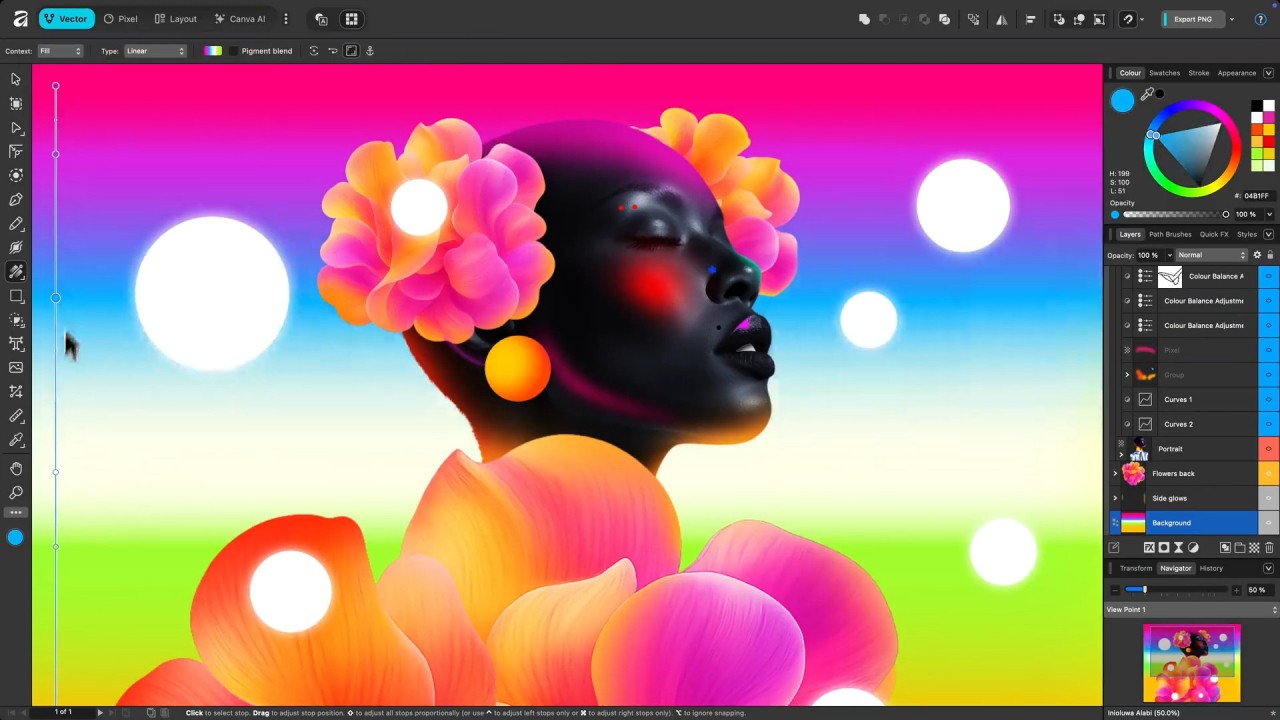
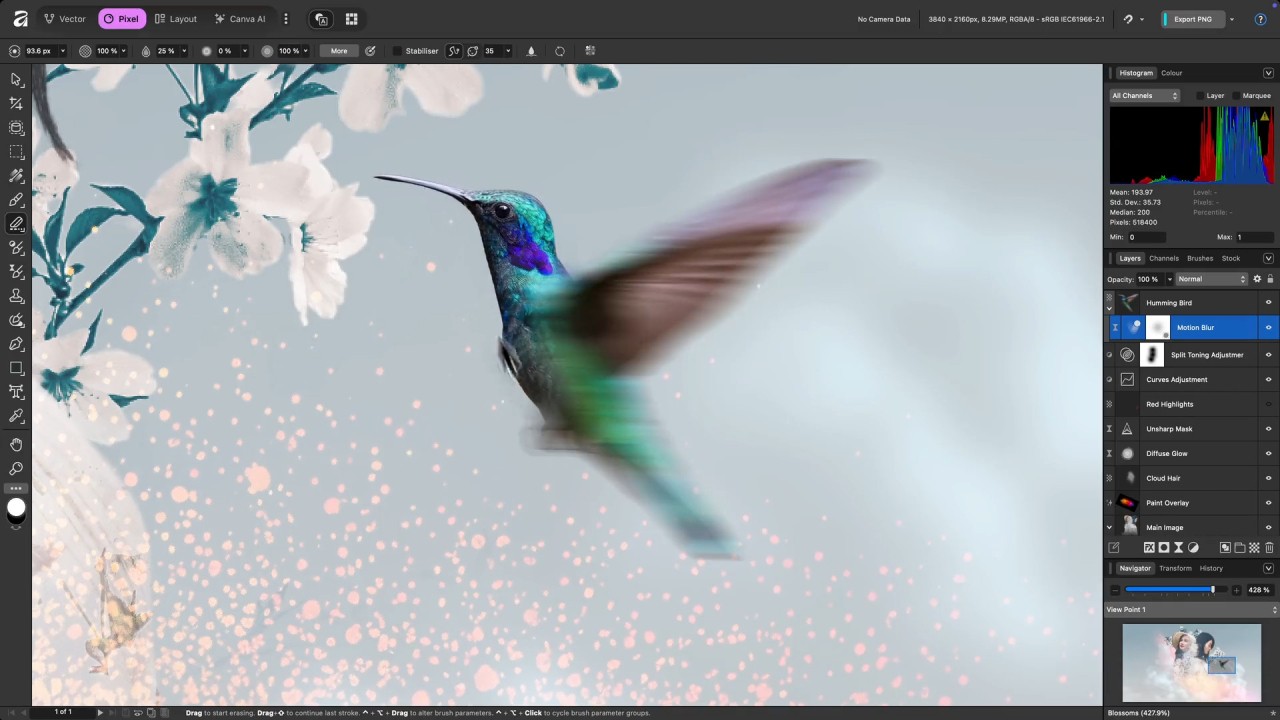
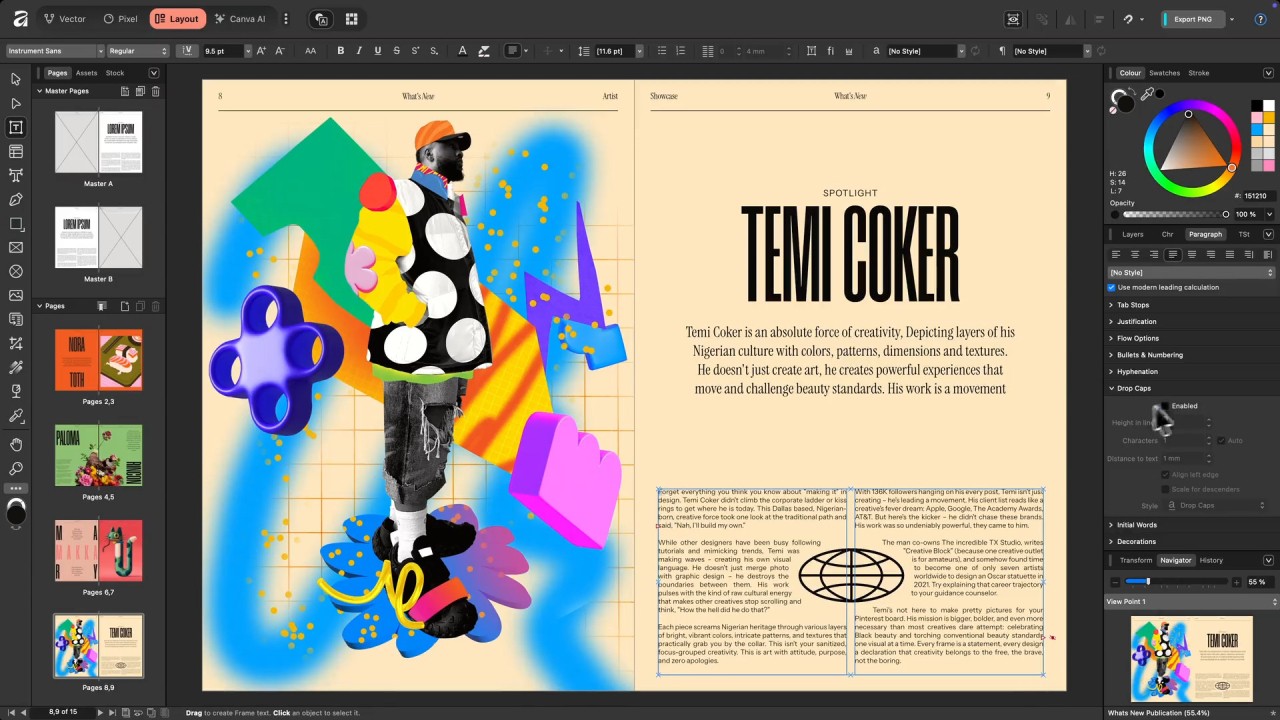
The interface Canva designed feels familiar if you have used any creative software before. Tools sit in a vertical sidebar on the left, settings and options appear on the right when you select something, and a workspace menu along the top lets you switch contexts depending on what you are doing. It looks clean and organized without hiding important features behind too many menus.
What makes this interesting for anyone in design is that Affinity was already respected as a serious Adobe competitor, and now it is free. You can even open Photoshop PSD files directly, which makes moving between the two ecosystems far less painful.
Why Should I Download Affinity by Canva?
Affinity by Canva launched in October 2025 as a direct alternative to Adobe Creative Suite (Adobe Photoshop, Adobe Illustrator, Adobe InDesign). It bundles three workspaces into one application: Vector editing (replacing Affinity Designer), Pixel editing (replacing Affinity Photo), and Layout (replacing Affinity Publisher). The original tools are gone as individual brands, but their feature sets survived the merger intact.
Canva also brought its AI tools along for the ride. Background removal, object generation within images, and full AI image creation are all available inside Affinity now. Using the AI features beyond a basic level requires a Canva subscription, but the core creative tools are completely unlocked on the free tier. You can also export files directly into Canva to use features specific to that platform, which is handy if you already have a Canva workflow.
Switching between workspaces is as simple as clicking Vector, Pixel, Layout, or Canva AI at the top of the window. Each workspace swaps in the relevant toolset, so you are not wading through design tools when you are retouching a photo or vice versa.
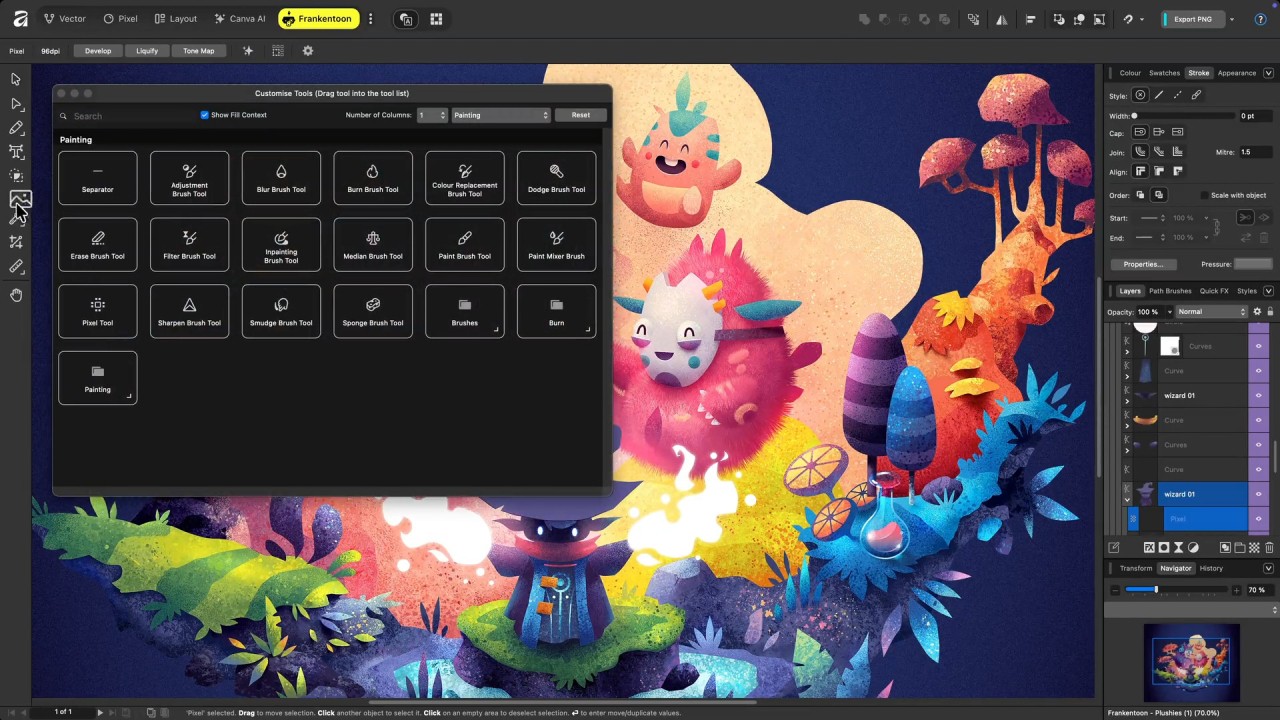
The best part might be the custom workspace feature. If you regularly bounce between vector tools and pixel editing brushes and do not want to keep switching modes, you can build your own workspace with exactly the tools you need, pulled from any of the default workspaces. Click the three dots at the end of the workspace bar, name your custom setup, drag in whatever tools you want, and arrange them however makes sense for your workflow.
A professional-grade creative suite, fully free, with this level of customization? That is a hard combination to beat.
Is Affinity by Canva Free?
Yes. Every design and editing feature is free to use after you download and install the program. The only features that require payment are the AI-powered tools, which need a Canva subscription. You will need to create a free Canva account to log in, but that is the only barrier to getting started.
What Operating Systems Are Compatible with Affinity by Canva?
Affinity by Canva runs on Windows and macOS. You can download it directly from the official website through our links.
The legacy iPad apps for Affinity Photo, Affinity Designer, and Affinity Publisher are still available as free downloads, but they can only open files saved in the old Affinity format, not the new unified format. A single Affinity iPad app is in development, but no release date has been announced yet. In the meantime, you can grab the individual iPad apps by following our links to the separate tools above.
What Are the Alternatives to Affinity by Canva?
Adobe Creative Cloud is the obvious comparison point and still the industry standard. Photoshop, Illustrator, InDesign, Premiere Pro, and the rest of the suite cover design, photo editing, video production, AI generation through Firefly, page layout, and PDF work. The catch is the price tag, as Adobe runs on a subscription model. Some individual Adobe tools are free, though: Photoshop Express, Acrobat Reader, Adobe Express, and Firefly (with limits). All you need is a free Creative Cloud account.
Photopea started as an online photo editor and has since added Vectorpea for design work. There is nothing to download because it runs entirely in the browser, which means it works on any operating system. The free version shows ads alongside the editing canvas, but all features are accessible. Photopea can open PSD, PDF, and RAW files, making it a surprisingly capable browser-based option for people who do not want to install desktop software.
Pixlr competes directly with Photopea as another free, browser-based option, but it also offers mobile apps for Android and iOS that you can download separately. The suite includes an advanced photo editor, an AI photo editor, a template designer, a background removal tool, and a batch editor. Ads appear in the free version, and accessing the full AI toolset requires a paid subscription. For users who want the flexibility of working on both desktop and mobile without switching platforms, Pixlr covers more ground than most free alternatives.