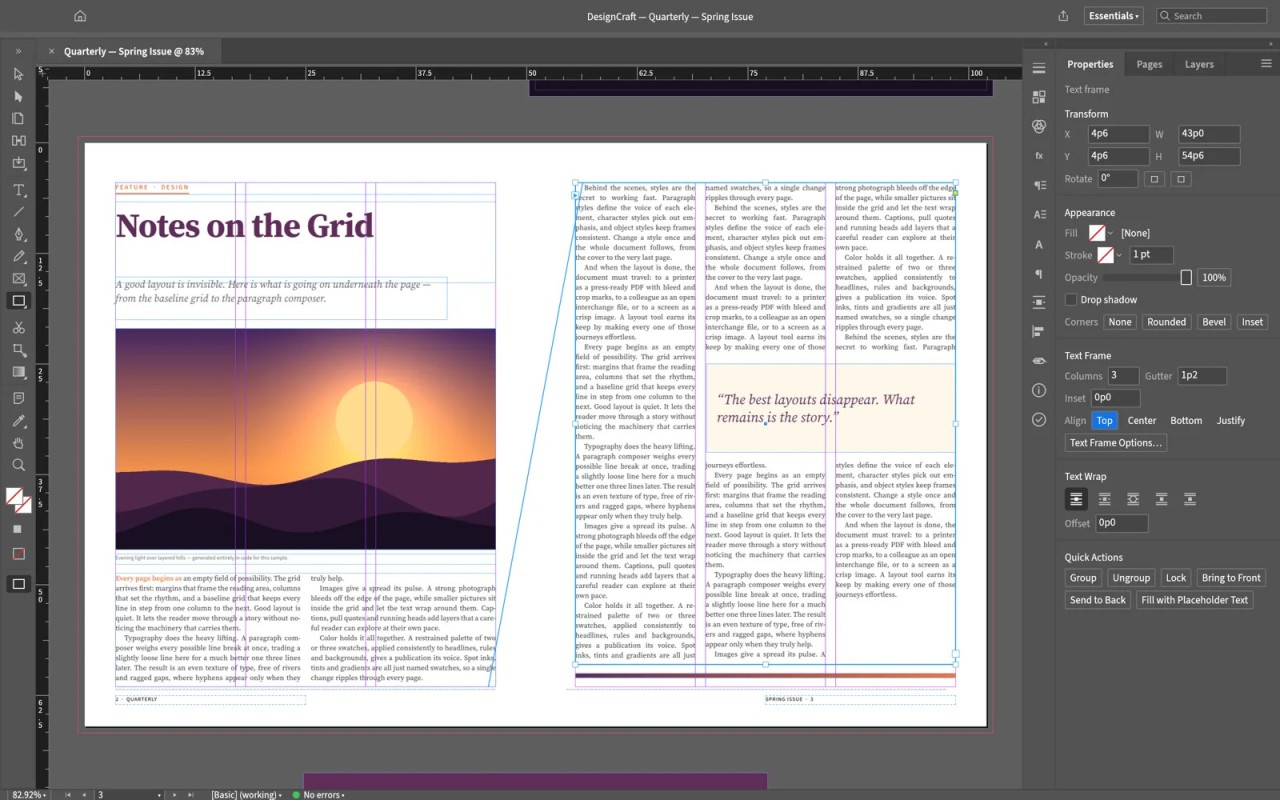
DesignCraft is an open-source desktop publishing application developed by the ArtCraft team. It is part of Crafting Apps, a suite of applications released in early October with the goal of offering free alternatives to Adobe Creative Cloud software. DesignCraft is positioned as an alternative to Adobe InDesign. It is primarily designed for laying out magazines, brochures, and other documents. According to the project, its code was written with the help of Claude AI, without copying any code from Adobe.
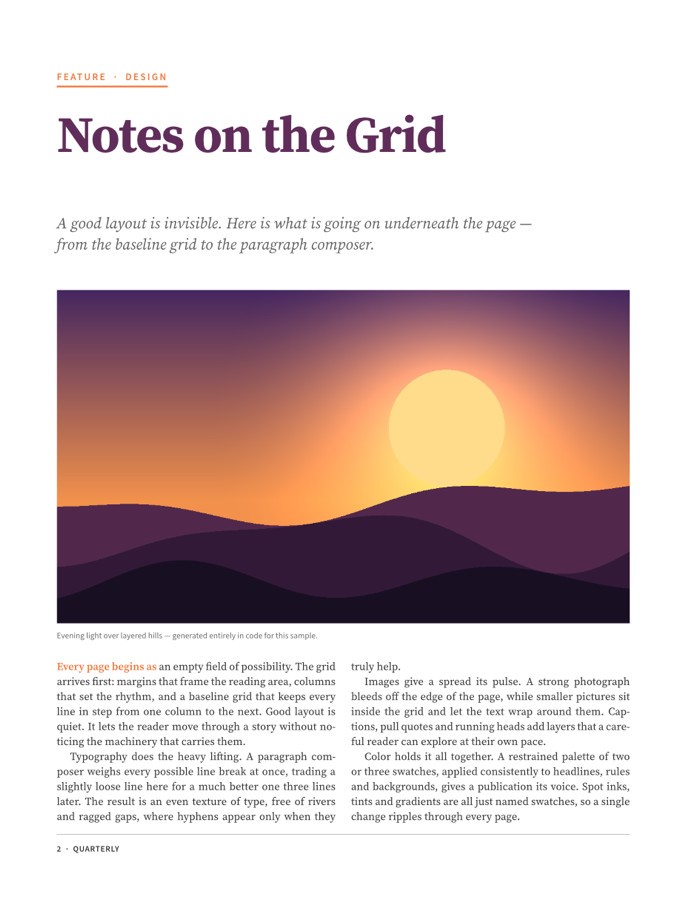
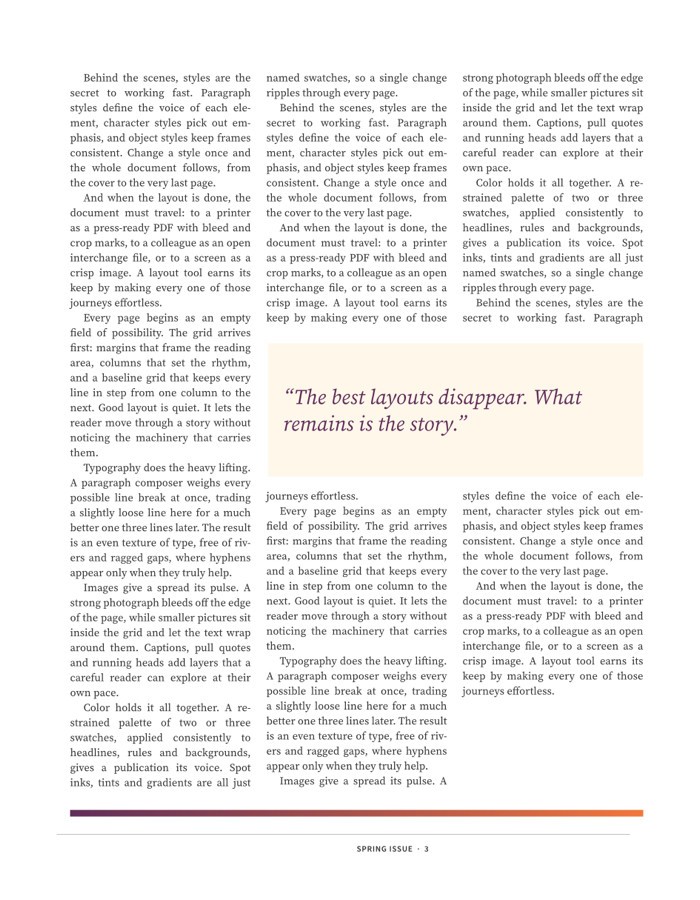
DesignCraft offers several tools for organizing pages and text. Users can create facing pages, use page templates, and link multiple text blocks. The software also allows users to modify paragraph and character styles, choose colors, and wrap text around images. Its typesetting engine adjusts line breaks and spacing to produce clean, readable layouts.
DesignCraft runs on Windows, macOS, and Linux. It can also be used in a web browser thanks to WebAssembly. It supports several file formats, including PDF, PNG, EPUB, and editable PowerPoint (.pptx) files. The project is open source, with no subscription, license server, or telemetry.
Why Should I Download DesignCraft?
The interface is easy to navigate, with clearly organized menus, tools, and panels. To create a document in DesignCraft, simply add pages, text blocks, and images. You can use master pages to maintain a consistent layout across multiple pages.
DesignCraft lets you link multiple text blocks so that text flows automatically from one to the next. You can change fonts, font sizes, spacing, and paragraph alignment. The software also offers columns, tables, and options for wrapping text around images. These tools help you create a consistent, professional-looking layout.
DesignCraft also features a typesetting engine that adjusts line breaks and spacing between words to improve text presentation. It handles hyphenation, margins, and line breaks, too. The layout displayed on screen matches the line breaks in the exported PDF.
You can export your work in PDF, PNG, EPUB, or PowerPoint (.pptx) format. The software also supports certain layout file formats, including IDML and INDD imports, subject to compatibility limitations. This allows you to reuse existing documents or prepare files for different purposes. Finally, it offers a control system that enables tools such as Claude to perform certain layout operations and modify documents.
Is DesignCraft Free?
DesignCraft is open-source software that requires no subscription or license server. You can download the application or use the web version for free.
What Operating Systems Are Compatible with DesignCraft?
You can download DesignCraft for any computer running Windows, macOS, or Linux using our direct download links. You can also access it through a web browser that supports WebAssembly.
What Are the Alternatives to DesignCraft?
DesignCraft is a useful option for creating layouts and organizing documents. It is free and open source and offers a wide range of tools for managing text, images, colors, and page layouts. However, if you're seeking an alternative, several similar programs are available. We've selected three: Adobe InDesign, Microsoft Designer, and Affinity by Canva.
Adobe InDesign lets you create magazines, books, brochures, posters, and interactive PDFs. It offers advanced tools for working with text, fonts, and images. It also integrates with Photoshop and Illustrator. The software requires a paid monthly or annual subscription, although a seven-day free trial is available.
Microsoft Designer stands out for its AI-powered design tools. It lets you create images, cards, stickers, and social media posts from text prompts or photos. You can also resize images, remove their backgrounds, or blur them. However, Microsoft Designer is not as comprehensive as Adobe InDesign when it comes to professional page layout. It is free to use, although some features are subject to limitations.
Affinity by Canva offers tools for desktop publishing, including features previously available in Affinity Publisher, which was designed for creating books, magazines, catalogs, brochures, and digital documents. It lets you combine text, images, and illustrations within a single layout. Its typographic tools allow you to wrap text around a path, manage styles across multiple pages, and create drop caps. It supports multiple file formats, including PSD, AI, PDF, and TIFF. It also offers color management tools for preparing documents for print. Affinity Publisher was designed to work alongside Affinity Photo and Affinity Designer, making it easy to move between layout design, photo editing, and vector drawing.