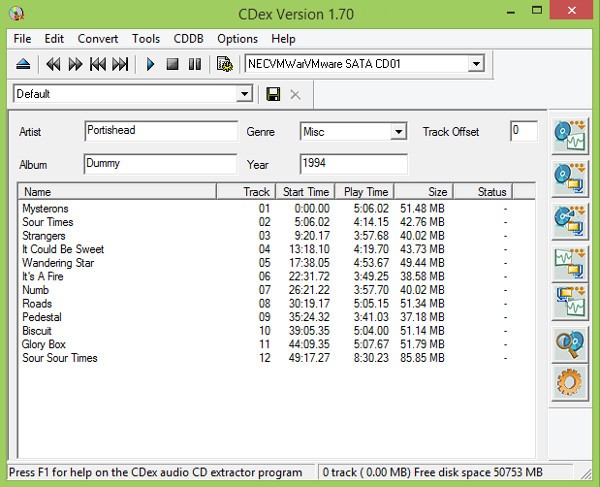
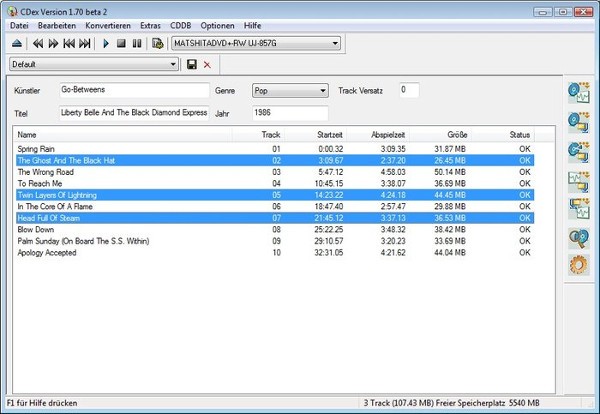
CDex is an old Windows software that is still in use by many people due to its simplified nature of ripping audio CDs without having to go through a complicated menu and advanced setups. It is primarily devoted to a physical CD importing music and converting it into digital audio.
The concept is not new, and yet applicable to people who own CD collections that are lying around and wish to keep them or transfer them to a new format. CDex reads the music directly off the disc and then archives the files to your computer as MP3, WAV, FLAC, or OGG, or whichever format you prefer.
It can also be useful in handling information of tracks, to avoid having Track01, Track02, and so on. The software can access online databases to get metadata or use CD-Text in the event that it is present on the disc. CDex is not a professional tool or a full-fledged audio studio. It is more of a featureless utility that will silently and without a learning curve get one thing done.
Individuals who have been introduced to older Windows applications will feel comfortable with it. CDex displays its antiqueness, yet it does the bare minimum and does not require system resources such as modern multimedia tools.
Why Should I Download CDex?
The simplicity is the primary reason people continue to download CDex. Simply insert a CD, open the software, select your desired output format, and begin the extraction. It does not bombard you with lots of settings when you do not feel like exploring them. For someone converting an old CD collection, it can be a savior, since it requires a few steps. CDex supports several popular audio encoders, such as LAME MP3 encoder, which is popular among those who still like MP3 files with adjustable bit rate parameters.
The other reason is that CDex generally operates well even on older computers. No massive interface, no loading screens, and no massive system requirements. It is easy to carry and convenient, and in cases when you are not seeking studio-quality work but simply want to have your CDs in the form of daily-use digital formats. The metadata support is also handy, since it may be tiresome to rename all the tracks manually. The metadata dynamics ensure the folder structure remains clean when it works.
Other users also love the fact that it is not bound to cloud accounts, subscriptions, and syncing capabilities. Everything is local. You access, store, and retain your files. That’s it. It is a product made by those who enjoy working offline and independently without any external ecosystem. Naturally, it is not flawless; bugs, the outdated user interface, and installer issues are still brought up, but when it comes to a fast ripping operation, CDex is always a safe bet.
Is CDex Free?
CDex is free to use. You are not paying to download or update, or even to have basic features. Here we provide the links to the official source, no surprises, just the right software.
What Operating Systems Are Compatible with CDex?
CDex is Windows-based. It does not have native macOS or Linux versions. The program is compatible with various Windows versions, including the old ones that are no longer used by a number of current tools. It is one of the reasons why some people still use it: several recent converters need Windows 10 or 11, whereas CDex can work on much older versions.
The installation of CDex is not a complicated one: download the installer, run it, select your options, and the tool will start. It does not need any extra structures or immense dependencies. It has been reported to run on Wine on Linux, with mixed results. Cross-platform usage was never implemented in the program. Because it is all about Windows-based CD extraction, its compatibility projections are not that hard. The tool scans audio CDs with the help of the usual optical drive drivers, managed by default by Windows.
What Are the Alternatives to CDex?
A more recent application is EZ CD Audio Converter, which is both a CD ripping, audio conversion, and disc burning application. It is polished, its menus are easier to understand, and it supports a great number of formats. It is a little more modern, provides higher-quality error correction than CDex, and is ideal when one wants better-quality rips. It also features default profiles that allow beginners to use, while giving the advanced users a lot of control. Nevertheless, unlike CDex, EZ CD Audio Converter is not free, which is why it appeals to users who want to use it daily as a professional tool rather than a one-time CD converter.
Many users download it mainly for its polished workflow and stronger error correction.
fre:ac - free audio converter is a widely-used, free, and open-source alternative that is compatible with Windows, macOS, and Linux; thus, it is already a unique option for users who do not remain on one operating system. It aids the ripping of CDs and overall audio conversion with the help of a clean but simple interface. The software is also actively maintained, which means that it is at an advantage over tools that have not been updated in years. fre:ac includes several encoders, batch support, and flexibility on formats. It is a nice option in case you would like something free and yet more modernly developed. It weighs a little bit more than CDex and is not too difficult to navigate through.
People often download fre:ac when they want a free, updated tool that works across multiple platforms.
LameXP is oriented on audio file conversion and not CD ripping, yet a lot of users use it instead, as it can work with ripped audio after the extraction. It accepts a variety of formats and has batch processing, and provides an acceptable balance between ease and control to users. The tool has been known to be stable, and there are presets that are provided to a user who does not want to adjust so many settings. Although you will still require another software to rip the CD as such, LameXP will come in handy to encode and re-encode the songs later. It is commonly used with the help of the ripping software, such as CDex or fre:ac, by people interested in customization of bitrate and audio quality, as well as file types.
Most users download LameXP to fine-tune audio quality after ripping without dealing with complex setups.