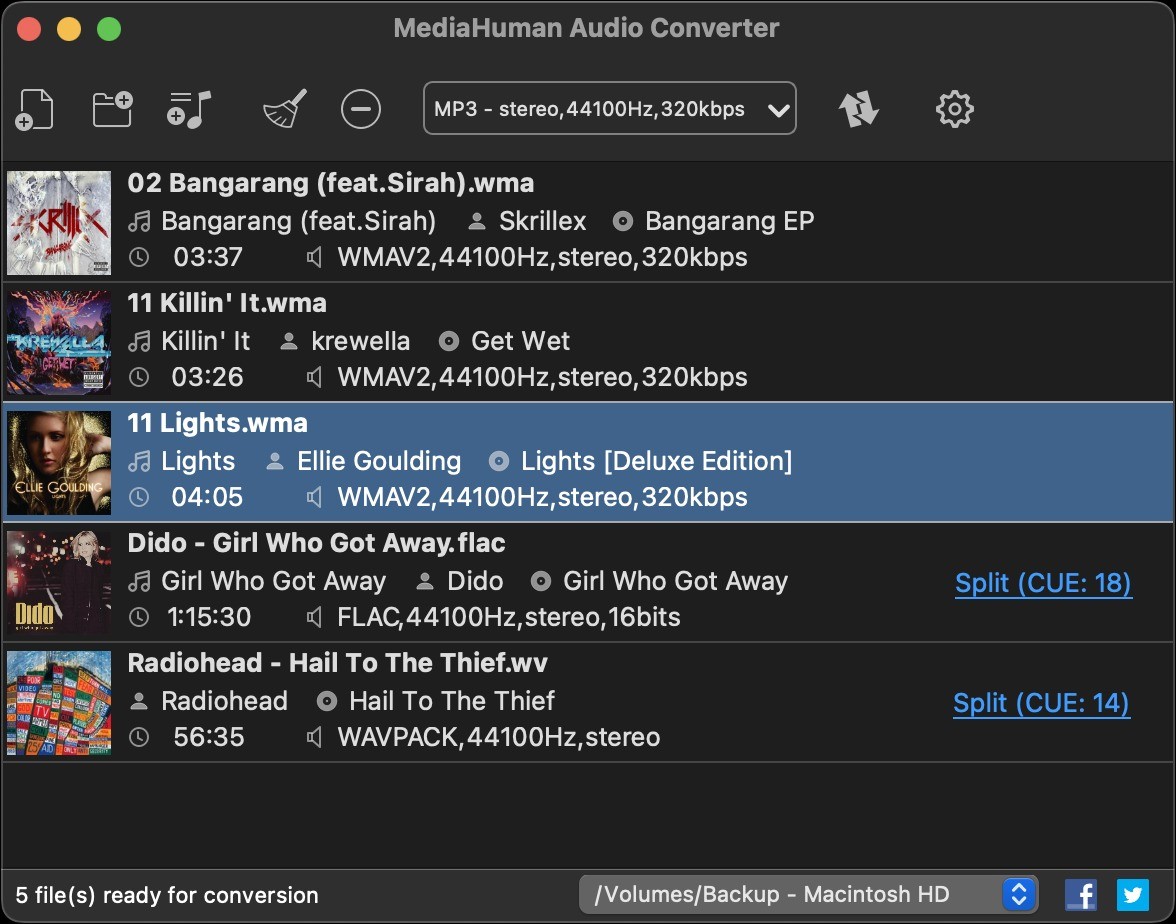
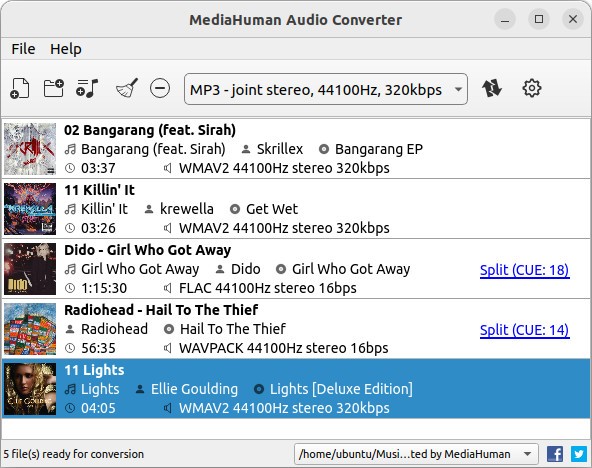
Managing audio files can become complicated when formats don’t match the needs of your device or software. You might have a collection of FLAC files but want to play them in Apple Music, or perhaps you’ve downloaded a video and only need the audio track. The MediaHuman Audio Converter was designed to solve these everyday problems.
With its simple interface, it makes converting audio files into compatible formats straightforward while retaining quality and tags. Beyond just conversion, it offers features like batch processing, direct export to music libraries, and advanced file naming systems, making it a flexible solution for both casual users and audio enthusiasts.
Why should I download MediaHuman Audio Converter ?
There are many reasons MediaHuman Audio Converter stands out as a useful tool. The first is its simplicity and ease of use. The interface is designed to be intuitive, so you don’t need advanced technical knowledge to convert files. You can simply add your tracks, choose your desired format, and start the process with one click.
The software supports a wide range of lossy and lossless formats, covering common needs as well as advanced audio setups. On the lossy side, it converts to formats like MP3, AAC, WMA, and OGG. For those who prefer to preserve every bit of audio detail, it handles lossless formats such as FLAC, Apple Lossless (ALAC), AIFF, and WAV, with support for up to 32-bit audio. This broad compatibility ensures your music can work on any platform or device you choose.
Another strong reason to download MediaHuman Audio Converter is its support for batch conversion. Instead of processing one file at a time, you can add entire folders of music and convert them in a single run. This makes it especially useful for people who want to convert large libraries efficiently.
For collectors of high-quality audio, the program also includes direct lossless-to-lossless conversion. This means you can change the container format of a file, such as from FLAC to ALAC, without unnecessary intermediate compression steps. It’s a direct transfer that maintains quality while changing compatibility.
MediaHuman Audio Converter also excels at handling CUE sheets, which are often used to split large audio files into separate tracks. The converter automatically detects CUE files in folders and suggests splitting the associated audio images into individual songs, saving you the manual effort.
Another feature that adds value is its ability to fetch missing album covers from the internet. If your tags include album details but lack artwork, the software can look up cover art from various online services and attach it. This small touch enhances music library organization and improves the visual experience on devices.
Integration with iTunes and Music.app is another highlight. After conversion, files can be added directly to your library, and you can even specify a target playlist. This avoids the hassle of manually importing songs after they’re converted.
File organization is also handled elegantly. MediaHuman Audio Converter can preserve folder structures during conversion, meaning that albums and artist folders remain intact even after being processed. Combined with its advanced file naming options, which let you generate filenames based on ID3 tags, it makes maintaining a clean, structured music library simple.
The software isn’t just about conversion; it also offers a few audio effects that can be applied during processing. Options include volume normalization, fade-in and fade-out effects, and trimming silence. These tools help polish tracks and ensure consistent playback quality across your collection.
Lastly, MediaHuman Audio Converter offers modern conveniences like dark mode, which automatically follows your system theme. This may not affect functionality, but it makes for a more comfortable user experience, especially during long sessions of audio processing.
Is MediaHuman Audio Converter free?
Yes, MediaHuman Audio Converter is completely free. Unlike some converters that restrict key features behind a paywall, this program provides its full functionality at no cost. You can download it for both Windows and macOS directly from the official website without any licensing fees.
The free status is especially noteworthy given the range of features it offers. From support for both lossy and lossless formats, to CUE splitting, iTunes integration, and audio effects, these are functions that some other tools reserve for premium editions. MediaHuman Audio Converter includes them in its free package, making it accessible for everyone.
The software’s website makes no mention of limited trials, usage caps, or mandatory upgrades. Its business model instead seems focused on providing a reliable, free tool to users worldwide. For those who simply need to convert audio files without worrying about restrictions, this makes MediaHuman Audio Converter a cost-effective and trustworthy solution.
What operating systems are compatible with MediaHuman Audio Converter?
MediaHuman Audio Converter does not include any platform-specific macOS support, but supports a wide range of Windows versions.
On macOS, it supports macOS 10.12 Sierra through the latest macOS 15.0 Sequoia. It supports both Intel-based Macs and the more recent Apple silicon chip, such as M1, M2, M3, and M4. Such extensive coverage makes sure that regardless of the age of the Mac you are using or the newest hardware, the program will run without problems.
The converter is compatible with Windows 7, 8, 10, and 11 on 32-bit and 64-bit editions on Windows. This renders it applicable to almost any PC currently in use, both the old machines with Windows 7 and the new machines with Windows 11.
MediaHuman Audio Converter is compatible with both Mac and PC, and therefore it is highly universal to users who are known to work on various platforms.
What are the alternatives to MediaHuman Audio Converter?
Although MediaHuman Audio Converter is a good candidate, other tools that can be used to accomplish similar functions exist.
A popular alternative is Any Audio Converter, which offers a similar functionality of conversion and can convert most forms of audio. Users who desire flexibility in converting audio and video sources into other formats mostly opt to use it.
The other alternative is Freemake Audio Converter, which can also enable one to convert audio files among several common formats. It is known to have a simple interface, although contrary to MediaHuman Audio Converter, it can limit some of its functions in the free version, which makes users look into upgrades to have complete capabilities.
The third option is Switch Audio File Converter Software which is capable of bulk conversion, a wide variety of formats, and other tools. It has been embraced in consumer as well as professional settings.