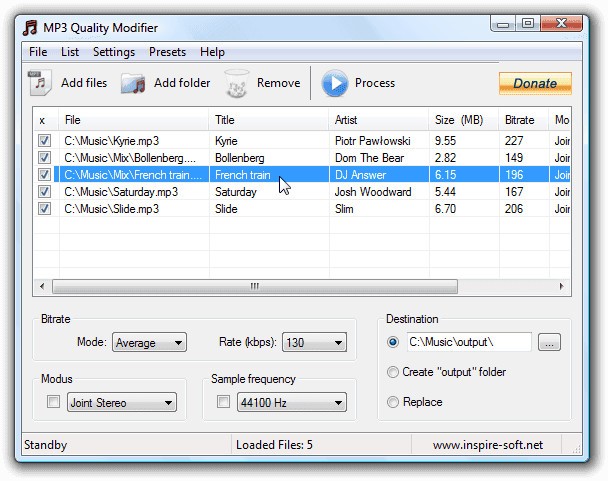
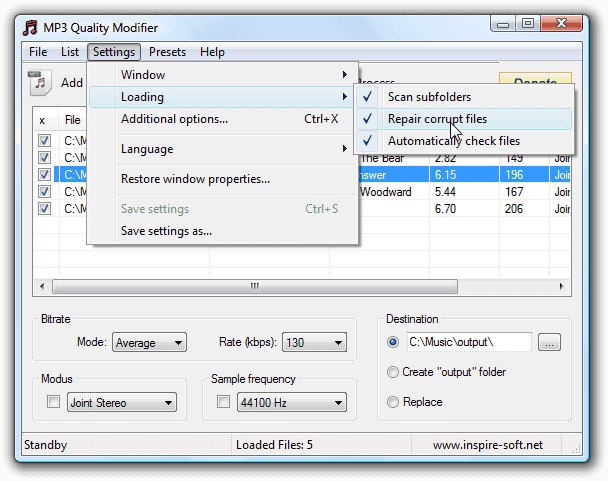
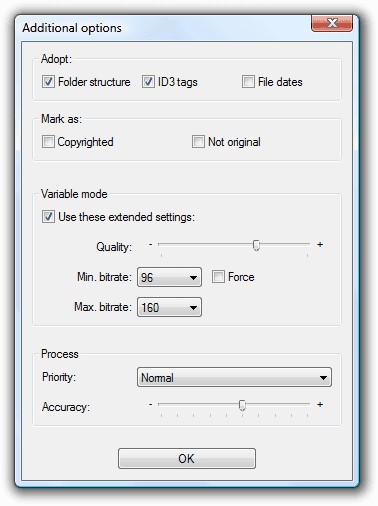
MP3 Quality Modifier is a lightweight software tool that helps you adjust the quality and size of your MP3 files without overcomplicating things. Instead of digging through technical jargon or confusing menus, it lets you take control of bitrates, audio properties, and file sizes straightforwardly. For anyone who works with music collections, podcasts, or even audio recordings, this tool acts as a bridge between quality and efficiency.
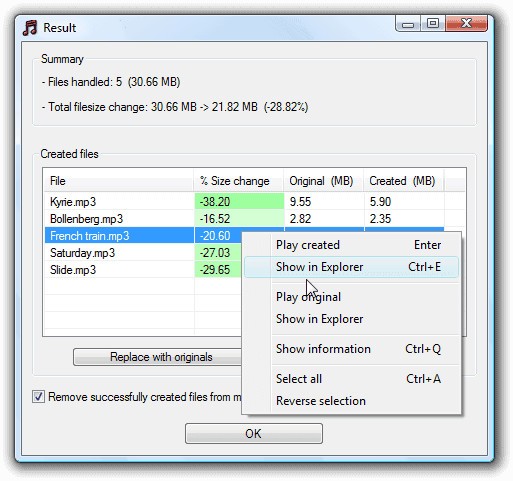
In practical terms, it modifies MP3s so you can reduce their size while maintaining decent audio playback quality. Imagine you’ve got a large music library on your computer or portable device—over time, those tracks can take up gigabytes of space. MP3 Quality Modifier helps you compress files by lowering their bitrate, which frees up storage while still keeping them listenable.
It isn’t just for saving space, though. The program also comes in handy when you need to prepare audio for sharing. Maybe you’re sending music to a friend with limited internet speed, or you’re uploading podcasts where file size caps apply. Having the flexibility to control output quality means you can match the file to your purpose, whether that’s crisp clarity for headphones or smaller sizes for faster transfers.
Why should I download the MP3 Quality Modifier?
There are several reasons why an MP3 Quality Modifier might earn a place on your computer. The first and most obvious one is simplicity. Some audio editing programs are overloaded with features that most users will never touch. While they might be powerful, they can also be intimidating and time-consuming. MP3 Quality Modifier focuses on doing one thing very well: adjusting MP3 bitrates to balance size and quality.
Another reason is speed. You don’t want to spend hours waiting for files to process, especially if you’re tweaking dozens—or even hundreds—of songs at once. MP3 Quality Modifier is designed to handle batch processing, which means you can load up an entire folder of music and let it work through everything in one go. That kind of efficiency makes it ideal for people who manage large libraries.
It also helps with compatibility. Some older devices, like older MP3 players or car stereos, struggle with high-bitrate files. By reducing the bitrate, you can make sure your songs play smoothly across all your devices. That’s a small but practical benefit that often gets overlooked until you run into playback issues.
And let’s not forget the control it gives you. You’re not locked into pre-set compression levels—you get to choose the exact balance between file size and sound quality. Maybe you’re okay with a bit of loss in fidelity if it means you can double the number of tracks on your portable player. Or perhaps you’re more particular and only want a slight reduction for storage savings. Either way, the choice is yours.
Downloading an MP3 Quality Modifier is really about taking back control over your music library. Instead of letting huge file sizes slow you down, you can tailor your collection to fit your needs.
Is MP3 Quality Modifier free?
Yes, the MP3 Quality Modifier is completely free to use. This makes it especially attractive to students, hobbyists, or small business owners who need to manage audio files but don’t want to invest in expensive audio suites. You can download and install it without worrying about subscription fees or hidden costs.
Free doesn’t mean limited, though. The tool is fully functional out of the box, and you won’t find features locked behind a paywall. It’s designed to be a simple, practical solution, not a “lite” version meant to push you toward an upgrade. This is part of its charm—many people gravitate toward it because they just need a reliable tool without extra baggage.
Of course, being free also means it’s easy to try without any risk. If you decide it’s not the right fit for your workflow, you can simply uninstall it. But for most users, the combination of no-cost access and practical functionality makes it a keeper.
What operating systems are compatible with MP3 Quality Modifier?
MP3 Quality Modifier is designed for Windows, making it accessible to a large audience. Whether you’re running an older version of Windows or something more recent, the software has a reputation for being lightweight and compatible across different setups.
Because it doesn’t demand heavy system resources, you don’t need a powerful computer to run it. Even if your machine is several years old, chances are it can handle the program without slowing down. That’s another reason people with older PCs often turn to it—it offers efficiency without dragging down performance.
While the software is primarily Windows-based, users on macOS or Linux typically run it through compatibility layers like Wine or virtualization tools. This isn’t as seamless as a native app, but it does make it possible for non-Windows users to still take advantage of its features.
What are the alternatives to MP3 Quality Modifier?
In the case you are considering your choices, several worthy alternatives can be noted, and each has its advantages.
One of the most popular alternatives is MP3Gain, and even though it has a different purpose, it can be used to supplement or even to replace MP3 Quality Modifiers, depending on the purpose. MP3Gain is aimed at volume normalization- it normalizes the volume of MP3 files, making them all play with the same volume. This is terrific when you are fed up with having to change the volume of the songs. It does not actually squeeze or alter bitrate in the same manner, but it enhances consistency in listening, which can also be quite useful.
Monkey’s Audio does the opposite. Rather than decreasing its quality, it is a lossless audio compression tool. It is to say that it reduces the size of files, and you will not perceive any loss in audio quality, but the central point is that files will not be as small as they are using lossy compression, such as MP3. It is ideal for audiophiles who do not want to seem to be crowding the nearby areas and yet maintain the perfect sound. The hitch is that you will have to have players that are compatible with the.APE format that the Monkey has made.
Fre:ac is a multilanguage open-source converter/ripper of audio files, and it supports a large variety of formats. Fre:ac allows conversion between formats, ripping of CD,s and larger audio projects, unlike MP3 Quality Modifier, which focuses on adjusting the existing MP3s. It is an excellent option in case you wish to have a greater level of flexibility, as well as feel at ease with a higher learning curve. It is popular among individuals who have large music collections since it can be used to process large quantities of music.