Any Audio Converter is a software program built to make audio conversion simple, fast, and reliable. If you’ve ever had a song, podcast, or voice recording that wouldn’t play on your device because the format wasn’t supported, then you know how frustrating that can be. That’s exactly the kind of problem this tool is meant to solve.
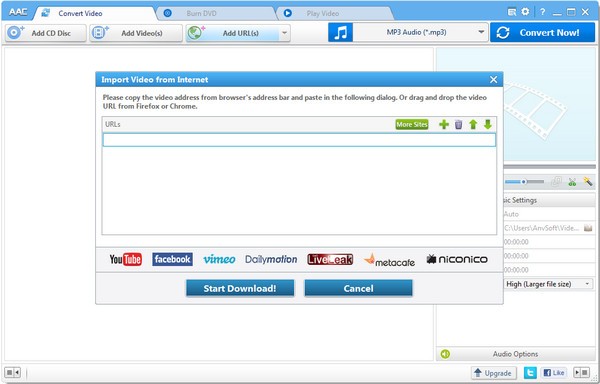
At its core, Any Audio Converter allows you to change audio files from one format to another, and even extract music from CDs. It supports a wide range of file types, including MP3, WAV, AAC, FLAC, WMA, and OGG, just to name a few. That broad compatibility makes it incredibly useful for people who collect audio from different sources—whether you’re downloading music from the internet, recording your own audio, or pulling sound from videos.
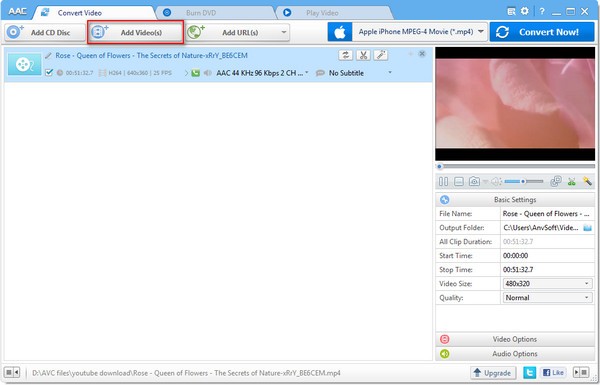
But conversion is only part of the story. You can use the ID3-Tag Editor to read, add, or edit information on your files. The program also features the ability to extract audio from video files. That means you can easily save just the audio track if you find a great live performance on YouTube or record a lecture in video format. For anyone who’s ever wanted to turn a video into a podcast-style file for listening on the go, this function is a lifesaver. You can even convert video files into other video formats
Why should I download Any Audio Converter?
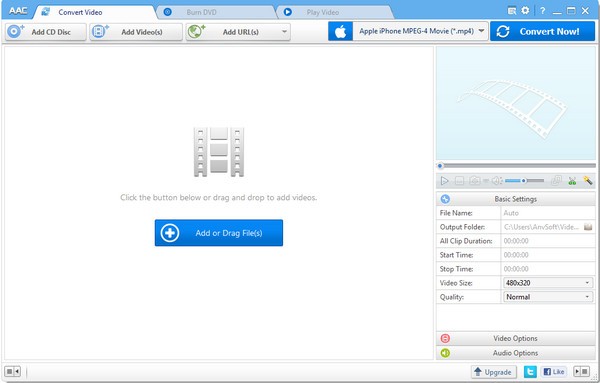
There are several reasons why downloading Any Audio Converter makes sense, especially if you work with digital audio regularly. First is the sheer convenience. Instead of struggling with incompatible files, you can simply drag and drop them into the program, choose the format you need, and in a matter of moments, you’ll have a working file ready to go. It takes what could be a technical headache and turns it into a straightforward task.
Another reason is efficiency. The program supports batch conversion, which means you don’t have to convert each file one at a time. If you have a folder full of songs in the wrong format, you can set them all up and let the software process them together. That’s a huge time-saver for people who manage big music libraries or create audio content in bulk.
It’s also incredibly practical for everyday situations. Maybe you recorded an interview in WAV format, but you want to share it over email. WAV files are large and not always supported, but converting them to MP3 makes it easy to send and accessible on almost any device. Or maybe your car stereo only recognizes WMA files—no problem, you can convert your existing MP3s in a few clicks.
For music lovers, space management is another important point. High-resolution audio files sound amazing, but take up a lot of storage. Any Audio Converter makes it easy to downsize those files without completely sacrificing quality, giving you more room for your collection. And for creators—podcasters, musicians, or video editors—it’s a reliable tool for ensuring your audio fits into whatever project or platform you’re working with.
Finally, the capacity to convert video in additin to audio, makes Any Audio Converter an almost all-in-one converter tool.
Is Any Audio Converter free?
Yes, Any Audio Converter offers a free version, which is one of the big reasons it has remained popular. The free edition covers the essential features: converting audio between formats, extracting audio from video, and managing files with a straightforward interface. For most casual users, the free version is enough to handle everyday audio needs.
If you find that Any Audio Converter doesn’t have the features you require, you may want to go to its premium counterpart: All-In-One Music Converter, also called NoteBurner Music One. The main difference is the capacity to download music from your preferred streaming platform and convert it into a format that you can listen to on any device. You can also download podcasts and radio.
What operating systems are compatible with Any Audio Converter?
Any Audio Converter is available for Windows and macOS users. For Windows, you can download it on Windows 7 to 11 without a problem. For macOS, you’ll have to have at least macOS 11-26.
What are the alternatives to Any Audio Converter?
One of the alternatives is Freemake Audio Converter. It is also a convenient program, it supports a wide range of formats, and it has the facility of batch conversion. Freemake is advantaged with a smooth interface with simple controls. The drawback, however, is that the free version may be inadequate, even introducing watermarks or pushing you to buy the full version, which is the premium version. Nevertheless, it is a solid option when you are in need of something non-complicated and smooth.
Another great rival is Switch Audio File Converter Software, which mainly works with Windows and macOS. Switch has a massive amount of file support, batch processing, and even allows recording audio directly. The stability and full support are valued by professionals. The disadvantage here is that the free version is restricted, and you will have to pay to get access to the features of the advanced version.
VSDC Free Audio Converter is an entirely free product that does not have significant limitations, which is particularly attractive to low-end users. It has easy navigation, a user-friendly interface, and works with all the popular formats. Among its handy functions, there is the option of creating a custom conversion profile; thus, in case you frequently convert files to the same format with the same settings, you do not have to refine the settings each time. Although it might not have as many additional features as some higher-priced utilities, it is a good one and can be relied on to do straightforward conversions.