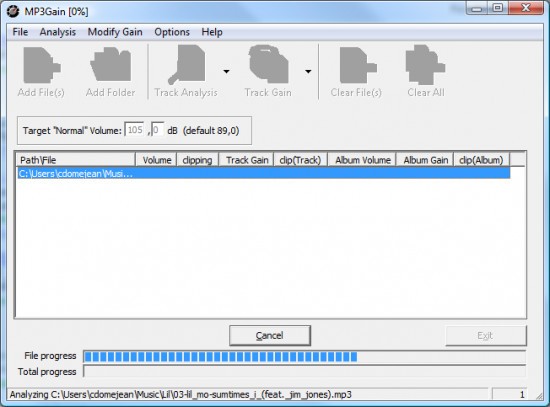
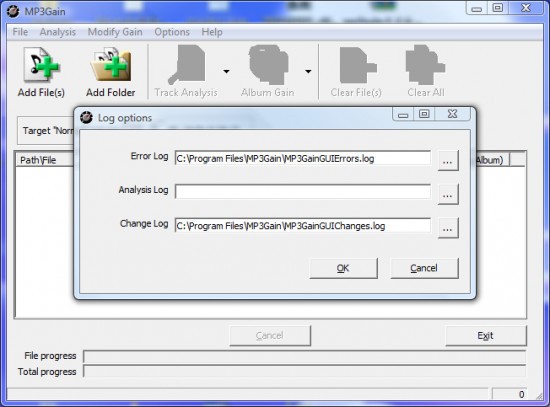
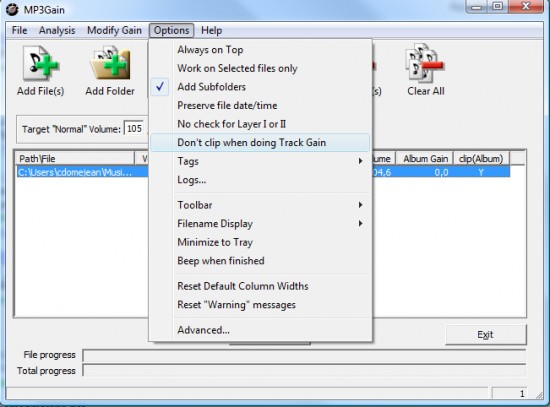
MP3Gain is a small but incredibly useful program built to solve a problem most music listeners have faced at some point: uneven volume between songs. You know the feeling—you’re listening to a playlist and one track sounds perfect, while the next one either blows your speakers or barely whispers in comparison. MP3Gain tackles this issue by analyzing MP3 files and adjusting their volume levels so they all play consistently.
What sets MP3Gain apart is how it makes these adjustments. Many programs normalize audio by re-encoding the file, which can degrade quality or introduce distortion. MP3Gain doesn’t do that. Instead, it changes the metadata inside the MP3, altering how the file is played back without touching the original audio waveform. In other words, your music still sounds exactly as it did, just at a balanced and comfortable volume. Even better, the changes are completely reversible, so if you ever want to undo them, you can.
For anyone who’s built up a music library from CDs, downloads, or different online sources, MP3GAIN offers a way to bring order to the chaos. Instead of jumping for the volume knob every other song, you get a smoother, more consistent listening experience.
Why Should I Download MP3Gain?
The most obvious reason is convenience. Nobody enjoys constantly fiddling with volume controls, especially while driving, working out, or entertaining guests. MP3Gain gives you the peace of mind that your playlists will flow seamlessly from one track to the next. It’s the kind of tool that solves a small but persistent annoyance, and once you use it, you’ll wonder how you ever managed without it.
Another reason is its ability to preserve sound quality. Since MP3Gain doesn’t re-encode audio, there’s no loss of fidelity. That makes it perfect for audiophiles or anyone who simply doesn’t want their music tampered with. You don’t need to worry about a favorite track suddenly sounding “flatter” or less dynamic than before. It’s the same music, just volume-leveled.
It’s also a lifesaver for anyone who makes custom mixes or playlists. Think about preparing music for a party, a workout, or even background sound for a presentation. Nothing kills the mood faster than having to deal with one song blasting while the next disappears into silence. MP3Gain ensures your mix is smooth and professional-sounding without extra effort.
And don’t overlook simplicity. Some audio tools require advanced knowledge or come with bloated interfaces full of features you’ll never use. MP3Gain keeps it straightforward. Load your songs, run the analysis, apply the changes—it’s that simple. Whether you’re tech-savvy or not, you’ll find it accessible.
Is MP3Gain Free?
Yes, MP3Gain is completely free. It’s an open-source program, which means you don’t have to worry about licenses, subscription fees, or paywalls locking away the best features. From the moment you install it, you have access to the full functionality.
The fact that it’s open-source also adds transparency. You can be confident the software isn’t hiding shady advertising tactics or unnecessary tracking. And because the project has been around for years, there’s a solid community of users who share tips, troubleshooting advice, and even modified versions for different operating systems.
Of course, being free means you won’t get the polished customer support that comes with commercial programs. If you run into problems, your best bet will be to check forums or community discussions. That said, MP3Gain is lightweight and reliable enough that most users don’t encounter major issues. For a no-cost tool, it delivers a lot of value.
What Operating Systems are Compatible with MP3Gain?
MP3Gain was originally developed for Windows, and that remains its primary platform. It runs well on versions from Windows XP up through Windows 10 and 11. The system requirements are very modest, so even older computers can handle it easily. If you’ve got a basic PC, you won’t need to worry about compatibility or performance issues.
That being said, Mac and Linux users aren’t completely left out. Some community-supported versions and ports allow the software to function on those operating systems as well. On macOS, users often rely on unofficial builds to get the core features, while on Linux, some distributions offer packages based on MP3Gain’s functionality. It’s not always as seamless as the Windows version, but it works for those who want similar results outside of a PC environment.
This cross-platform adaptability is part of what has kept MP3Gain relevant over time. While it may not have the flashy updates or sleek apps of newer software, it does its job well across a range of systems.
What Are the Alternatives to MP3Gain?
Monkey’s Audio is one of the alternatives, although they are quite different. It is not all about how to handle the volume discrepancies but rather about the compression of audio file creation without any loss of quality. Think of it as the ability to conserve disk space and have the original sound. It is not a replacement of the abilities of MP3Gain to normalize volumes, but for people with large collections of quality files, it can be applied to complement MP3Gain by rendering the storage less cumbersome.
MP3Resizer is another option. As the name implies, it is designed to compress MP3 files to enable more music to be held in portable devices. This is particularly during the time when you still have the old versions of the MP3 players, USBs, or storage-constrained smartphones. The trade-off in this case is that compression usually incorporates loss of quality and is, thus, not as attractive to purists. Unlike MP3Gain, MP3resizer leaves the volume problem unresolved; however, when file size is a key factor, it is useful.
MP3 Quality Modifier is closer to MP3Gain because you can do the editing of the MP3 files with minimal effort. It is also interested in fine-tuning bitrate, channels, and other parameters of the settings in order to compromise file size with quality. This makes it good for the users who have an interest in taking a variety of control of how their music is encoded. However, it is not volume normalization-based, which is why it is only applicable in refining the audio files; it does not directly compete with the strong point of MP3Gain.