YouTube is an internet-based video-sharing platform where people around the world can create, watch, and share content. Since launching in 2005, it has grown into one of the largest video services on the planet, drawing billions of monthly users and video views across every category imaginable.
The content library spans everything from music videos and movie trailers to educational material and personal vlogs. YouTube works as both a hosting platform and a social community, giving creators a direct line to their audiences through comments, likes, and subscriptions.
But YouTube goes well beyond passive viewing. Creators can use the platform to build a following and earn income through ad revenue and sponsorships. Whatever your interest happens to be, there is almost certainly a video for it. You can find lifestyle advice, car repair tutorials, academic lectures, comedy sketches, and dramatic web series, all in one place. Think of it as a digital video library with no closing time.
What really sets YouTube apart is how it turned content creation into a global movement. Anyone can start a channel and reach an international audience; no professional background is required. Between live streaming, YouTube Shorts, and community posts, creators have multiple ways to grow and engage their audiences alongside traditional long-form video uploads.
Why Should I Download YouTube?
Downloading the YouTube mobile app gives you constant access to videos wherever you happen to be. You can also watch through any web browser on the official website, and if you have a smart TV or streaming box, YouTube is available right on your big screen. Using the same Google Account across all your devices keeps your watch history, subscriptions, and playlists in sync.
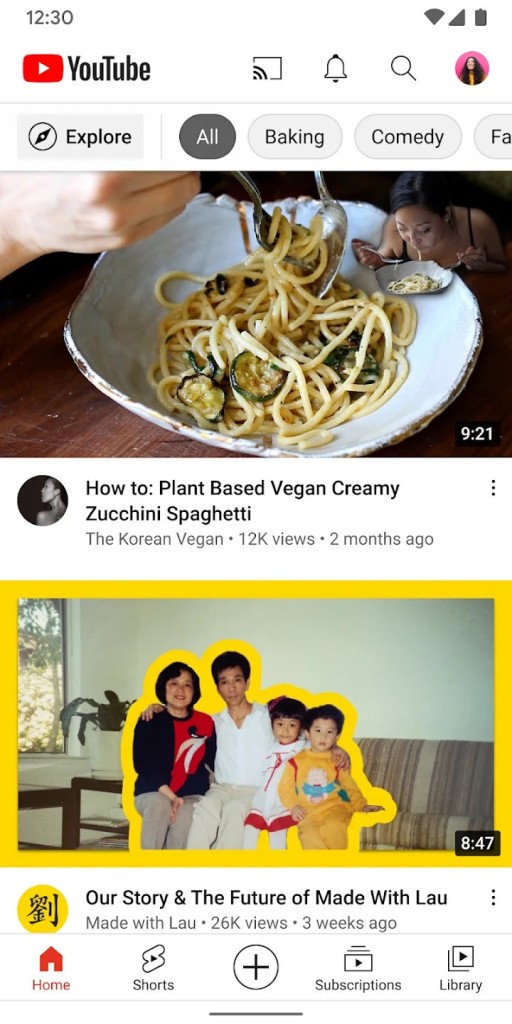
YouTube offers far more than a place to watch clips. Through the app, you can jump straight into videos without opening a browser, whether you are on the couch or on a train. The interface is fast and keeps the most important features, like search, subscriptions, and your library, within easy reach at all times.
Convenience is a big part of why so many people keep the app installed. Your favorite channels and their latest uploads are always just a tap away, and the mobile experience matches what you get on desktop. You can like videos, leave comments, and subscribe to new channels directly from your phone without missing any functionality.
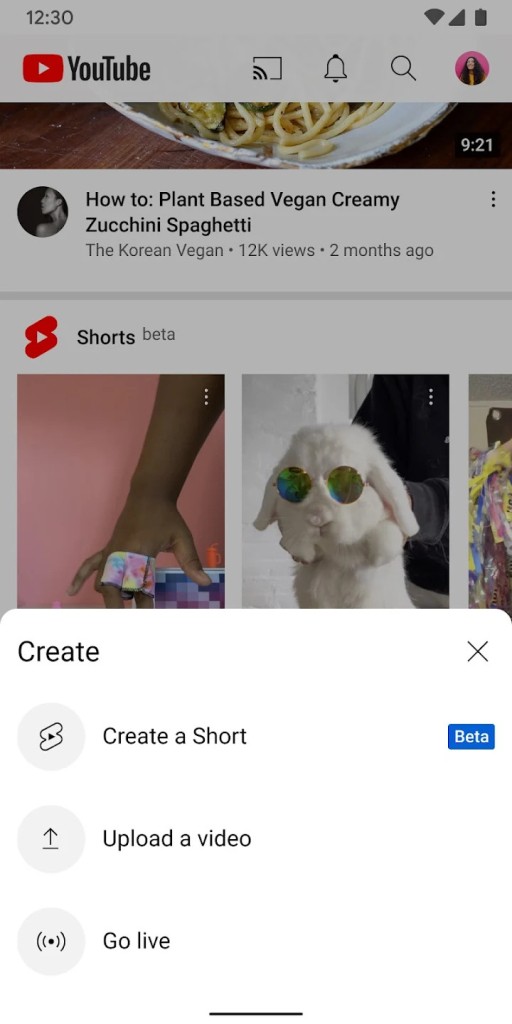
The app also doubles as a creation tool. Creators can upload videos, review analytics, and respond to comments from their devices. Live streaming lets you connect with viewers in real time straight from your phone, which effectively turns it into a portable recording studio for vloggers, musicians, educators, and anyone else with something to share.
Personalized recommendations are one of YouTube's most powerful features. The algorithm tracks your viewing habits and surfaces videos on your homepage that align with your interests, so there is always something new to discover, whether you are into cooking, tech, or stand-up comedy. Subscribing to a channel ensures you get notified about new uploads automatically. Parents can also take advantage of advanced filters and parental controls to make sure children only see age-appropriate content while they browse.
For anyone who wants an ad-free experience or the ability to watch videos offline, YouTube Premium is available as a paid subscription. Premium members get uninterrupted viewing, background audio playback, and the option to download videos for offline watching. That last feature is especially useful on mobile when you want to save data or watch during a commute without a connection. A YouTube Music subscription is bundled in as well, giving you access to millions of songs and playlists.
Is YouTube Free?
YouTube is free to use, and the platform provides unlimited video access without any payment required. Setting up a free account lets you like videos, build playlists, and subscribe to channels, and it also unlocks access to YouTube Music, all with ads. The tradeoff for free access is advertising, and YouTube does serve a fair number of ads throughout its content.
If you want to skip the interruptions, YouTube Premium removes ads entirely, adds offline downloads, and includes ad-free YouTube Music playback as part of the subscription.
What Operating Systems Are Compatible with YouTube?
The YouTube app runs on a wide range of operating systems and devices. You can download it from the Apple App Store for iOS or the Google Play Store for Android. On desktop computers, YouTube works through any modern web browser on Windows, macOS, and Linux, so no separate download is needed.
Beyond phones and computers, YouTube is also available on smart TVs, Roku, Amazon Fire TV Stick, Android TV, various streaming devices, and gaming consoles. That broad device support means you can watch on practically any screen you own.
What Are the Alternatives to YouTube?
YouTube dominates the online video space, but a few other platforms offer experiences that cater to different preferences and content styles.
TikTok is the most prominent alternative, built entirely around short-form video. Clips range from a few seconds to ten minutes, and the platform thrives on trends like dance challenges, lip-syncing, and quick comedy skits. Its recommendation algorithm is extremely effective at surfacing content matched to your tastes, which is a big part of why it has become so popular worldwide. Where YouTube excels at longer content, TikTok is designed for fast, snackable videos you can scroll through quickly.
Dailymotion has been around nearly as long as YouTube, though it attracts a much smaller audience. It supports longer video uploads and hosts a mix of content types, from news and sports highlights to vlogs and entertainment. The interface is clean and easy to navigate, and creators who want to publish outside of YouTube's ecosystem, or who find YouTube's content policies too restrictive, may appreciate the alternative it provides.