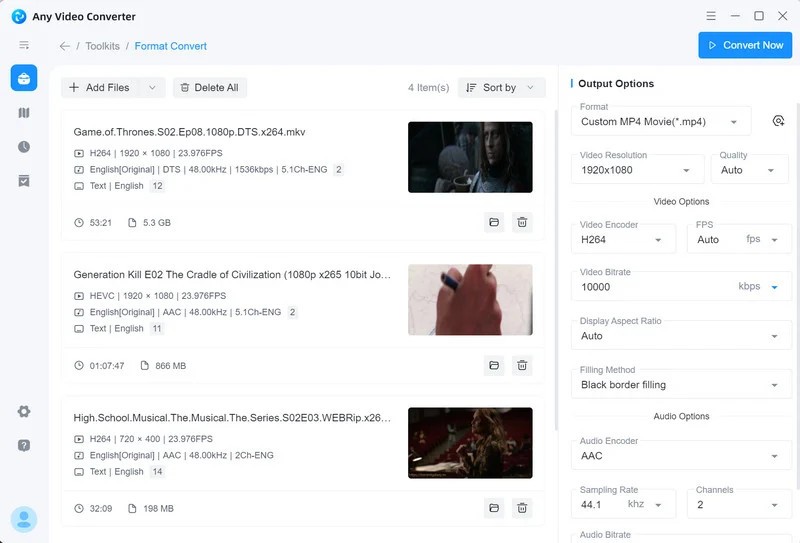
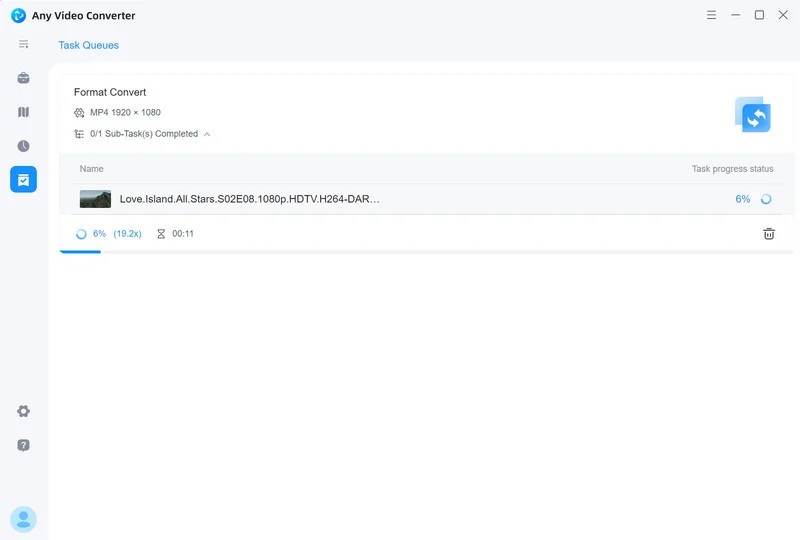
Any Video Converter is a video conversion tool that makes it easy to transform video files between different formats while keeping the quality intact. It supports a wide range of formats, including MP4, AVI, MKV, WMV, MOV, and many others, so you can adapt your media files to work on virtually any device or platform you need.
The interface is clean and approachable, designed so that even users with no technical experience can handle conversions without getting lost in complicated settings or buried menus. The program walks you through each step with clear controls and organized options. Beyond basic file conversion, Any Video Converter also offers video downloading, DVD burning, and a set of entry-level editing tools for cropping, trimming, and adding effects to your clips.
One of its strengths is how well it preserves video quality during compression. You can shrink file sizes without sacrificing resolution or visual clarity, which is especially useful when you need to upload videos online or free up storage space. GPU acceleration speeds up the conversion process significantly, keeping wait times short even when working with large files. Any Video Converter works well for both professional users who need fast turnaround and casual users who just want their videos to play on a different device.
Why Should I Download Any Video Converter?
If you work with video files regularly, Any Video Converter is a practical tool to have on your computer. It goes beyond simple format conversion, acting as a centralized hub for handling multiple video-related tasks in one place. Whether you're fixing file compatibility issues, compressing footage for easier sharing, or preparing videos for a specific device or platform, the program delivers consistent, reliable results every time you run a conversion.
Broad format support is one of the strongest reasons to download it. Any Video Converter handles practically every video format you're likely to encounter, from common ones like MP4 and AVI to less typical formats that other converters might struggle with. You won't need to worry about whether your device or media player can handle a particular file, since the software takes care of the conversion without fuss.
Speed is another big advantage. GPU acceleration means conversions finish faster, so you're not stuck waiting around while your files process. The program manages system resources efficiently, keeping things moving regardless of whether you're converting a single clip or running a batch of large files. Performance stays consistent and doesn't noticeably slow down your machine during processing.
Any Video Converter also includes useful editing features that let you refine your footage before saving or sharing it. You can trim away unwanted sections, crop out black bars, overlay text, and adjust brightness and contrast. Having these tools built into the same application means you can handle light editing and conversion in one workflow, rather than bouncing between separate programs for each task. It keeps everything in one place, which saves time and reduces clutter in your software setup.
Is Any Video Converter Free?
The free version of Any Video Converter includes a generous set of features that cover all basic video conversion needs without any cost. For users who want additional capabilities like DVD ripping and faster processing speeds, the premium version, Any Video Converter Ultimate, is available as a paid upgrade.
The free version is fully functional for standard conversions, and there are no restrictions that force you into upgrading. The paid version is there for users who need the extra tools, but the free edition handles everyday conversion tasks without limitation.
What Operating Systems Are Compatible with Any Video Converter?
Any Video Converter runs on both Windows and macOS. On Windows, it supports versions 7 through 11. On the Mac side, it works with macOS Mojave through Monterey. The program is designed to run efficiently and avoid bogging down system performance even when processing large files.
It adapts well to different hardware configurations, from older machines to newer systems with multi-core processors and dedicated GPUs. Whether you're running the software on a budget laptop or a high-end desktop workstation, it adjusts to make the most of your available hardware without requiring manual tweaking.
What Are the Alternatives to Any Video Converter?
Any Video Converter is a strong option for file conversion, but other tools may match your workflow better depending on what you need. Three popular alternatives are HandBrake, Shutter Encoder, and Format Factory.
HandBrake is one of the most widely recognized free video transcoders available and is known for producing high-quality output across a range of formats. It converts video from a variety of source formats into modern codecs and works especially well for ripping DVD and Blu-ray content into digital files. The interface looks complex at first glance, but once you spend some time with it, you'll find deep control over output settings, video filters, and codec selection. HandBrake is a great choice for anyone who wants professional-grade conversion results from a free, open-source tool that's actively maintained by its community.
Shutter Encoder is a free, open-source option built on FFmpeg that handles video, audio, and image formats with strong results. What sets it apart from many converters is its clean, modern interface, which avoids the intimidating layouts you sometimes find in similar tools. Settings are clearly labeled and easy to understand, even if you're not familiar with encoding terminology. Beyond encoding and transcoding, Shutter Encoder also supports basic video editing, making it a well-rounded tool for users who want quality output without paying for premium software.
Format Factory rounds out the list as a versatile media converter that handles video, audio, image, and document formats. It's appreciated for its simple interface and flexible design, making it accessible to both beginners and experienced users. Beyond video conversion, Format Factory can compress files, rip DVDs, and convert images and documents, essentially functioning as a complete multimedia toolkit in a single application. If you frequently need to convert files for mobile devices or web uploads, Format Factory covers a lot of ground in one download.