You should download SuperNova SWF Player if you want to continue using Flash services in your browser. In 2021, Adobe discontinued Flash Player, which underpinned multiple browser games, animations, and interactive websites, meaning you can no longer access everything that relied on this technology by default.
Most browsers also block Flash files, but SuperNova SWF Player runs the SWF files in a new environment so that you can load legacy games, presentations, or websites. With this app, you can also access the content offline. It doesn't rely on the Flash plugin and is one of the few reliable ways to interact with SWF files and content.
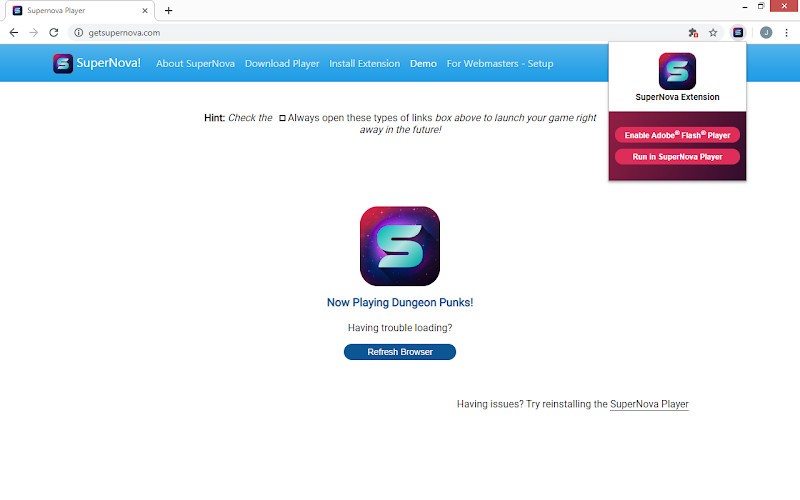
SuperNova SWF Player has a clean interface, and even if you are a novice, you will have no trouble using it for Flash animations, interactive applications, e-learning modules, and browser-based games. The standalone app is only available on Windows machines, but you can also install a Google Chrome extension on other operating systems.
Why should I download SuperNova SWF Player?
There's a whole generation of people who use Flash-based online content for games, e-learning modules, or web-based animations. As this tool becomes legacy technology, there are still multiple older resources you can only open with Flash. If you want to open and run SWF files, you should download SuperNova SWF Player, as it bypasses the block of Flash content that modern browsers have and opens those files directly from your computer. You don't need to have Adobe Flash Player installed for this software to run.
If you have SWF files on your machine, all you have to do is double-click them to open them in SuperNova SWF Player, since it's a standalone app for Windows computers. This software simply interfaces with and controls so you can play your favorite legacy games or files, with all your content remaining fully interactive, and you can even access it offline. With the standalone version of SuperNova SWF Player, you can choose different playback quality, scale the animations to your screen size, or inspect the file frame by frame.
While there were multiple security concerns regarding Adobe Flash, SuperNova SWF Player bypasses those issues since it doesn't rely on that plugin. Because it creates a standalone environment and doesn't run SWF files in the browser directly, you are safe from various infractions or malicious scripts that could endanger your machine and the privacy of your data.
When you download SuperNova SWF Player on Windows and open a Flash file, it doesn't overwhelm your computer resources, and the app automatically recognizes SWF files and becomes the default program for opening them. This software is also a great choice if you want to preserve legacy content or create an archive of content that hasn't been updated to modern standards. You can also use SuperNova SWF as a Google Chrome extension, which is super helpful if your content is embedded on a website rather than available as a local file.
Is SuperNova SWF Player free?
You can download SuperNova SWF Player and use it for free. Since the app is designed to preserve legacy content and websites and keep them accessible, there aren't any pro licenses or expanded paid versions.
What operating systems are compatible with SuperNova SWF Player?
As a standalone app designed specifically for Windows computers, you can use SuperNova SWF Player on Windows 7 as well as versions 8, 10, and 11. There aren't any versions of the application for macOS or Linux.
However, if you have a different operating system, you can try using the SuperNova SWF Enabler browser extension instead. However, it currently only supports Google Chrome and no other browsers. It's still a great option, as most modern browsers block Flash content by default, but with SuperNova, you can circumvent those restrictions.
What are the alternatives to SuperNova SWF Player?
There are a couple of reliable options for running Flash content, including Lightspark. It's an open-source project available on Linux and Windows computers that supports newer Flash content and ActionScript 3.0, and you can use it both as a browser plugin or a standalone Flash player. You might encounter compatibility issues, as not all SWF files are supported, depending on their complexity or age. You can adapt the tool to your technical needs, and count on the community to update Lightspark with security patches and improvements.
If you need a solution for Flash playback on macOS, Elmedia Player is a great option, as it supports many file formats, not just SWF. You can use it in both paid and free versions. While the free version offers only basic playback features, the pro version offers advanced controls, support for high-definition videos, integrations with streaming services, and the option to manage your playlist. With the paid license, you can also download Flash files directly from websites and store them locally on your machine. Elmedia Player is a multimedia player that supports Flash files and content, providing reliable, smooth playback on Mac computers.
On the other hand, Ruffle is a Flash Player emulator that runs SWF files in a sandbox environment, preventing security issues or infections from malicious scripts. You can download Ruffle as a browser extension, a standalone desktop app, or embed it on websites to simulate a Flash player. Ruffle works on Windows, Linux, and macOS, and you can get it for free since it's developed by an open-source community. It's a great cross-platform app if you want to access Flash animations, games, and educational content conveniently and reliably on various machines. It is constantly being developed and patched, so while not all SWF files may work correctly, they might be supported in the future. For now, you will get the best performance from the games and tools built with ActionScript 2.