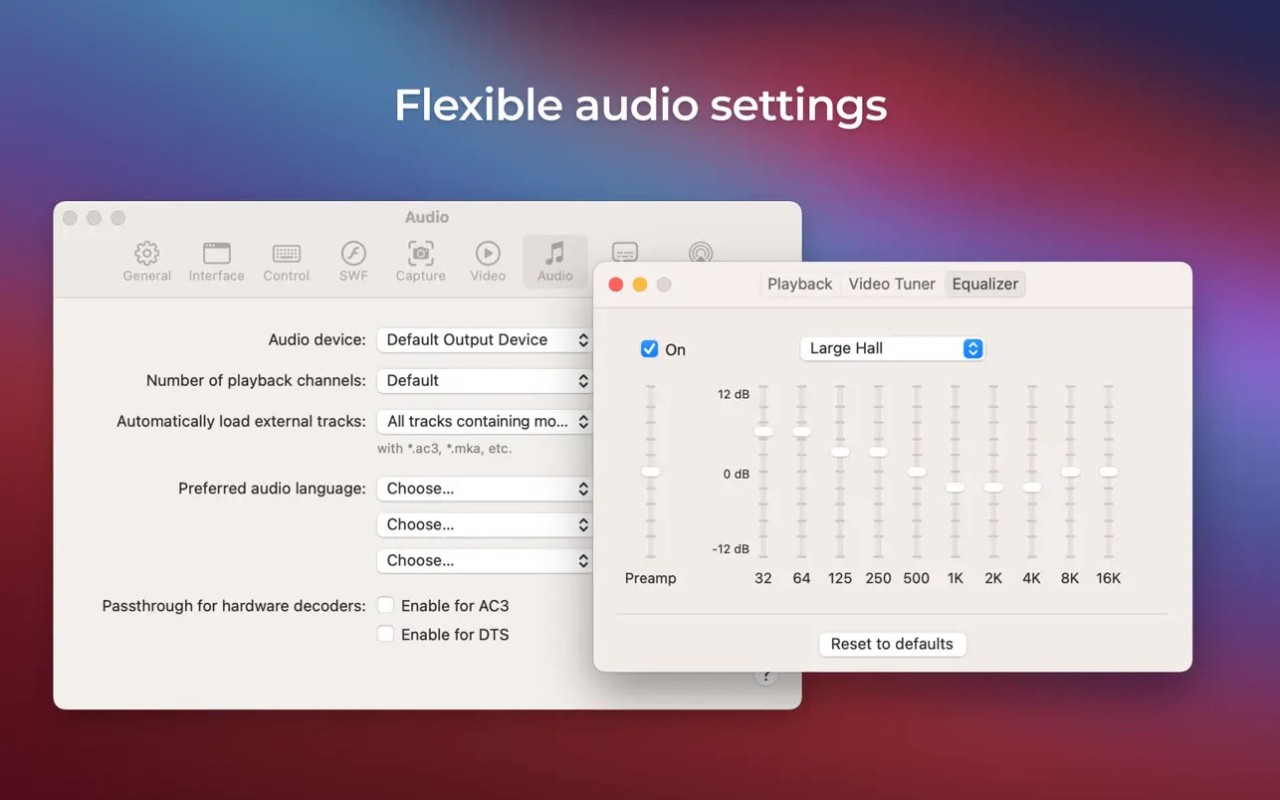
Elmedia is an all-purpose media player for macOS that plays a wide range of audio and video content using its built-in media capabilities. Elmedia is a comprehensive media application that eliminates playback issues, offers a user-friendly interface, and supports any media format.
The program loads every media format from AVI files to MKV films, FLV downloads, MP3 playlists, and even SWF (Adobe Flash Player) files, without any problems. This application prioritizes simplicity by limiting its interfaces, focusing on strong audiovisual performance. Drop the file into the software and instantly experience complete rest.
Elmedia offers its users more features than standard application playback functions. The application extends its functionality beyond regular macOS application capabilities by enabling Mac-to-TV streaming, in addition to Chromecast and Apple TV casting.
The software provides users with a browser feature, subtitle support, and playback customization tools that can be adjusted for perfect audio and video synchronization. The application exists to offer users trouble-free media playback while avoiding the appearance of sophisticated professional editing tools. The application remains basic in essential areas while providing full functionality in critical areas.
Why Should I Download Elmedia?
Among Mac users, there is a common experience in which attempting to view videos results in a system error, unplayed audio, or visible subtitles. Users will experience exactly the kind of playback experience Elmedia provides. The application plays any media file format without preferences. And it plays it well.
To be fair, Elmedia's principal feature is its ability to handle not only standard media files but also SWF files. Since Adobe Flash Player ended in 2021, solutions for reading Flash files (SWF) have become very rare, and Elmedia is designed specifically for macOS.
The software requires no special effort to operate, as it includes the necessary add-ons and third-party codecs. As soon as you install Elmedia, you can open your desired file from there. Elmedia's reliability keeps many users using it.
The playback controls in Elmedia should be another factor to consider when choosing your media player. Instead of just basic play/pause options, users can access multiple playback controls in this application. All playback controls, including speed adjustment, video-audio sync, and image filters, are embedded within the application interface.
Users can perform these functions automatically because the interface avoids confusion regarding manual reading or deep navigation. The application presents its features in an easy-to-understand manner.
The application provides two ways to add subtitles: either by uploading external files or by searching for available subtitles. This lets you enjoy translations and support multiple languages.
Elmedia's streaming capabilities are its main highlight. If you have a movie file on your Mac and want to watch it on your living room TV, Elmedia offers wireless streaming. Elmedia enables the wireless streaming of your media files to Chromecast, DLNA device, or Apple TV. The application enables wireless file streaming without needing file transfers or cable setups. Through this media hub feature, Elmedia turns your Mac into a central entertainment system that unifies multiple devices into an integrated ecosystem. The extra feature set is one advantage that basic media players lack.
The application includes a native web browser that lets users stream online videos directly in the interface. This feature may not work every day, but it works perfectly for watching content without interrupting your Safari or Chrome browsing.
The PRO version upgrade includes the ability to download online videos to your Mac's storage, so you can keep videos saved for later offline use. These features stack up quietly. Elmedia is initially used to handle unopened files, and it becomes your go-to application for a wide range of media needs.
And the interface—while minimal—feels modern and comfortable. Nothing’s buried. Elmedia offers enough customization options to maintain a sense of control without overwhelming users. The software integrates smoothly into your workflow without requiring extra effort. Elmedia hides in the background as an essential app, becoming noticeable only when it disappears from the screen. The perfect indication that an application works correctly results from this experience.
Is Elmedia Free?
Elmedia provides users with free access to standard media playback and its core features. The PRO package gives users exclusive access to advanced streaming features for Smart TVs, online video downloads, and precise playback controls, in exchange for a one-time payment. Most everyday requirements within Elmedia can be handled by its free edition.
What Operating Systems Are Compatible with Elmedia?
Elmedia runs exclusively on macOS and works without issue on Monterey, Ventura, and earlier versions. The application supports Apple Silicon, including M1 and M2 chip Mac computers, to deliver smooth performance.
The application exists exclusively as a Mac program, meaning it runs only on Macs and lacks support for Windows, Linux, or iOS. A cross-platform solution means users need to use different tools, since Elmedia is designed exclusively for macOS.
Mac users will find Elmedia as a solution that natively integrates with their operating system.
What Are the Alternatives to Elmedia?
The media playback options, combined with Elmedia's Flash support, still offer alternatives that offer different takes or replace certain features on their platforms.
Users have the open-source Lightspark Flash player as a substitute that functions on multiple operating systems. The main purpose of this application is to support SWF content, which browsers no longer handle, while also enabling users to view older media files that perform poorly in contemporary media players. Lightspark operates as a technical solution focused on solving the Flash content support issue, though its appearance lacks Elmedia's proper design quality.
The Flash Player emulator Ruffle serves as another solution for users. The Ruffle tool primarily protects Flash content rather than serving as a complete media application, yet it continues to serve users who need to access Flash-based websites, games, and animations. The developers actively work on this application, which functions both as an extension and a standalone software tool. Ruffle functions differently from Elmedia as a media player, but it provides users with a contemporary, safe way to access Flash content that does not rely on discontinued development tools.
The purpose of SuperNova is to provide a replacement service for the outdated Adobe Flash Player functionality. The application exists to execute Flash-based web content from previous video games, as well as animated content. Ruffle serves as an alternative to Elmedia because it cannot handle generic media playback, but it does support Flash-based content. The program functions with specified browsers to provide users with alternative access that other solutions fail to provide.