WavePad is a versatile audio editor that you can use for everything from the basics to advanced production. It offers basic functions like cut, copy, paste, and trim, but also has more sophisticated options, including pitch shifting, noise reduction, equalization, and spectral analysis.
This makes it a great solution for quick edits, but it’s also powerful enough for detailed projects. It allows the use of almost all popular audio formats, such as MP3, WAV, WMA, FLAC, OGG, and AAC. You can also process files in batches to apply the same effects or conversions to multiple files at once, which is a real time saver for larger projects.
You can integrate WavePad with external devices and record sound directly from microphones, instruments, or other line-in sources. If you’re looking for creative tools, WavePad offers voice changers, reverb, and echo, and can also be used with VST plugins, meaning you can extend its capabilities with third-party effects. The interface is straightforward enough that beginners don’t feel overwhelmed, but there are numerous customization options for advanced users.
With WavePad, you’re also able to perform multi-track editing, which lets you layer multiple recordings, align them, and apply different effects to each. This is especially useful for podcasters layering intros, interviews, and music, or for musicians recording instruments and vocals separately before combining them into a single song. You can download WavePad for free for non-commercial use on Windows, macOS, iOS, and Android.
Why Should I Download WavePad Audio Editing Software?
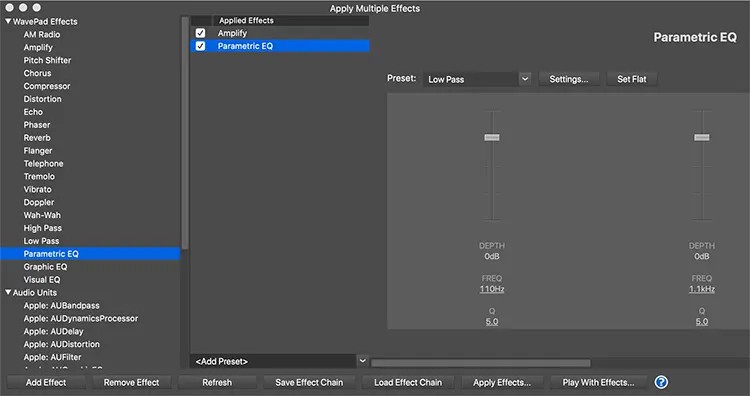
WavePad offers a vast range of features that cater to the essentials for casual users, while also providing advanced features that meet the needs of professionals. You can clean up recordings with noise reduction, normalize audio levels for consistency, or use equalizers to fine-tune the sound. If you’re producing music, adding effects like reverb or echo can bring depth, while the spectral analysis helps you spot and correct issues at a more technical level.
With multi-track support in WavePad, you’re not restricted to one audio stream. You can record narration, background music, and sound effects, and then edit them individually on separate tracks. This level of control is important for anyone creating podcasts, radio shows, or music projects where you need to blend all elements seamlessly.
You can use WavePad with over 50 of the most common and professional audio formats, including MP3, WAV, VOX, GSM, WMA, AU, AIF, FLA, OGG, AAC, M4A, MID, and many more. Batch processing tools enable you to quickly apply effects or convert entire folders of audio, and the software is also compatible with VST plugins, a major advantage for professionals. This means you can bring in external effects and instruments, and tailor the program to your workflow and project.
Because WavePad also offers built-in tools like voice manipulation and amplification, the tool is flexible enough to handle specialized editing or creative experiments. The software interface is easy enough even for beginners, and it doesn’t bury you under complex menus. At the same time, advanced users will appreciate the range of tools available behind the simple layout. This balance makes it one of those rare programs that can grow with you as your skills improve.
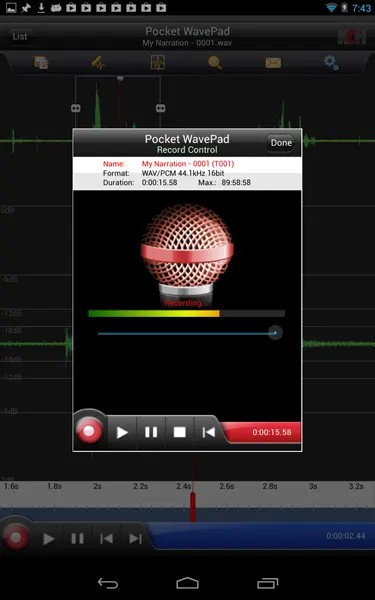
You can connect Wavepad directly to a microphone or instrument, record in real-time, and then refine the audio with built-in filters. Restoration tools remove clicks, pops, and hissing, which is particularly useful when working with older recordings or imperfect live audio. On top of that, the tool doesn’t require a high-end computer to run smoothly, yet it offers features you’d expect from heavier professional suites. Another great thing about it is that you can download WavePad and use it for free without any limits as long as it’s for non-commercial purposes. Available on Windows, macOS, iOS, and Android.
Is WavePad Audio Editing Software Free?
WavePad comes in both free and paid versions, and the free edition offers all the editing tools, basic effects, and recording features, as long as you’re not using it for commercial projects. The paid version, called WavePad Master’s Edition, has the same features but is licensed for commercial use.
What Operating Systems Are Compatible with WavePad Audio Editing Software?
You can download WavePad on desktop computers running Windows 7, 8, 10, 11, and macOS 10.5 or higher. For mobile editing, WavePad also has dedicated apps for Android 5.0 or newer and iOS 12.0 or later. The mobile apps have simplified editing tools so you can trim, record, or enhance audio on the go, while you can also sync the clips with the desktop version of the software.
What Are the Alternatives to WavePad Audio Editing Software?
Audacity is a free, open-source solution that you can run on Windows, Linux, and macOS. You can record multiple tracks, edit them, add various effects, and then export them to numerous formats. As a free tool, it will meet all your essential needs, but please note that Audacity doesn’t support working with MIDI files and processing in real-time with different plugins, so it’s not a full DAW tool. It will still prove to be enough if you’re working with voice-overs and podcasts or just need to perform some basic edits.
Ocenaudio is also a cross-platform and open-source option that you can use for free. You can preview effects in real-time, edit by adjusting waveforms, or install VST plugins to produce your sounds. It has a modern interface, and you can install it on Windows, macOS, or Linux, but there are no options for MIDI or multi-track recordings. If you don’t need a complete DAW solution, then Ocenaudio will help you master and design your audio as well as perform quick edits.
LMMS (Linux MultiMedia Studio) is more of a music production tool rather than software for traditional editing. It includes a library of instruments, supports MIDI devices, and lets you compose tracks from scratch. It is better suited for musicians creating original music than for people primarily editing voice or recordings. It is free and open-source, and you can download it on Windows, macOS, and Linux.