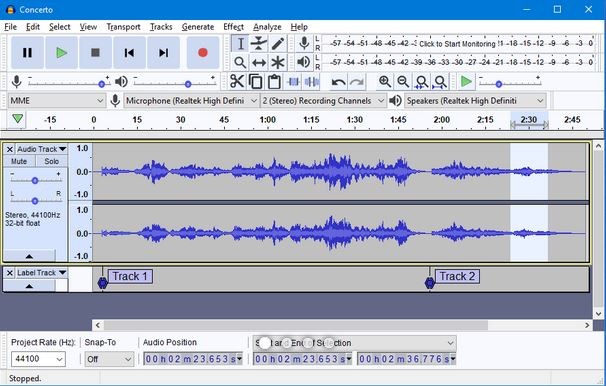
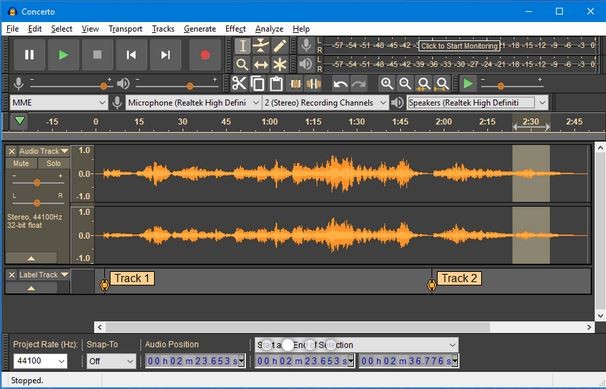
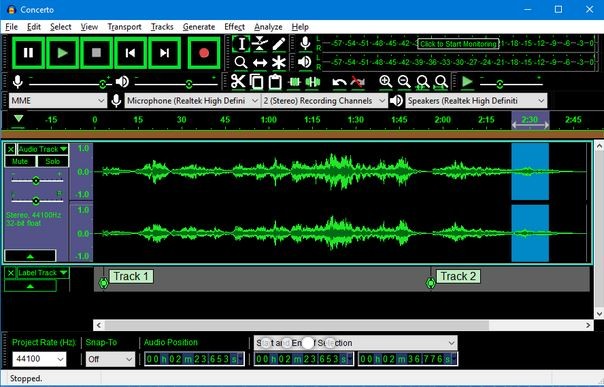
Audacity is a free, open-source audio editing software with a long track record of reliable performance for users at every skill level. Its feature set covers everything from basic audio modifications to advanced editing tasks, making it a go-to choice for beginners and experienced audio enthusiasts alike. With tools for noise reduction, volume management, and track merging, Audacity packs serious capability into a clean, accessible interface.
One of Audacity's biggest draws is its short learning curve and ease of use. Where professional audio software tends to be complex and expensive, Audacity keeps things approachable. New users can quickly get to grips with recording, trimming, and enhancing audio, while more experienced users can tap into built-in effects processors for reverb adjustment, EQ, pitch shifting, and detailed diagnostic tools for precise audio refinement.
Because Audacity is open-source, it benefits from ongoing contributions by developers around the world. The software handles a broad range of file formats, including WAV, MP3, and FLAC, covering most project types without issue. Whether you're editing podcast episodes, producing music, or cleaning up interview recordings, Audacity is a dependable, flexible solution.
Why Should I Download Audacity?
Audacity delivers more than many paid programs without charging a cent. It's built to handle both recording and editing across a wide range of use cases, from music production to podcast refinement to basic voice recording work.
Audacity avoids the steep learning curve of higher-end software thanks to its user-friendly UI, letting new users record tracks, cut sections, and apply basic effects without much difficulty. Those who want to go deeper will find spectral editing and noise reduction tools ready when they need them.
Audacity is also highly customizable. Its open-source foundation means users can install plugins and extensions to expand what the software can do. A large library of third-party plugins adds extra effects, audio restoration options, and additional format support. The active developer community continues to release updates and new features.
Another practical advantage is how light Audacity runs. Unlike resource-heavy professional software, it performs impressively on older or lower-spec machines. That makes it a realistic option for anyone who wants capable audio editing without requiring high-end hardware.
Multi-track editing rounds out the feature set. Users can layer multiple recordings within the same project, which is useful for musicians building songs, podcasters adding background audio, or content creators mixing sound effects. Working across multiple tracks simultaneously opens up a level of production quality that goes well beyond what you'd expect from free software.
Format support is another area where Audacity holds its own. Users can import and export MP3, WAV, OGG, FLAC, and more, with built-in conversion tools for when a specific format is needed for a particular device or platform.
For anyone looking to record and edit audio without the cost or complexity of premium software, Audacity is hard to beat. Professional-grade tools, a beginner-friendly design, and a completely free price tag make it a straightforward choice.
Is Audacity Free?
Yes, Audacity is completely free to download and use. As an open-source project, it's maintained by a global developer community and kept free for everyone, regardless of how they plan to use it.
While competing programs often require subscriptions or one-time license fees, Audacity gives users access to its full feature set at no cost, making it a practical option for anyone working with a tight budget.
What Operating Systems Are Compatible with Audacity?
Audacity works across Windows, macOS, and Linux, covering most desktop setups. It's compatible with Windows 10 and 11, macOS 10.11 (El Capitan) and later, and Linux users can install it through their distribution's package manager.
There are no mobile versions for Android or iOS. Audacity is a desktop application, and it runs smoothly on most modern computers without demanding much from the hardware.
What Are the Alternatives to Audacity?
Audacity is one of the most popular free audio editors, but there are a few alternatives worth considering depending on what you need.
Adobe Audition is the top option for professional use, offering multitrack editing, advanced noise reduction, and premium audio restoration tools, making it a staple in music studios, podcast production, and broadcast environments. You’ll need an Adobe Creative Cloud subscription, which puts it out of reach for casual users, but the feature depth justifies the cost for most professional work.
Ocenaudio is a solid free alternative for those looking for a cleaner, more modern interface. It includes real-time effect previewing so you can hear changes as you make them, and it runs quickly without taxing system resources. Ocenaudio is a good middle ground for users who want something simpler than Audacity but don't need the power of Adobe Audition.
Reaper is worth a look for anyone who requires a full digital audio workstation. It supports multi-track recording, MIDI, and deep system customization, with a focus on music production and sound design rather than waveform editing. Reaper is paid software but offers a generous free trial to download, making it a reasonable way to test the waters before committing.