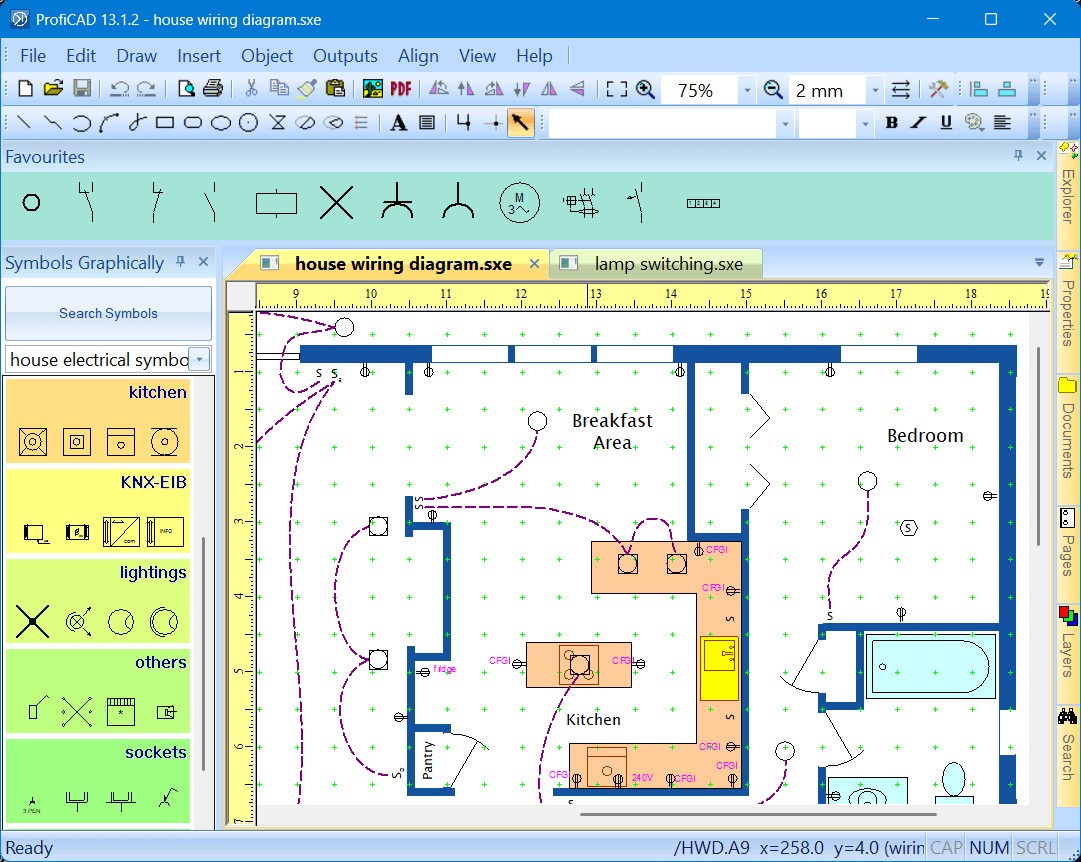
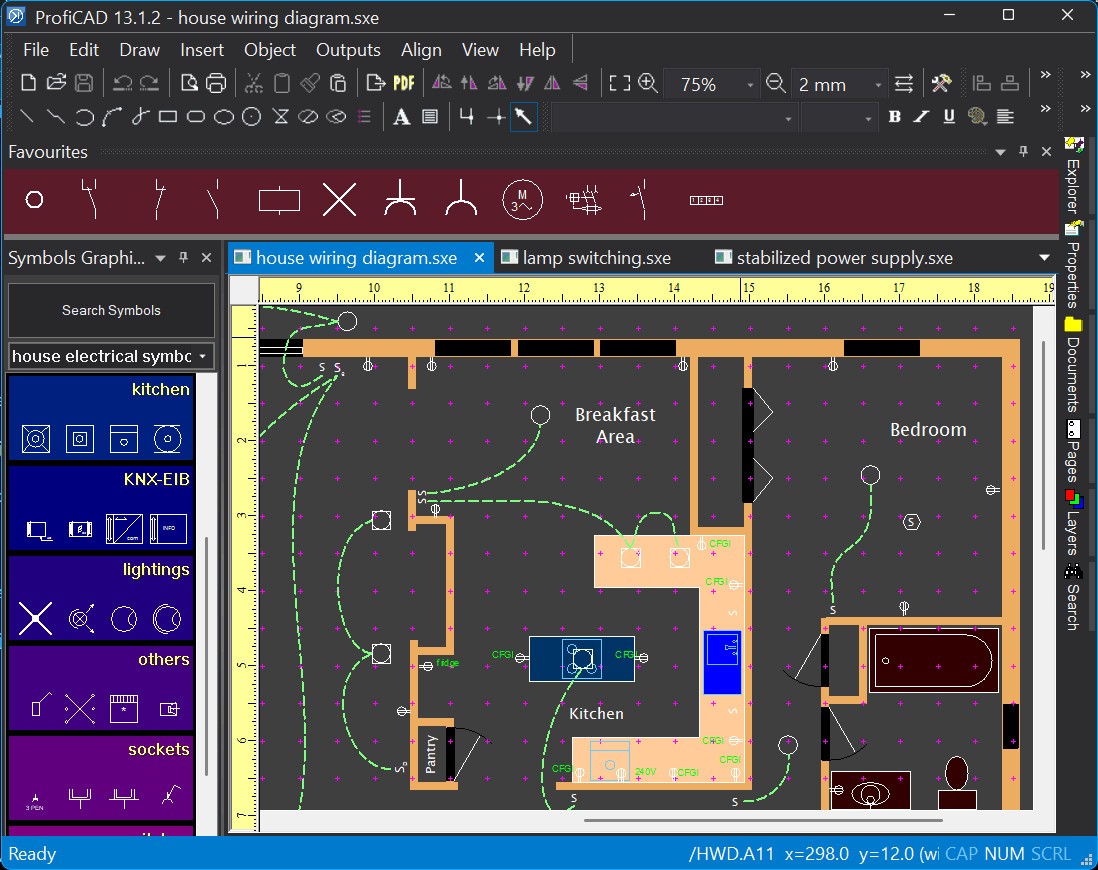
ProfiCAD is a computer-aided design software created specifically for drawing electrical and electronic diagrams. While many CAD programs try to cover everything from architecture to mechanical design, ProfiCAD takes a more focused path. It zooms in on one area—schematics. That’s why it feels lighter, quicker, and easier to use compared to all-purpose CAD tools.
When you open ProfiCAD, you’re greeted with a clean interface that doesn’t overwhelm you with endless toolbars. Instead, you get exactly what you need: a workspace for drawing, a library of electrical symbols, and tools to connect them logically. The symbol library is quite rich, covering switches, relays, motors, power supplies, and even PLC (programmable logic controller) elements. You simply drag the parts you require, drop them into your schematic, and link them with wires.
One of the biggest strengths of ProfiCAD is that it’s designed with clarity in mind. Every line you draw, every symbol you place—it all looks professional and standardized. That matters because a schematic isn’t just for you; it’s for the technicians, clients, or students who will rely on it later. A proper diagram can be the difference between smooth troubleshooting and hours of confusion.
It’s used in multiple settings. Electricians use it to document wiring systems, engineers use it for designing industrial control systems, and students use it to practice building circuits. The versatility makes it a valuable tool whether you’re working in a workshop, an office, or a classroom.
Why should I download ProfiCAD?
The first reason is speed. You don’t have to spend days learning how to use it. The interface is intuitive, and the drag-and-drop system makes drawing diagrams almost effortless. Even if you’re new to CAD, you’ll be able to create something meaningful within minutes.
Another reason is precision. ProfiCAD is built to follow industry standards. That means the schematics you create won’t just be “good enough”—they’ll actually meet professional expectations. If you’ve ever looked at a hand-drawn wiring sketch and struggled to interpret it, you’ll appreciate how this software takes the guesswork out of documentation.
It also comes with features that save time. For example, wires and symbols can be automatically numbered, so you don’t have to manually track them across a large diagram. If you’re dealing with big projects, this is a lifesaver. You can also add notes, labels, and references to make sure your design communicates clearly to anyone who reads it.
And then there’s the practicality. ProfiCAD doesn’t ask for powerful hardware. It runs smoothly on modest PCs, making it accessible for individuals and small companies who don’t have high-end systems. You can also export diagrams to common formats like PDF, which means you can easily share your work with clients, coworkers, or teachers without requiring them to install the program.
So whether you’re documenting a home wiring project, designing a control cabinet, or teaching a class on circuit theory, ProfiCAD helps you do it efficiently and without unnecessary complexity.
Is ProfiCAD free?
Yes, ProfiCAD does have a free version, and that’s one of the reasons it’s so popular with students, hobbyists, and small workshops. The free edition lets you create and edit schematics, use a library of symbols, and save or print your work. For many people, that’s more than enough.
But like many professional tools, there’s also a paid version. The licensed edition unlocks additional features designed for larger or commercial projects. These include extended symbol libraries, better handling of big files, and options that support professional workflows. For example, if you’re running a business and need to make sure your diagrams are accurate, shareable, and backed by advanced features, the paid version is worth the investment.
The good part is that you can start with the free edition, get comfortable, and then upgrade only if you feel the need. There’s no pressure to spend money up front, which makes it friendly to both beginners and professionals.
What operating systems are compatible with ProfiCAD?
ProfiCAD is primarily designed for Windows, and that’s where it runs natively. It supports versions ranging from Windows 7 up to the latest releases like Windows 10 and 11. The installation is straightforward, and the software is lightweight, so it doesn’t slow down your system.
For Mac or Linux users, there isn’t a dedicated version. However, many people run it successfully using tools like Wine or virtual machines. While it’s not as seamless as having a native app, it’s a workable solution for those who prefer non-Windows systems.
The key takeaway here is that ProfiCAD has been optimized for Windows environments, which makes it reliable and stable on that platform. If you’re already a Windows user, you’ll have no trouble getting started.
What are the alternatives to ProfiCAD?
Even though ProfiCAD is a great tool that can be used in schematic design, it is not the only one available. Tinkercad, KiCAD, and AutoCAD are some alternatives you may consider depending on your needs.
Autodesk Tinkercad is a web-based application. It is also so user-friendly and does not need to be installed. It has been adopted by many schools since students are able to simply log in and begin playing with circuits. It goes as far as to provide simulation capabilities so that you can see how your design would perform in real life. Nevertheless, it is more of a learning tool than a professional one, which does not provide the same scheme-oriented workflow as ProfiCAD.
An open-source alternative that is highly regarded by the electronics world is KiCaD. As opposed to schematics of all graphics, KiCaD takes a step forward, allowing you to create printed circuit boards (PCBs) on top of your graphic design. This is why it is very good with engineers who desire to develop their designs to the point of having a tangible product. The complexity is offset by the fact that KiCaD is not easy to learn at first, and its feature set is so broad that you might feel confused with it when you only need simple schematics.
AutoCAD is the heavyweight of the industry, designed by Autodesk. It is known in various fields of engineering, including civil and electrical. In AutoCAD, you are able to accomplish a lot more than creating circuits because you can design not only buildings and machines, but also systems. However, everything that power can give comes at a price, in terms of money as well as time. The software is costly, and the cost of licenses for AutoCAD is high, with a steep learning curve. To a person who simply has to create electrical schematics, AutoCAD may seem like breaking roads with a sledgehammer.