KiCad is an open-source electronic design automation suite, better known as an EDA tool. In plain words, it’s software that helps you design electronic circuits and turn them into printed circuit boards, or PCBs. For anyone who has worked with electronics before, you’ll know that trying to sketch out a circuit on paper or even using very basic programs can quickly become frustrating. KiCad eliminates that frustration by giving you a full professional environment where you can create, refine, and prepare designs that can actually be manufactured.
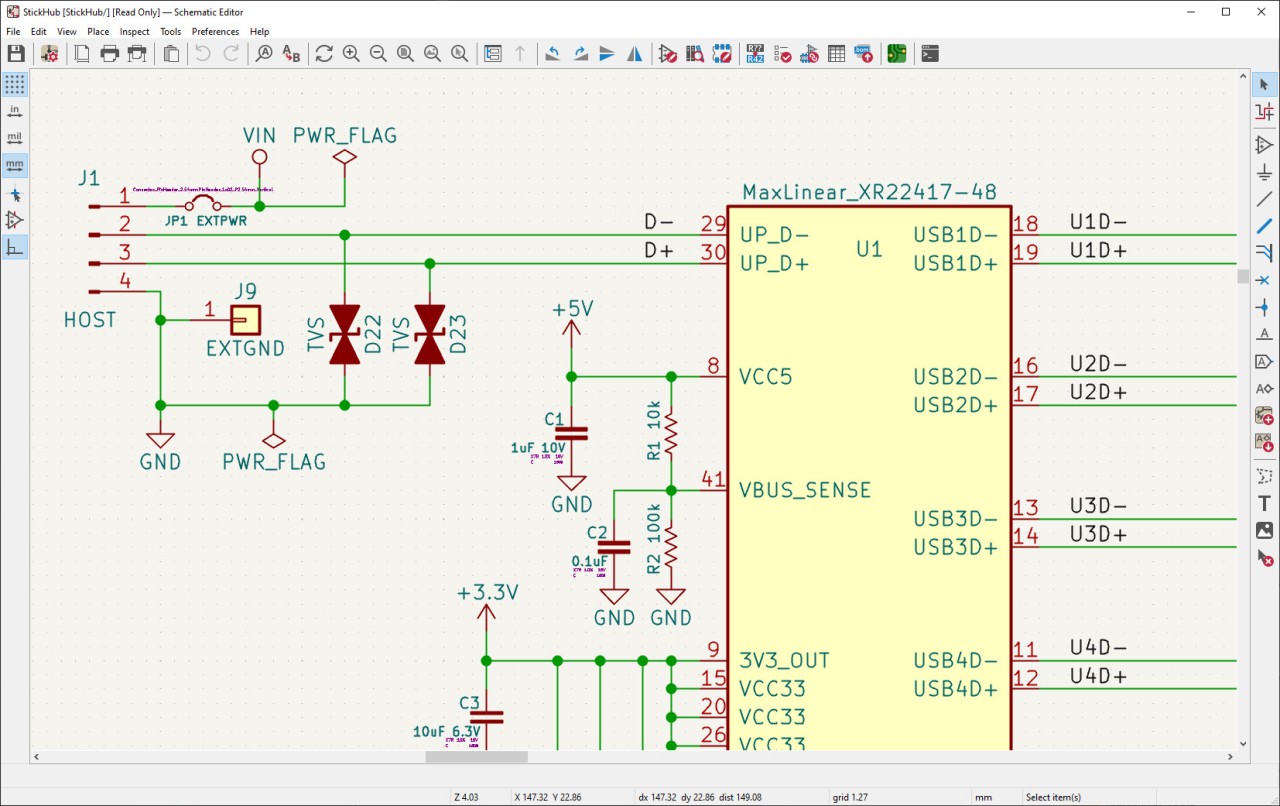
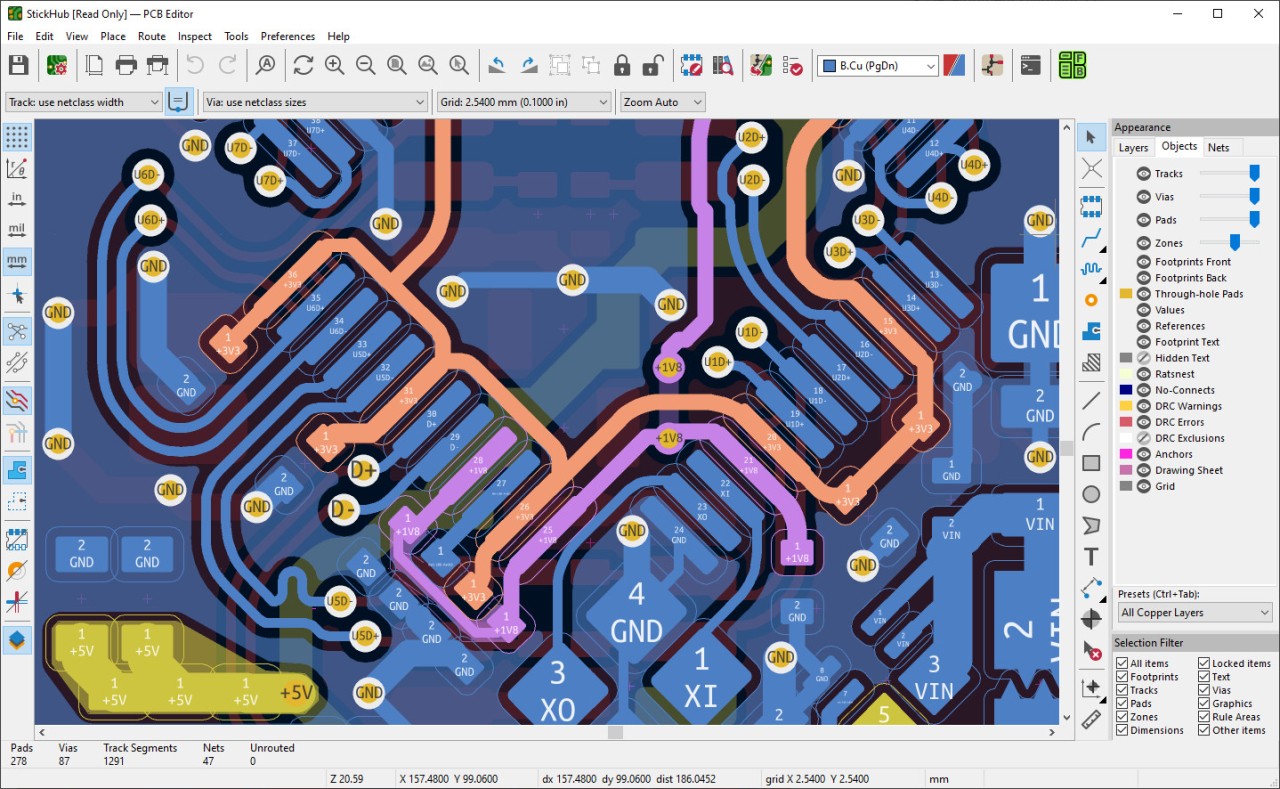
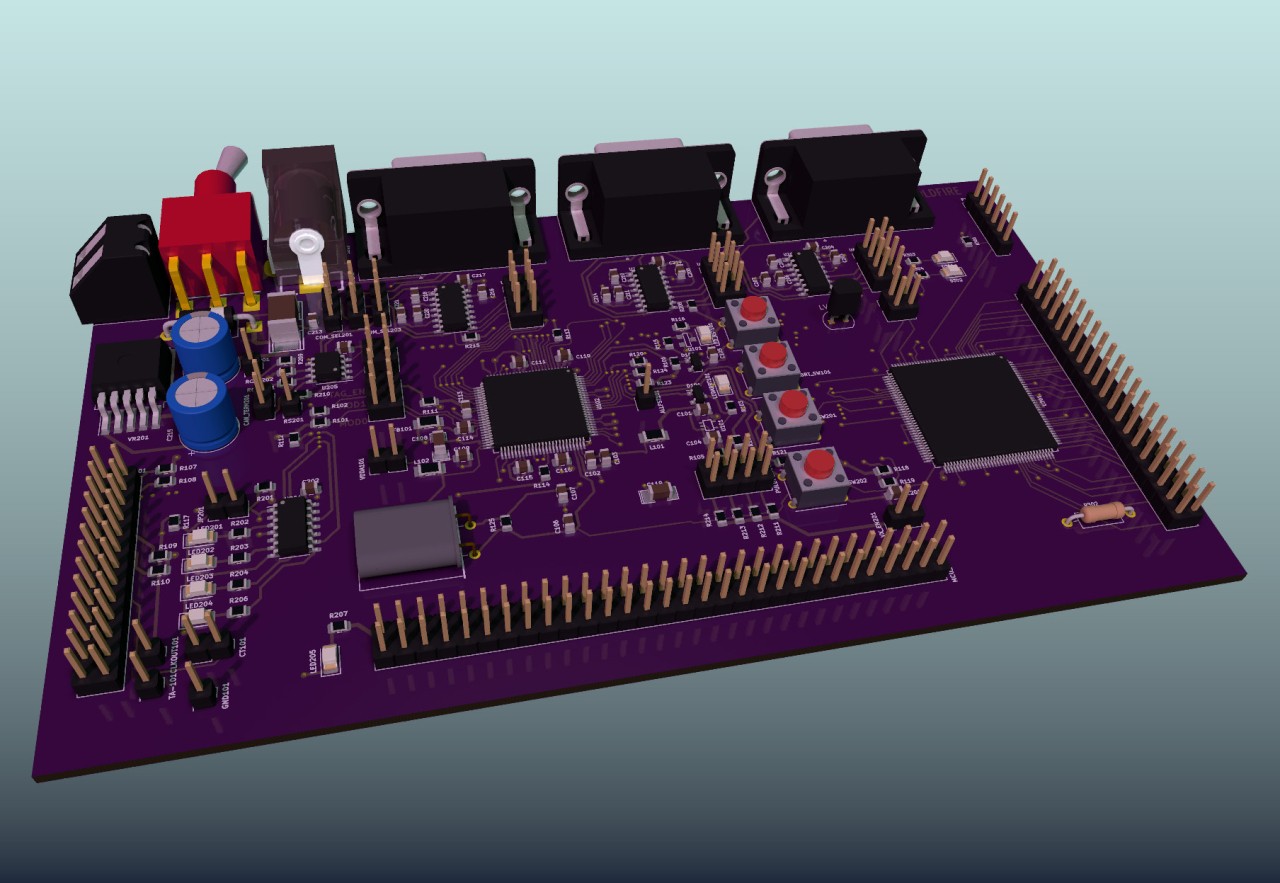
What makes KiCad unique is that it isn’t just one program. It’s a whole collection of tools that work together seamlessly. The schematic editor lets you draw your circuits. The PCB layout editor allows you to take those circuits and decide how components will be placed and connected on an actual board. If the default parts don’t quite fit your needs, you can make your own symbols or footprints with its built-in editors. And once you’ve got the layout complete, you can switch to the 3D viewer, spin your design around, and see exactly how it will look before you’ve even sent it to a manufacturer.
This isn’t software that only hobbyists use. While it’s accessible enough for someone new to PCB design, it’s powerful enough to handle complex, multi-layer boards with thousands of parts. Whether you’re putting together a custom keyboard at home or developing industrial-grade electronics, KiCad has the tools to make it happen. On top of that, because it’s open-source, it’s constantly evolving with input from engineers and developers all around the world. That collaborative backbone ensures the program never feels outdated and continues to grow as technology advances.
Why should I download KiCad?
The most obvious reason is cost. KiCad is free, which immediately removes the barrier that often stops people from trying professional-level design software. But the truth is, it’s not just about saving money. The program delivers serious value in terms of what you can do with it.
If you’re a student, downloading KiCad means you can learn industry-level design skills without worrying about expensive licenses. You’re free to practice as much as you want, create as many boards as you like, and actually see your designs come to life without artificial restrictions. Hobbyists get the same benefit. You might start with something small, like a home automation circuit or a DIY robot, and with KiCad, you’ll have the exact same tools professionals use.
For professionals, the argument is even stronger. The software doesn’t cap board size or number of layers, so you can design everything from simple two-layer boards to complex, multi-layer projects. The 3D visualization feature makes it easier to catch design flaws, and it also looks impressive when you’re presenting your work to clients or teammates. Another advantage is that KiCad is widely recognized, so collaboration becomes easier—anyone can download it, which avoids the headaches that come from mixing software with limited licenses.
And then there’s the community. Because KiCad is open-source, its user base is incredibly active. You can find tutorials, guides, shared component libraries, and troubleshooting advice with just a quick search. Unlike closed software, where you’re often stuck with whatever official support offers, KiCad gives you the benefit of a global community working together and sharing knowledge.
Is KiCad free?
Yes, KiCad is completely free. There are no hidden charges, no “basic vs. pro” versions, and no limited trial periods. You download the program, and you get the full set of features right from the start. That alone makes it stand out in an industry where many EDA tools come with steep price tags or restrictive licensing terms.
The free nature of KiCad doesn’t mean it’s lacking. In fact, the open-source model is its strength. Developers and engineers from around the world constantly contribute to the project, fixing bugs, adding features, and improving libraries. Organizations that believe in supporting open-source technology also contribute funding to keep the project moving forward.
For educators, this makes the software an easy choice. They can confidently introduce students to professional-level workflows without asking them to buy expensive software. For businesses, it means they can reduce overhead costs without compromising on quality. And for individuals, it’s simply the peace of mind that you can design at your own pace without worrying about software locking you out or charging you later on.
What operating systems are compatible with KiCad?
KiCad is compatible with all the leading operating systems, including Windows, macOS, and Linux. The reason and purpose of that wide compatibility is that you do not need to alter your setup in order to run the program.
Installation is easy, and the software is easy to run on Windows. The complete feature set is also not watered down, as is normally the case with some design programs, which favor one platform over the others. On Linux, KiCad can be well-placed in the open-source environment. In fact, most Linux distributions go ahead and provide it in their own package repositories, and thus installation and upgrades are easy.
Such a leeway also simplifies life in team set-ups. When one of your colleagues is a Mac user, the other is a Linux user, and you are the Windows user, then there is nothing wrong. Anyone is able to add and modify the same project files without compatibility concerns. Practically, that translates to easily working as a team and fewer technical impediments in your path to your objectives.
What are the alternatives to KiCad?
Although KiCad is among the most used solutions in the EDA area, others are worth considering based on the requirements.
Developed by Autodesk, Tinkercad is also a lightweight and browser-based tool and is ideal for beginners. It allows you to play with simple circuits online without requiring any installation. Components can be dragged to an imaginary breadboard and connected, and even the way they will behave can be simulated. It is a good substitute in the classrooms, for fast prototyping, and for individuals who are only familiarizing themselves with electronics. The compromise is that it lacks the sophistication and complexity required to design complex PCBs.
ProfiCAD is, however, oriented towards electrical diagrams as opposed to PCBs. This software may be more suitable for you in case your job is to record the wiring system or control circuits, or industrial electrical layouts. It is simple, expert, and can be used in a situation where clean schematics are more valuable than building boards. It, however, does not provide you with the full design-to-manufacture pipeline that KiCad does.
Then there’s Autodesk’s AutoCAD. It is the best-known brand in computer-aided design, which is well applied in architecture and mechanical engineering, among other industries. AutoCAD can be customized and expanded to work with electronics, although it is not designed with that in mind. It is also costly and associated with a steep learning curve, meaning that it is not as attractive when you only design PCBs.