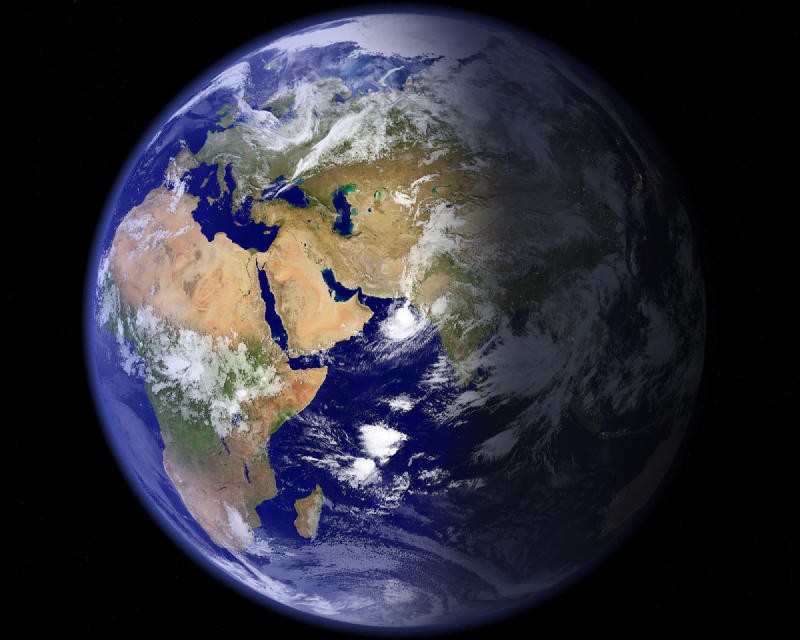
EarthView is a utility for Windows PCs that can replace your standard, static wallpapers and screensavers with dynamic satellite views of Earth from space. The program will show you high-resolution images with current light and cloud conditions that change in real-time. You can also choose between different overlays to get depictions like city lights, terrain elevations, or specific cloud formations.
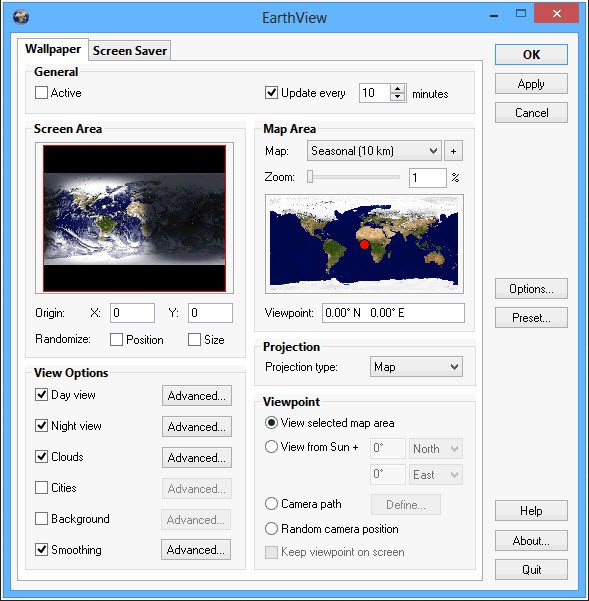
With EarthView, you can pick from various maps, center your view on a specific location, and change the view parameters. You can also decide to see the view of the whole globe and have it rotate as time goes by. It’s a great tool for aesthetic purposes, uses real data, and works passively in the background.
Whether you use it as a screensaver or a desktop wallpaper, the tool syncs with the database regularly to pull in and visualize the newest data so that you can see current sunlight and cloud positions. EarthView provides you with a scientifically accurate view of our planet, and you can use it for free during the trial, but then you need to buy a license or subscribe on a monthly basis.
Why should I download EarthView?
If you’d like to transform your desktop into a living model of our planet, then EarthView is the right tool for you. It generates an accurate view of Earth in high resolution that you can use either as a screensaver or a desktop wallpaper. Because the tool is based on real scientific data, maps, and textures, it produces detailed and sharp images on screens of all sizes.
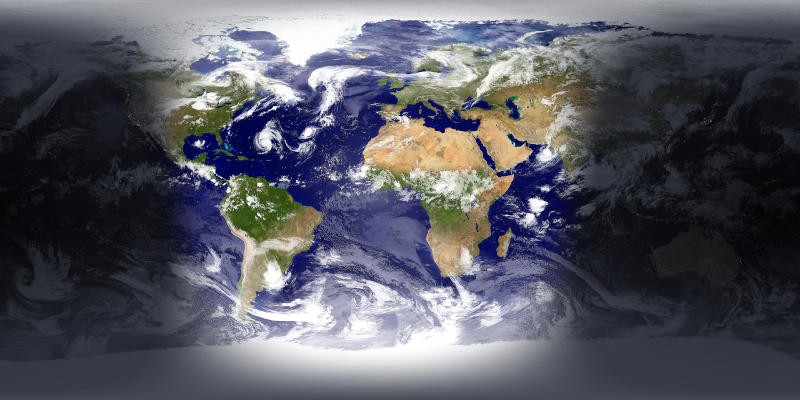
With EarthView, you get a real-time simulation of day and night across the globe because it calculates the position of the sun and moon based on information from scientific sources. As the day progresses, the screen changes to reflect how the sunrise moves across continents or how night approaches on the rotating globe.
Apart from sunlight, you can also view almost current cloud positions with EarthView. It puts an overlay on top of the map or globe view that simulates actual weather conditions. The view changes dynamically, showing you how the weather changes and keeps your screensaver or wallpaper dynamic and ever-changing.
If you look at the parts of the world that currently have night, then you can even see realistic layers of city lights in those locations. It shows you where the biggest metropolitan areas are and how they look from orbit. You can also easily customize EarthView with the wide range of options it offers. Select from various map projections (like Mercator or spherical), center the view on your current location or a chosen one, and adjust the colors, brightness, and contrast of each element, like oceans, land, clouds, or city lights. You can also apply geographical and atmospheric data overlays such as country borders, local time zones, and more.
You are able to use EarthView even on older machines as the program is lightweight, works passively in the background, and doesn’t impact system performance. You can also enable animated sequences on the Earth for the screensaver, so it shows you a slow rotating globe when you’re not using your computer. You can download EarthView for a wide range of Windows versions, and the tool offers a free trial and paid licenses.
Is EarthView free?
While you can download EarthView for free, its free trial will only work for a limited time. You can use this time to evaluate whether you’d like to purchase the full options, and you can choose from various payment models.
You can buy a license key as a one-time purchase, subscribe on a monthly basis, or buy it for one month. The prices range from $5 monthly to $25 for a perpetual license.
What operating systems are compatible with EarthView?
Currently, you can only download EarthView for Windows computers, and there are no plans to expand the tool to other operating systems.
However, EarthView works with many different Windows versions, from Vista to Windows 11 and Windows Server. You can also download older versions of EarthView to run it on Windows 95, 98, ME, NT4, 2000, or XP.
What are the alternatives to EarthView?
NASA Eyes (also known as Eyes on the Earth or Earth-Now) is a suite of tools you can use to visualize the Earth. It’s more of an educational tool developed by NASA that works with real-time scientific data collected by its satellites and technology. NASA Eyes renders a 3D model of Earth, and you can zoom in and out of it, apply various data overlays like sea temperature or CO2 levels, and use the utility on its computer website or download it for iOS or Android. The tool is totally free. You can also choose from different “Eyes” that show you the solar system, asteroids, or exoplanets (planets outside our solar system).
Google Earth is an interactive and detailed 3D digital model of our planet based on satellite images, aerial photographs, and GIS data. You can choose various levels of zoom that go from the globe overview, all the way to a street level in all areas where “Street View” works. You can check for weather conditions, view historical images, and even explore locations that interest you by using the feature called “Voyager.” Google Earth works on web browsers and mobile devices with iOS or Android, but you can also download Google Earth Pro for PC, Mac, or Linux if you have more advanced needs.
NASA Worldview is another tool from NASA that shows you real-time satellite images in their full resolution. It’s a more scientific tool than the others, as its primary purpose is to map and overlay various data layers on pictures from satellites that can be as recent as 3 hours ago. It’s very useful if you want to track dynamic events like wildfires, hurricanes, volcanic eruptions, and other conditions. You can use NASA Worldview for free, and it works on all modern web browsers.