VueScan is a piece of software made by Hamrick Software that helps people keep their scanners working. A lot of scanners stop working when you update your computer or move to a new system, and that’s where VueScan steps in. It’s like a bridge between old hardware and new computers. You download it, plug your scanner in, and it usually just works.
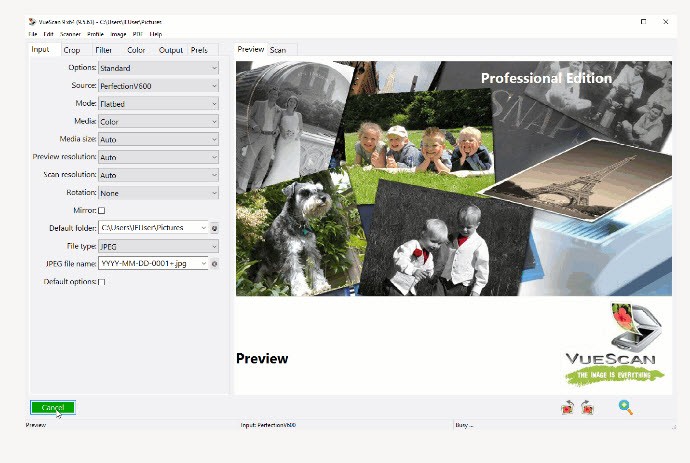
It’s built for different kinds of scanning — flatbed, document, or film. You can scan photos, slides, negatives, and even restore colors that have faded with time. It can also remove scratches or dust marks from old images. VueScan lets you go deep with settings if you want. You can change brightness, adjust exposure, or even fine-tune each color channel for perfect results. But you don’t have to; it works fine out of the box for most people.
The idea behind it is simple: scanning should stay possible, even when manufacturers stop caring about old models. VueScan supports thousands of scanners that would otherwise end up sitting useless in someone’s drawer. It’s not flashy software, but it does what it’s made to do, quietly and reliably.
Why Should I Download VueScan?
People usually download VueScan because their scanner stopped working on a newer version of Windows or macOS. Maybe the company that made it doesn’t exist anymore, or they just stopped updating the drivers. VueScan fills that gap. It recognizes the scanner automatically and gets it running again, no technical tricks needed.
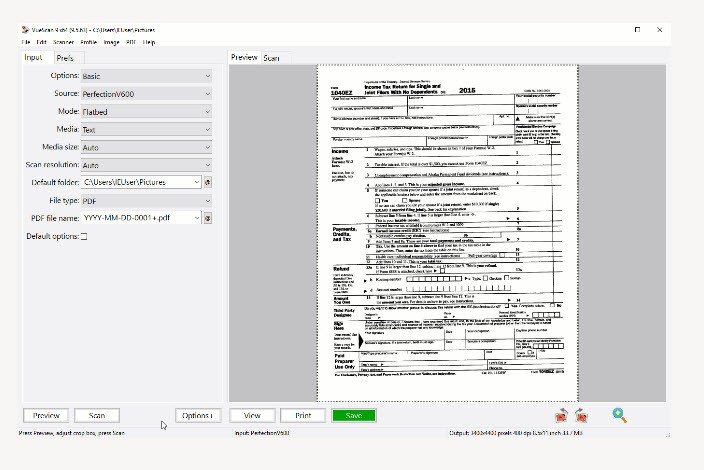
It’s useful for more than just old scanners, though. You can scan film, negatives, and photos in better quality than most default software allows. It detects what type of media you’re scanning and adjusts settings automatically. If you’re scanning documents, it can straighten the pages, remove blanks, and merge everything into a clean PDF. You can even make those files searchable with the OCR feature, which means you can look for words inside the scanned document later.
If you’re more technical, VueScan gives you advanced options too. You can lock exposure, use IT8 color calibration, and apply ICC profiles to get precise colors across your screen and printer. It also supports multi-pass and multi-exposure scanning to capture more details. Once you’ve got your setup just right, you can save those settings and reuse them whenever you want.
It’s one of those tools you install once and then just forget about because it keeps working, no matter what happens to your system or scanner brand.
Is VueScan Free?
VueScan isn’t entirely free, but you can download it and test it without paying first. The trial version lets you see how it connects with your scanner and what the output looks like. You can use all the main functions — scan film, photos, or documents — and see the results before making any decisions.
During the trial, your scanned images will have a watermark. But there’s no time limit and no locked buttons. You can check everything in real use, not just a demo screen. It’s a practical way to see whether VueScan actually fits your workflow or not.
This open testing style makes things transparent. You don’t have to trust claims or reviews; you see the performance with your own scanner. If it fits what you need, you can keep using it with the licensed version, which removes the watermark. But that’s entirely up to you. Nothing forces a decision right away, and that honesty is part of why VueScan has lasted so long.
What Operating Systems Are Compatible with VueScan?
VueScan is compatible with Windows, macOS, and Linux. On Windows, it is available in 32-bit and 64-bit versions and is compatible with Windows 10 and 11. It continues to work well on even older ones. On macOS, it supports Intel-based structures in addition to the newer Apple Silicon. And on Linux, it comes in several formats, either as DEB, RPM, or as a generic archive, so you can install on virtually any distribution.
It is also one of the few scanning programs that perform on all platforms. The layout is identical, and the tools act identically, so that you do not need to learn it all again should you change computers.
VueScan is compatible with more than seven thousand scanner models of approximately forty brands. That counts scanners of companies that hadn’t updated their drivers in years. All you need to do is simply connect your scanner, then open VueScan, and it automatically identifies it most of the time. It is that broad compatibility that makes the software so relevant to so many of us around the world.
What Are the Alternatives to VueScan?
There are a few alternatives; however, there is none quite like VueScan.
One of the nearest is NAPS2 (Not Another PDF Scanner 2). It is open-source and free, and designed to scan photos or documents easily. It supports TWAIN and WIA drivers, and allows saving files in PDF, TIFF, or JPEG. You can use OCR as well, thus making your documents searchable. It does not do film or color calibration, but day-to-day scanning is clean and fast.
Next, we have WinScan2PDF, which is as simple a program as possible. You click it, view your page, and it becomes a PDF immediately. No make-up, no preparation, no supporting actors. It is quick and small, suited to quick jobs such as bills or receipts.
Another one is PaperScan. Only available for Windows, it offers a complete interface full of features. You can scan documents, images, and more. It has OCR, allows you to select areas, crop, rotate, flip, and more.