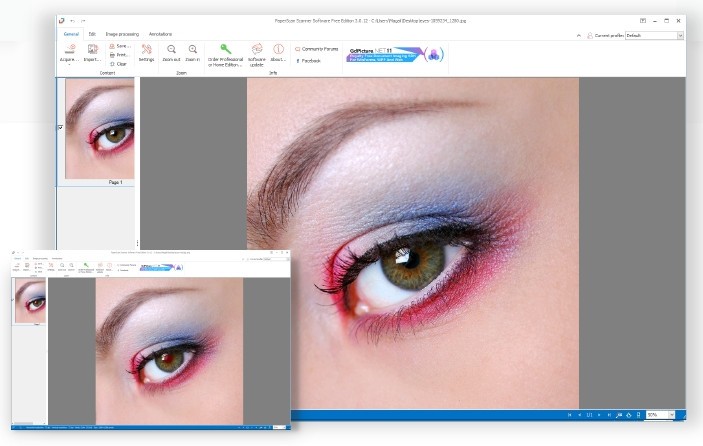
Through its scanning application, PaperScan enables users to handle document digitization operations efficiently. As a different scanning software solution, PaperScan operates independently of any particular device or scanner to support systems that users already possess. Scanning is just one element of its operation because PaperScan delivers much more than basic scanning to users. The software comes with numerous tools to handle both single-page files and multipage documents in your workflow. The software provides users of all skill levels with an effortless experience to scan their documents before enhancing and organizing them with absolute ease.
PaperScan’s image processing capabilities constitute its major system features. With the built-in tools, you can improve scanned images while eliminating borders and upgrading your document quality. OCR (Optical Character Recognition) comes built into the program to convert your scanned documents into both searchable and editable text content. This capability completely revolutionizes the process of handling bulky paperwork and stored documents.
The product uses an interface that positions itself as user-friendly; anyone with basic computer knowledge can easily navigate its features. Your scanned documents can be saved through PaperScan in PDF and TIFF formats, among other file types, according to your exact requirements. As a one-stop application, PaperScan provides document processing solutions that replace the need for various scanning programs to create convenience in your everyday life.
Why Should I Download PaperScan?
The downloading of PaperScan will profoundly improve your system if your work entails constant document digitization and scanning operations. Using PaperScan assists users by eliminating both difficult user interfaces and complex initial configurations. The scanner software PaperScan delivers basic yet effective capabilities through its user-friendly design to assist people with regular scanning needs.
People may wonder whether they require it since their scanner bundle includes default software. The majority of built-in scanning programs provide fundamental functionality without the diverse capabilities that PaperScan offers its users. The software functions with every scanner brand and operating system because it supports any device sold on the market. You will never remain dependent on proprietary software from your device manufacturer. Scanning is only one aspect of what the software provides. The application serves dual purposes for document management by helping users maintain orderly digital files after all their scanning tasks.
Images can be easily cleaned using three automatic features: auto-deskew, color detection, and rotation. PaperScan finishes document editing at the same time you make your scan without requiring additional post-scanning processes. Using OCR technology enables users to convert scanned material into searchable text, allowing direct editing and searching within their files.
Users should use PaperScan because this application supports multiple file types. Users have various file formats, such as PDFs, JPEGs, and TIFFs, as saving options. The system offers complete flexibility, allowing users to seamlessly connect scanned files with different applications and work environments without facing any problems.
The software includes an exceptional set of annotation features that enable users to add various forms of markings, including text notes and visual shapes, to their scanned documents. The tool delivers significant benefits to users who need to add comments or markups to their files. Having these annotation tools enhances productivity and maintains document professionalism in the scanning process.
Is PaperScan Free?
PaperScan offers users a completely free option that includes basic scanning features for occasional use. The Home Edition and Professional Edition are the paid versions of PaperScan that provide access to advanced image processing capabilities and Optical Character Recognition (OCR) features.
Getting acquainted with the software through its free version lets users experience its capabilities, but moving to a paid version unlocks advanced features that elevate their experience.
What Operating Systems Are Compatible with PaperScan?
Windows users should use PaperScan because it supports multiple versions of the operating system. The application is compatible with Windows 7 through Windows 11 versions without exception.
The program optimizes its operation for different system configurations to ensure it performs reliably across every setup. The program serves all users who need efficient document digitization on Windows devices.
What Are the Alternatives to PaperScan?
The powerful features and flexible capabilities of PaperScan have established its presence, yet it competes with multiple other scanning software programs. Among alternatives, there are programs perfectly optimized to handle individual user needs.
Throughout the desktop, users often select WinScan2PDF because its user-friendly application produces PDF documents from scanned materials. WinScan2PDF is popular because of its straightforward design. Users can avoid complex configurations because the software produces PDF files effortlessly through a straightforward scanning process. The application suits users who require a direct solution for work tasks that require zero additional steps. The program provides users with free access, and its tiny footprint makes it an excellent fit for outdated hardware systems and straightforward scanning needs.
Users can take advantage of NAPS2 (Not Another PDF Scanner 2), an open-source application that is available for free. The primary objective of NAPS2 centers on keeping its functionality uncomplicated, even though it avoids commercial-like adoption. PDF, JPEG, and TIFF represent the available file formats that users can select. The application provides support for batch scanning and OCR capabilities despite being open-source software. The customizable, multilingual NAPS2 software stands out as a superior free option because of its comprehensive features.
Users download Adobe Scan as an alternative mobile solution because it is part of Adobe's mobile application collection. This mobile application is highly favored by smartphone users since it enables convenient, powerful scanning through mobile devices. The camera on your phone lets you record documents, which are then converted into clear PDFs or JPEGs. Adobe Scan includes OCR that automatically retrieves text from captured images. The application provides expanded benefits for users who use Adobe systems and applications. The mobile scanning features of this application stand out against other competitors due to its basic functionality, which provides exceptional inspection options.