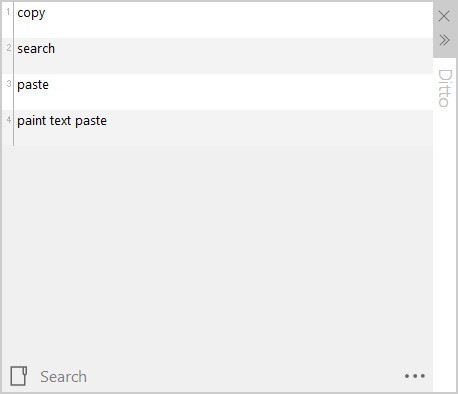
The Ditto clipboard manager ticks all the versatility requirements to enhance your system's clipboard functions, along with multiple item storage capabilities. Through Ditto, you can access thorough histories of all your previous clipboard content, such as texts, images, and any other data points. Hence, you maintain your valuable information even after new copies are made. Users can integrate Ditto with their Windows clipboard, just as a built-in Windows feature, because it operates without interrupting the operating system's native behavior.
Ditto offers more than basic clipboard tracking, providing features beyond those of typical clipboard managers. The program lets users search their saved clips while providing features for managing and organizing their pieces into distinct categories. Ditto processes any file type, including text pieces and images or custom-designed formats, making it a versatile clipboard manager that works instantly with all formats.
The software maintains system performance while delivering additional functions, so users will not experience slowdown during operation. Through customizable key combinations, users can quickly access their clipboard manager without any complications. The interface remains smooth and intuitive for their convenience. Ditto offers an organized interface that makes saved items instantly accessible without requiring any searching. The open-source framework allows users to personalize settings according to their workflow needs, since the system operates without constraints.
Why Should I Download Ditto?
The Ditto clipboard manager ticks all the versatility requirements to enhance your system's clipboard functions, along with multiple item storage capabilities. Through Ditto, you can access thorough histories of all your previous clipboard content, such as texts, images, and any other data points. Hence, you maintain your valuable information even after new copies are made. Users can integrate Ditto with their Windows clipboard, just as a built-in Windows feature, because it operates without interrupting the operating system's native behavior.
Ditto offers more than basic clipboard tracking, providing features beyond those of typical clipboard managers. The program lets users search their saved clips while providing features for managing and organizing their pieces into distinct categories. Ditto processes any file type, including text pieces and images or custom-designed formats, making it a versatile clipboard manager that works instantly with all formats.
The software maintains system performance while delivering additional functions, so users will not experience slowdown during operation. Through customizable key combinations, users can quickly access their clipboard manager without any complications. The interface remains smooth and intuitive for their convenience. Ditto offers an organized interface that makes saved items instantly accessible without requiring any searching. The open-source framework allows users to personalize settings according to their workflow needs, since the system operates without constraints.
Is Ditto Free?
The software application Ditto is available at no cost to users. Ditto is a free open-source program that uses the GNU General Public License to provide users with eternal software access.
Users can use the entire software application free of cost without any subscription requirements or hidden payments. The software developers accept financial contributions, but nothing stops you from using Ditto without donating anything. The entire feature collection comes without any cost when you use Ditto.
What Operating Systems Are Compatible with Ditto?
The Ditto utility runs on Windows operating systems from Windows XP through the current Windows 11 version. Your system does not need to match current Windows versions because Ditto operates without any compatibility issues.
The software performs perfectly on any computer setup, making it a dependable option across all configurations. The tool operates without forcing you to update your operating system, since it automatically accommodates whichever OS version you have already installed. The program maintains predictable system performance because it has a minimal impact on your machine's memory, even on different hardware platforms.
What Are the Alternatives to Ditto?
Among all the clipboard management tools, Ditto stands as an efficient system, but other alternatives exist for users. Your individual needs might warrant using a different clipboard management program than Ditto. Among the widely used Ditto replacements, you will find ClipClip and both CopyQ and AceText.
ClipClip functions as a logical and streamlined clipboard management system that expands conventional text copying methods. The application offers users more than just basic text and image storage capabilities, featuring folder management for clipboard items. Ditto proves advantageous for users who manage substantial amounts of content, since its folder organization system provides an organized storage system. The search process through multiple webpage clips avoids becoming a tedious waste of time. The organized structure lets you obtain your clips immediately, without delay. Inside the ClipClip manager, users can directly edit their contents without needing to duplicate them anywhere.
CopyQ provides an excellent open-source solution that delivers an adaptable experience that appeals to users who require full customization options. The solution gives users more than basic clipboard management, as it includes scripting features and support for integrated application usage. Through its system, CopyQ enables users to create their personalized commands while enabling automatic clipboard administration. This tool handles images, plain text, and rich text data, as well as other file types. CopyQ stands out among power users who love to modify their tools because it supports many formats beyond basic requirements.
The text management platform AceText serves only as an application for text storage and management. This utility exceeds clipboard management since it organizes and allows full-text searches over extensive text databases. The application avoids flooded screen views of duplicated items by providing a structured organization for all your content. Writers, researchers, and those who work with substantial text data should use AceText because it provides advanced searching capabilities and efficient text collection tools. Once saved, the text snippets become systematically arranged to make their retrieval quick and effortless.