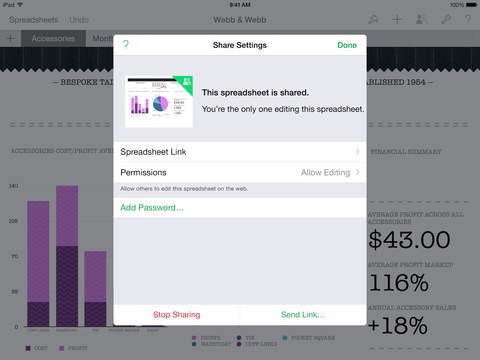
Part of the iWork suite from Apple that competes with Microsoft Office 365, Numbers allows you to create spreadsheets, charts, and detailed tables, even if you’re not proficient with tools of this type. It includes built-in templates and will suggest formulas as you type them. You get to collaborate in real-time with other Apple Numbers users, whether through its web service or by using an Apple device.
Apple Numbers is more than just a traditional spreadsheet tool; it provides an intuitive and visual approach to data management. It offers a versatile "blank canvas" that allows you to create custom spreadsheets that are tailored to your specific requirements, whether you're organizing a personal budget, tracking business performance, or analyzing larger datasets. Its powerful data analysis tools make it appropriate for both new and experienced users.
With a user-friendly interface, Apple Numbers allows for intuitive data entry, formula calculations, and the creation of visually appealing charts and graphs. It supports collaboration features, enabling users to work together in real-time and access their spreadsheets across all their Apple devices, mobile or not. It is also available through iCloud Web, which allows you to open your spreadsheets on non-Apple devices.
The app supports a variety of formats, including Excel files like .xls. It is included for free with Apple devices, making it easily accessible from the moment you start using your device. You can also use the online version via a browser.
Why Should I Download Numbers?
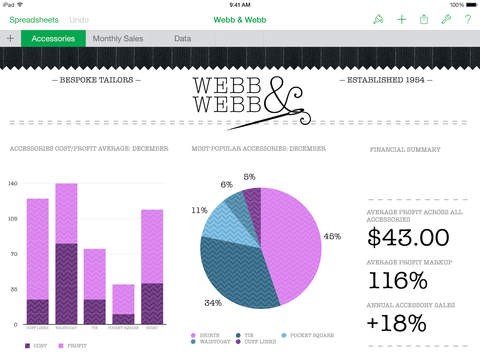
Multiple users appreciate how user-friendly Apple Numbers is compared to similar tools, but you can still utilize many powerful features to visualize your data or compute various datasets. When you download Apple Numbers, you can see how this app simplifies creating or editing spreadsheets thanks to its interface and a dedicated canvas workspace. In this model, you can add multiple tables, charts, images, or texts within a single page so that it’s easier for you to find the information you’re looking for and manage your data without switching between different sheets. You can also include additional media such as videos, audio clips, or images to provide context or explain specific aspects of the spreadsheet and the information contained within it.
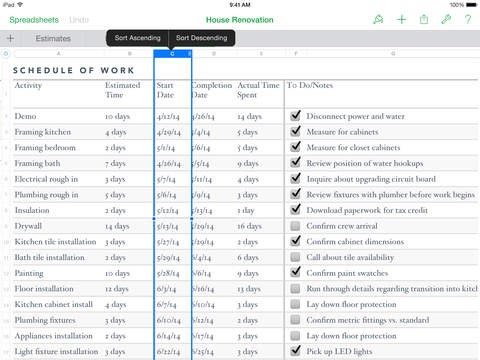
When you download Apple Numbers and open it, you will see how many pre-built templates it offers for different needs. You can choose from a variety of categories, such as budgeting, invoicing, scheduling, or inventory management, and then reuse all of the formulas and structures. This helps you save time when you’re working on tasks commonly performed in spreadsheets, but you can also create your own templates that will be tailored to your specific use case and needs.
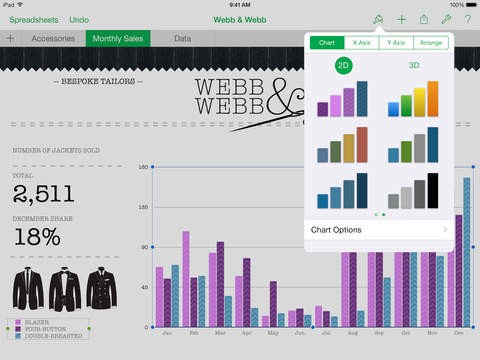
Apple Numbers offers a wide range of interactive charts, ranging from the most basic and common ones, like bar or line charts, all the way to more complex options, such as scatter plots or radar charts. You can also adjust labels and styling to customize your chart and visualize your data how you want. Hovering over specific elements also shows you more details about that particular data point.
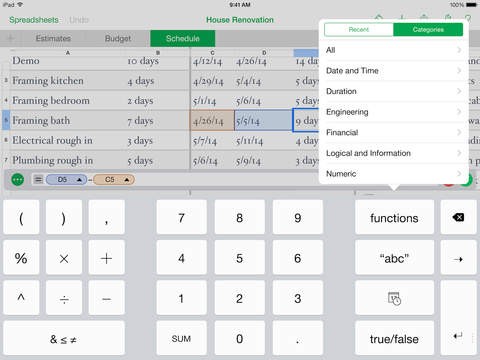
There’s also a huge library of functions and formulas to perform basic and more complex calculations. Within Apple Numbers, you can find options for arithmetic functions, financial calculations, statistical analysis tools, and logical functions. When you type in your formula, the app will offer suggestions and highlight any errors or inconsistencies in the logic, resulting in a broken formula. This is especially useful for beginners who may not have much experience with similar tasks. You can also apply conditional formatting, where you can differentiate various data based on the rules and criteria you define. You can use this Numbers feature to make the data more readable by highlighting things like budget overruns or targets achieved.
With Apple Numbers, you can import all the most popular formats, including CSV, XLS, XLSX, and PDF, and export them into various file types. The app allows you to collaborate seamlessly with others who use different spreadsheet applications without losing formatting or formulas.
Another reason to download Apple Numbers is that if you use Apple devices, the app is available for free on any MacBook, iPad, or iPhone, and it syncs all the data between those devices automatically. You can also collaborate with others in real time and view what they're editing or the history of changes. There’s an online service for those on different operating systems.
Is Numbers Free?
Anyone using Apple devices can download Apple Numbers for free; it often comes preinstalled on Mac, iPhone, and iPad. You can also get it from the Apple App Store without any cost, and if you’re on a different system, you can access Apple Numbers through its online web-based service for free, and all you need is an iCloud account.
As a direct competitor to Microsoft Excel, the most significant change is the ability to add all of your charts, tables, and calculations to a single page, resulting in a canvas-based workspace. As a result, you can quickly refer to various information and include a variety of media on it, in addition to numbers and formulas.
There are no premium licenses or functionalities—all features, such as advanced functions or collaboration, are available without restriction within the app.
What Operating Systems Are Compatible with Numbers?
You can download Apple Numbers on all devices from the Apple ecosystem, and it has dedicated applications for iPhones, iPads, and Mac computers. You need macOS 10.14 or later and iOS version 13 or later.
Windows and Linux users can access the free web-based service with an iCloud account, and Apple Numbers is supported by all modern browsers.
What Are the Alternatives to Numbers?
One of the most popular choices when it comes to creating spreadsheets and managing data is Microsoft Excel. Users appreciate how versatile the use cases it supports are, whether you require it for business, educational, or personal purposes. With Excel, you get advanced data analysis tools for complex calculations or formatting, including PivotTables, which let you compute even the largest datasets with formulas, or VBA macros and scripting. You can also visualize your information through various charts and graphs. You are able to download Microsoft Excel on different operating systems, including Windows, macOS, Android, and iOS, but you require a subscription to the Microsoft 365 suite. There’s a free web-based application, too, but it has limited options when you don’t have an active license.
If you need a free tool for different operating systems, then LibreOffice Calc could be a good solution for you. As an open-source project, it’s available on Windows, macOS, and Linux and has many features that can compete with various commercial products. You can perform complex calculations, use PivotTables or conditional formatting, and visualize your data in different ways. LibreOffice Calc has a native format, ODF, but it also supports the most popular file types, such as .xls or .xlsx.
Google Sheets is another great option, though only available through browsers or as an app for mobile devices. It’s completely free and integrates with the entire Google Workspace suite, whether you’re a business user or require it for personal purposes. Because it’s a cloud-based solution, you can work with other people in real time and see their updates, and your spreadsheet automatically saves to the cloud. It has a broad set of data analysis features and many pre-defined templates or ways to visualize your datasets in charts.