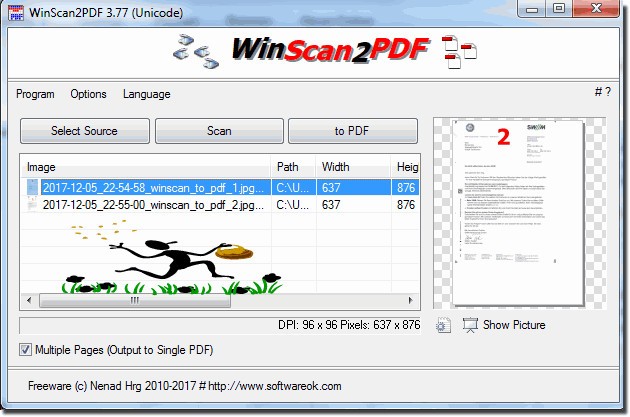
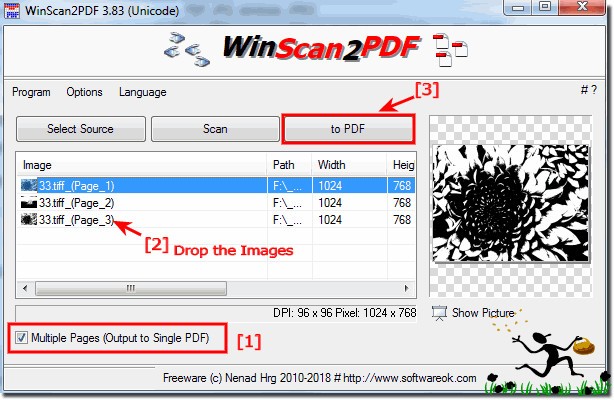
WinScan2PDF is a small freeware for Windows that enables users to create PDF files directly from scanned documents. The tool is a basic yet powerful application that eliminates the requirement for scanner bundles with complex scanning programs. Users benefit from WinScan2PDF, which allows the immediate scan of various pages and produces one combined PDF document by avoiding additional procedures and configuration settings.
This program's design is specifically focused on making it simple to use for users. The tool functions without installing any software in system directories, so users can get an easy-to-operate PDF conversion solution. The system allows users to download the WinScan2PDF and execute the executable file to begin the scan process immediately. Users can easily convert their paper documents into digital PDFs by using this interface, which contains only vital features for this task.
The software operates with multiple devices because it accepts different types of scanning equipment. The app maintains a fast and convenient process for one-page or multiple-page scan operations. WinScan2PDF stands as an optimal selection for document digitization because it does not need complicated setup procedures like other scanner applications, nor third-party driver installations. It works wonderfully for users who simply desire a quick and dependable way to convert their paperwork.
Why Should I Download WinScan2PDF?
Any person seeking an uncomplicated solution for document scanning into PDF files should use WinScan2PDF. The application operates with an easy-to-use interface that transforms paper documents into digital files and eliminates the need to operate through complicated system settings. The software stands as an excellent choice because it provides quick and intuitive scan capabilities without requiring complex installation procedures.
The major benefit of WinScan2PDF is its portable design feature. It operates as a portable application, which delivers its functionality straight from its executable file, while other similar programs need installation. The app provides you with the option to save it through both USB drives and cloud storage systems, so you can access it on various computers without worrying about installation procedures. This program suits users who utilize multiple devices or demand an application that avoids creating additional files and makes no modifications to the computer registry.
WinScan2PDF has an incredibly small size compared to other similar tools. WinScan2PDF requires minimal system memory, leading to suitability for older computers as well as those systems with limited resources. Full-featured applications frequently demand high system resources to execute basic operations, although they contain unnecessary bulk and slowness in operation. WinScan2PDF gives users a quick scanning capability that delivers performance without slowing down your computer system.
Users should select this software because of its simple design. Some programs include additional functionalities that users who want basic document scanning and saving do not require. WinScan2PDF delivers essential functions only without fanfare, so anyone can operate it without special skills or prior experience.
Scanned document users need the functionality that allows them to merge different pages into one consolidated PDF file. The software brings together separate image files to form one document, so users can simplify storage, distribution, and printing. WinScan2PDF meets the needs of students and office personnel, and multiple other users who require an efficient method for scanning and saving.
Users experience no compatibility hassles with WinScan2PDF because the software operates with different devices. The work efficiency of WinScan2PDF extends to all scanner versions, from ancient models to the latest ones. Users need not seek additional software drivers when WinScan2PDF offers its own built-in solution, which provides a straightforward scan for free.
Is WinScan2PDF Free?
WinScan2PDF is freeware. Users receive it at no cost since there are no concealed expenses or time limitations, or enhanced editions.
The software offers a free download to enable users to transform documents into PDF files without charging any fees. Being a lightweight program that prioritizes core operations makes WinScan2PDF function as an outstanding free alternative to more expensive full-scale software.
What Operating Systems Are Compatible with WinScan2PDF?
WinScan2PDF is a desktop freeware that operates exclusively on Windows computers. The software serves Windows XP, Windows 7, Windows 8, Windows 10, and Windows 11 operating system versions. The program works on any Windows device because it does not need to be installed, making it compatible with basic system requirements.
Users running macOS or Linux devices cannot find official support for WinScan2PDF yet must look for alternative applications or use virtualization while running this program. Windows-based computers can use WinScan2PDF as one of the best platforms available. The weightlessness of the tool makes it operate effectively on all Windows system ages with limited hardware specifications.
What Are the Alternatives to WinScan2PDF?
The basic scanning capabilities of WinScan 2 PDF can be improved by utilizing alternative solutions that also support other operating systems. A user will select software depending on whether they need advanced features that include editing capabilities or cloud backup and integration.
NAPS2 (Not Another PDF Scanner 2) stands out as an effective substitute that allows users additional flexibility during the scanning process. WinScan2PDF fails in comparison since it offers multiple quality adjustment controls in addition to image rotation and simple editing before the save process. The software system functions with JPEG, PNG, and TIFF file types in combination with PDF file formats. Open-source features distinguish this program as an optimal selection because it builds upon continuous development from its active community members. This tool combines numerous functions without sacrificing user-friendliness, so it serves well for users who desire basic ease of use and advanced functionality.
PaperScan serves as a suitable alternative because it features adjustable options that go beyond what WinScan2PDF can handle. PaperScan delivers tools, including color adjustment capabilities and contrast improvement features, as well as watermark capabilities, to its users. PaperScan outclasses WinScan2PDF because it provides users with supplementary capabilities to enhance document quality management while also enabling PDF conversions. Users can select between the free and premium versions of the software, where the premium edition provides top-tier advanced capabilities. The users who require advanced functionality after standard scanning should opt for PaperScan.
For mobile needs, Adobe Scan provides an alternate solution that extends helpful features to its users. Users who need a cross-platform solution should choose Adobe Scan instead of WinScan2PDF because Adobe Scan supports Android and iOS systems. Using the built-in camera, users can turn their digital documents into PDFs through this application. Users can leverage the built-in OCR automatic text recognition through the app to enable PDF document searchability. Adobe Scan functions as a valuable mobile device, which suits those individuals who store their data in cloud-based platforms.