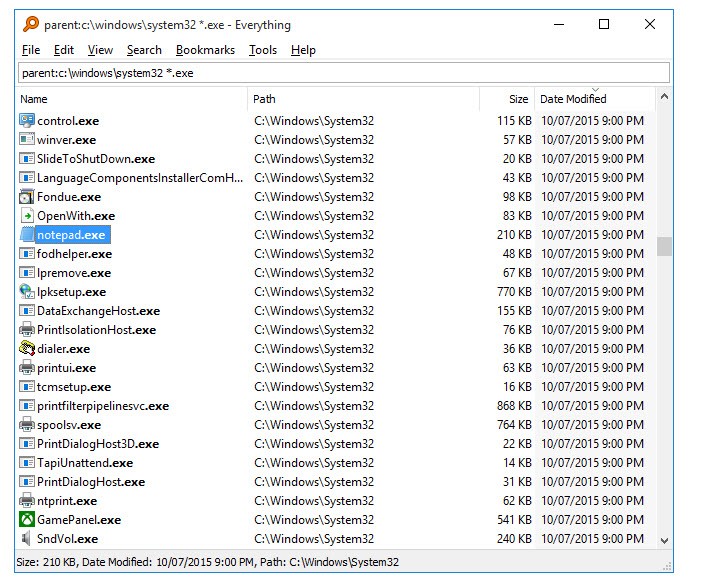
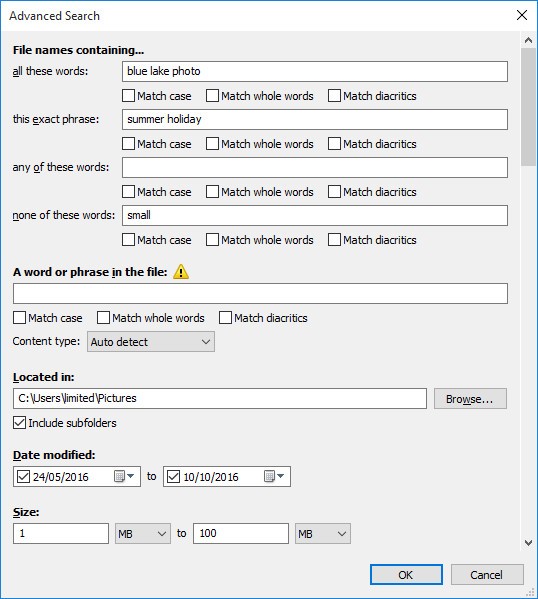
Everything Search Engine is a free tool for Windows computers that allows users to find local files quickly. The utility works by scanning and indexing the files and folders on your computer within seconds, and spitting out the one you’re looking for. All you have to do is type the name of the file or folder you’re looking for into the search. The results of the search will update in real time and become more specific as you near the end of the document name. You can also apply filters to make your search more specific. For example, you can select the file type you’re looking for. Once the file has been located, preview it without opening it to make sure it’s the right one.
Everything Search Engine boasts a clean, minimalistic interface. There are no distractions or unnecessary elements to draw your attention from the main event—the search function. The platform doesn’t use a lot of computer resources, so you can enjoy unlimited searches with no damage to your hardware.
Why Should I Download Everything Search Engine?
Everything Search Engine will be very useful to people who work with large volumes of files, be it in the workplace, at school, or at home. Regardless of your career or lifestyle, Everything Search Engine can help you navigate the labyrinth that your computer can become if you don’t categorize things properly.
At its core, Everything Search Engine is a free utility for your Windows computer, which functions as a search engine for your hard disk. With its help, you can locate a document or folder by typing its name into the search. The reason people choose this tool over the built-in Windows Search is that Everything Search Engine is a lot faster. It can go through all of your files in seconds and use very few resources while at it. In fact, it does so as soon as you install it.
Just like with regular search engines, you will begin to see search results before you’re even done typing. You can use additional filters, such as file type and date, to narrow down the search. The search results are presented in a clean, user-friendly interface. As a bonus, the tool is quite lightweight and doesn’t use up a lot of computer resources.
Is Everything Search Engine Free?
Everything Search Engine is a free tool for Windows computers. You can download and use it entirely free of charge.
What Operating Systems Are Compatible with Everything Search Engine?
Everything Search Engine is a utility developed specifically for Windows. The platform is compatible with Windows 11, 10, 8, 7, Vista, XP, 2000, and NT 4.0. It supports 32- and 64-bit operating systems.
There is no native Everything Search Engine app for Linux and macOS computers. If your computer runs on macOS or Linux, you can find suitable alternatives for these operating systems.
What Are the Alternatives to Everything Search Engine?
Those looking for a more detailed and complex alternative to Everything Search Engine can find one in SearchMyFiles. Unlike Everything, SearchMyFiles works by scanning content rather than indexing it, which makes it slower. At the same time, it allows you to locate files by characteristics other than file name. You can apply exclusion filters for more complicated queries. It is often used for pinning down file duplicates, and searching by attributes and file contents.
If you want to take it one step further and search not only for documents but through them, Copernic Desktop Search is the tool for you. Copernic Desktop Search indexes documents and their contents, as well as emails and everything that’s stored in your cloud. The tool is slower and more resource-intensive due to its advanced capabilities. Unlike Everything Search Engine, which only works with file and folder names, Copernic allows you to locate specific content within documents and email attachments. You can connect it with your Google Drive, OneDrive, or DropBox to search through files there as well.
Finally, there is Wox. Wox is more of a complementary platform to Everything Search Engine. At its essence, it is an app launcher used for making your workflow more efficient and automated. You can implement the Everything plugin to instantly locate files by file name. While it provides a great platform for your productivity tools, you will still need Everything Search Engine to index your files.