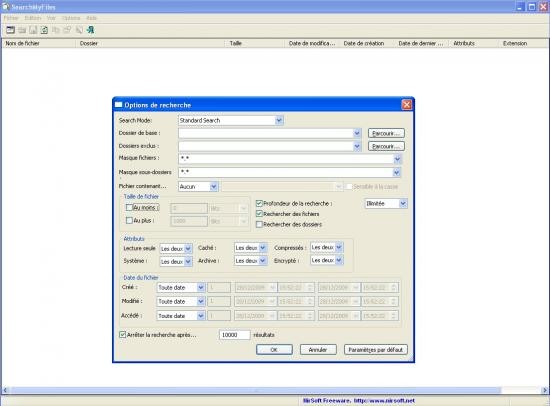
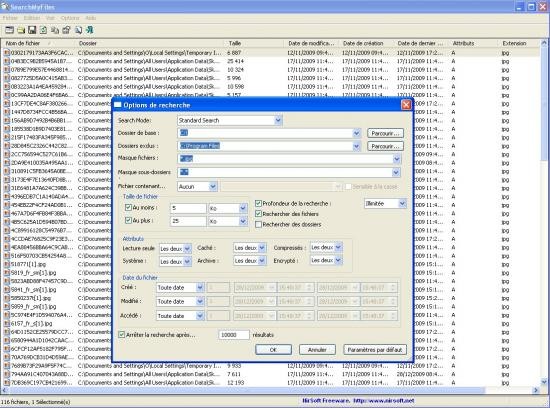
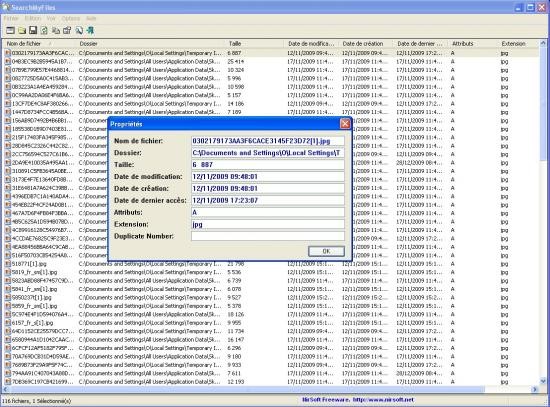
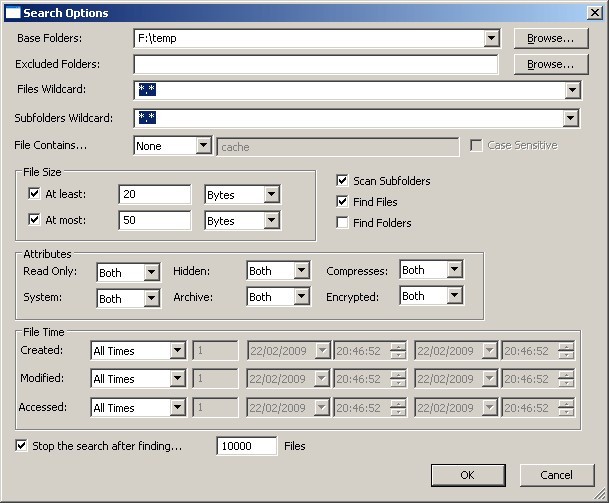
If the built-in Windows Search utility is not enough for you, you can probably benefit from SearchMyFiles. SearchMyFiles is a more powerful alternative to the Windows Search that allows you to locate any file on your Windows computer. In addition to simply searching by file name, you can set up criteria to narrow down your search. Those include file creation time, size range, contents, and other attributes. You can conduct your search within specific folders, or exclude certain folders from the search area. In addition to that, the app allows you to locate duplicate files and conduct in-depth cleanings of your disk space.
SearchMyFiles is a portable program that does not need to be downloaded on your computer. You can keep it on a USB drive and run it on any computer to search through its local files. The search results can be exported in various formats, including TXT, CSV, and HTML.
Why Should I Download SearchMyFiles?
If you’re looking for an alternative to Windows Search with more advanced capabilities, then you will appreciate SearchMyFiles. The program allows users to find files using simple file name searches, as well as advanced filters like file size, creation date, and other attributes. In addition to that, you can find the file you’re looking for based on its contents. SearchMyFiles can also help you locate duplicates and get rid of them to free up some space.
SearchMyFiles is a free Windows utility that does not need to be downloaded on your computer to be used. It is a portable program that you can run on any computer from a USB drive. That makes SearchMyFiles entirely portable and usable on multiple computers.
Because the app is free and lightweight, it enjoys great popularity among users. It is also more efficient than the built-in Windows Search, enabling users to locate files in record time. The search results can be saved and exported in a variety of formats, including HTML, CSV, and TXT. Overall, it is a useful solution for filtering through large file libraries, locating and erasing duplicates, and finding files using advanced filters.
Is SearchMyFiles Free?
SearchMyFiles is a free program. There are no subscription fees or hidden fees, and no features are hidden behind a paywall. It is completely free to use.
What Operating Systems Are Compatible with SearchMyFiles?
This platform was developed for Windows computers. It is compatible with the following Windows operating systems: Windows 11, 10, 8, 7, Vista, XP, and 2000. You can run SearchMyFiles on a 32- or 64-bit computer.
SearchMyFiles is a portable program, so it can run on a computer without prior installation.
What Are the Alternatives to SearchMyFiles?
SearchMyFiles is not the only program of its kind. If you’re looking for a slightly different set of features or simply want to try an alternative, you have a few to choose from.
The first one is Copernic Desktop Search—a Windows search utility for files stored on your computer or in the cloud. Unlike SearchMyFiles, this one is an app that you need to download. It is often the first choice for people who conduct daily file searches and prefer a platform readily available at all times. Copernic Desktop Search works by indexing all of your files to provide very quick search results. In addition to searching through your local folders, the program can also look through cloud storage like Dropbox and Google Drive, and email inboxes. The tool is easy to use and will suit almost anyone. There is a limited free version, but a payment is required to access all the features.
Everything Search Engine is another option that is quite similar to Copernic Desktop Search. It is a Windows search utility that indexes the files on your computer and allows you to find what you’re looking for in a matter of seconds. It works best for users who want to search for files by file name. Unlike other alternatives, it is not great for advanced and filtered searches. Everything Search Engine is quite lightweight and doesn’t drain your computer’s resources.
Some people choose Wox as their preferred alternative. Wox is an app launcher for computers that enables file search by name. It is suitable for quick searches, but it lacks the advanced search features of other search utilities. The program requires an installation to work.